-
unable to mount second hard drive
This question applies to the Auditor Boot CD which is based on linux. I couldn't find my answer there so I figured that I may be able to get help here.
I am able to mount my "first" hard drive using
mount /dev/hda1/
but, upon further investigation, I discovered that it was my D: drive instead of my C: drive. I have tried EVERYTHING I can think of. The C: drive i'm trying to mount is a SATA Western Digital 75GB Raptor 10000 rpm. I even tried to mount it as scsi scsi1 and sda. This is driving me crazy, any help would be greatly appriciated. If this post is out of place or does not belong on this forum feel free to delete it. I'm just at my whits end trying to get this thing to mount correctly and its probably something stupidly simple. Thanks.
-
Administrator
Site Admin-
I'm not going to delete the post, but I may move it to General Support or New to Linux, it seems out of place where it is.
As to your problem, it is a strange one. The command that you used normally should have ended up getting your C parttion. So lets asks a few questions: Tell us what C and D are normally. Are they 2 partitions on the same hard drive? What types of partitions are they? Has a strange Windows problem brought you to Knoppix to try to recover C (and what are you seeing in Windows?) Could C be damaged so badly that even Knoppix can't find it and so D seems to be the first partition? Have you tried to mount hda2 and what happens when you do?
Did you do anything really nasty or stupid that may have deleted the C partition from the partition table? It might be recoverable if this happened and you take the right steps before any more harm is done, but if so admit it and tell us now.
Looking at this a different way, there normally are desktop icons on the Knoppix desktop for each hard disk partition that Knoppix can find. What does your Knoppix show when it boots? You should have 2 icons and should be able to click on them to open them in read-only mode (or right click and use the actions su-meny to make them writeable if they are not NTFS paritions).
-
They are not partitions on one Hard drive they are two separate hard drives, a 75 GB western digital raptor. No damage has been done to the C: drive as I am running windows on it as we speak. attempting to mount hda2 gave me the something like
hda2 was not found in /etc/fstab or *something similar to the first one can't remember  *
*
I do not have any desktop icons other than the generic recycling bin/ trash can thingy. This may be due to the fact that I am using the Auditor Live CD. I came here because I didn't know where else to go and Auditor is based on knoppix.
-
Administrator
Site Admin-
OK, I missed that we were not even talking about Knoppix. I have no idea what auditor's issue would be in not having icons for the partitions. For your C drive try sda1.
---
Verifying of md5 checksum and burning a CD at slow speed are important.
-
no luck on sda1
I tried the CD on another computer and everything worked fine. It even recognized the network card which it didn't do on this box. I appriciate you helping me even though its not a knoppix oriented question.
BTW when i did /sbin/fdisk -l it saw my D: drive but not the C: (The one I wanted it to find  )
)
-
Administrator
Site Admin-
Trying on another computer isn't much of a test, at least not unless that computer has one SATA drive and one normal IDE drive too. sda1 should have been the first SATA drive. But of course I don't know anything about the Live CD that you are using. How old is the version; is it new enough to even have SATA support? You might want to try a copy of Knoppix to see how it behaves with your hardware and to see if it finds both hard disks.
---
Verifying of md5 checksum and burning a CD at slow speed are important.
-
Senior Member
registered user
band-aid:
Auditor appears to be an older distro and might not have decent SATA support. If it's based on Knoppix, some of the older versions of Knoppix were touch and go. Why not try a new version of BackTrack? It's from the same developers and seems to be more up to date. It is Slax based, so it might not have the same issues as Auditor. Also, be sure that your version of Auditor is up to date. There are a lot of older versions out there, some over two years old with poor hardware support. It also appears that Auditor and Whax (similar alternate project) are not maintained as vigorously as BackTrack, which appears to be the newer project. I think BackTrack just released a new version for distribution. http://www.remote-exploit.org/index.php/Main_Page
Similar Threads
-
By kacey in forum Hardware & Booting
Replies: 6
Last Post: 10-14-2009, 12:15 AM
-
By mpdst11 in forum Hardware & Booting
Replies: 4
Last Post: 10-08-2008, 12:41 AM
-
By mersonmathew in forum MS Windows & New to Linux
Replies: 8
Last Post: 06-14-2006, 04:36 PM
-
By ajonline in forum General Support
Replies: 9
Last Post: 04-05-2005, 01:14 AM
-
By Pisces_Australis in forum Laptops
Replies: 0
Last Post: 03-12-2004, 11:00 AM
 Posting Permissions
- You may not post new threads
- You may not post replies
- You may not post attachments
- You may not edit your posts
-
Forum Rules


IBM System X3850-X5 Server w/4x Intel Xeon E7-4870 CPU , 512 GB DDR3 RAM,NO HDD
$1299.99

Unused IBM 09P0037 MAINBOARD For RS/6000 7044-170 P-Series
$375.00

IBM QRadar xx29 2x Xeon E5-2650v4 2x 900W PSU M5120 12x 3.5" Bay Server No RAM
$179.99

IBM ADP Server Type 7870 AC1 NO HDD | 128GB RAM PC3L | 2 x Xeon E5620
$199.99

IBM SYSTEM X3500 M3 SERVER 7380AC1 TOWER Server XEON E5620 8GB RAID SEE NOTES
$110.30

IBM 02YC027 Seagate ST2400MM0129 2.4TB 10K SAS 12Gb/s 2.5" Server Hard Drive
$200.00

Compaq ProLiant 1500R 5/100 rack server, Series 3155, with IBM 2.1GB HD, VINTAGE
$295.00

IBM Power S824 12Bay 4U Server - 2x Power8 CPU, 512GB DDR4, MT: 8286-42A
$1731.00

Rare Vintage IBM 93ZZ PowerPC Server Board - MCM Ceramic CPU - 40N1844 - 1.1 lbs
$49.99
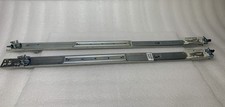
IBM Server Rackmount Sliding Rail Kit ( Part Numbers: 00D9375 / 00D9374 )
$24.99



 Reply With Quote