-
Administrator
Site Admin-
Great news, glad to hear it!
You do seem to already have a FAT partition that can be used by both Knoppix and Windows. As to that secnd drive, yes and no. That is, you didn't really say what you were hoping to do. There is no Linux tool, and no tool at all that I am aware of, that can change an NTFS partition to FAT. And there are files that can be put on an NTFS partition that are too large to fit on a FAT partition (which would present a real problem if you had such files, 4 gig or larger in size).
So yes, you can delete the NTFS partition and create a FAT partition in it's place. And no, you can't convert an existing NTFS partition to FAT and retain it's contents. I'm not clear on why the first hard drive FAT partition isn't suitable for a common point of storage between the two operating systems, but if you want to make the second hard drive FAT then I would suggest making a good backup of everything on that hard drive (always a very good idea when you have XP anyway, since many of the users who come here to learn about Knoppix are trying to recover data that XP will no longer access and they have no backups) and then deleting the NTFS partition and making a FAT partition in it's place. Actually you can do all of that in Windows and I would actually suggest doing it in Windows rather than this OS that is new to you.
I would also suggest that if you remove the NTFS partition and make a FAT partition on the second hard disk that you might want to leave a bit of space (say 8 to 10 gig) for a future Debian or other Linux install. If you don't use it you can always make an extended partition and put another FAT partition in that. But it's harder to shrink a FAT partition once you have one, so now would be a good time to leave the space so that you could have a Linux install on that disk if you want one.
Similar Threads
-
By gamewolf in forum General Support
Replies: 0
Last Post: 06-05-2007, 04:53 AM
-
By rmd6502 in forum Customising & Remastering
Replies: 0
Last Post: 01-27-2007, 03:51 AM
-
By psirac in forum Customising & Remastering
Replies: 0
Last Post: 09-12-2004, 09:22 PM
-
By BlkBear in forum General Support
Replies: 2
Last Post: 02-24-2004, 09:44 PM
-
By dil in forum Customising & Remastering
Replies: 0
Last Post: 02-13-2004, 01:30 PM
 Posting Permissions
- You may not post new threads
- You may not post replies
- You may not post attachments
- You may not edit your posts
-
Forum Rules


(New) AMD Ryzen 7 5700X 8 Core 16 Thread AM4 Unlocked 3.4 GHz CPU OEM Tray
$174.99

HP ZBook Firefly 14" G8 Mobile Workstation i5 11th Gen 16GB RAM 256 GB SSD No AC
$184.99

SGIN 17.3" Laptop Intel Quad-Core Up to 2.4 GHZ 8GB RAM 256GB SSD HD
$229.99

Dell Optiplex 7050 Micro Core i5-7500 8 GB RAM 256GB SSD Microsoft Windows 11
$89.99

Intel Xeon E5 - 2667V2 / SR19W 3.30GHz 25MB 8-Core CPU Socket LGA2011
$30.00

AMD Ryzen 7 9800X3D 8-Core 16-Thread AM5 CPU Processor Brand New Unused
$395.95

AMD FX 8350 8-CORE 4.00GHz CPU FD8350FRW8KHK SOCKET AM3+ *QTY
$39.99

AMD Ryzen 7 9700X 8-Core 16-Thread 40MB Cache Socket AM5 9000 Series Processor
$245.99
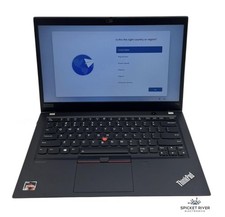
Lenovo ThinkPad T14S Gen 1 8-Core Ryzen 7 Pro 4750U 512GB SSD 16GB RAM FAIR BATT
$225.00

Dell T7810 Workstation 8-Core 2.40GHz E5-2630 v3 No RAM GPU HDD OS
$259.98



 Reply With Quote