-
Administrator
Site Admin-

Originally Posted by
kalamazoo
... I think i will put an ext2/3 partition on my second disk (not sure what the difference is) and install unix. Then I can use that disk to boot linux and keep my windows on the other disk and choose which system to use with my bios options.
Unix is not Linux. I don't know all of the details about ext2 vs. ext3 either, so I just let the installer make what it wants.
If your BIOS has options to boot from either hard disk and you don't mind going into the bios setup to make the choice then you could use the BIOS as your boot manager, but you could install grub to the first disk MBR and let it choose to boot Linux from the second disk or Windows from the first. Or you could use a boot manager like Smart Boot Manager or XOSL. I like XOSL but it could be a pain to install on the first hard disk now since it does require it's own little disk partition. Grub can likely do the job OK for you.
Originally Posted by
kalamazoo
As far as the partitoning goes which program would you recommend?
As for linux which would you recommend?
There is no "one, right" Linux for all users, but if you have no other preferences and Knippix looks interesting to you then I would suggest the net-install of Etch/testing of Debian, the hard disk version of Linux that Knoppix is based on.
If you have backed up and deleted the NTFS partition on the second drive and are ready to install Linux then installing Debian first might even make things a little simpler if you take the BIOS as a boot manager approach. It soulds like you would want to tell Debian how much of the second hard drive it could use rather than letting it use the whole thing, and then create the FAT partition in the rest. Or just create the FAT partition first and let Debian use the rest of the disk for Linux (the first of these options would avoid a potential problem when booting a partition that is too deep into the disk on some systems). I would recommend using any partition tool that you are comfortable with. Many new users do seem to get themselves in trouble with qtparted, thake that for what it is worth. There is no reason that I can see that you can't let the Debian installer take care of making the Linux system and Linux swap partitions for you, and you can make the rest of the space a FAT partition with the Windows disk management tools or with fdisk or cfdisk under Linux.
Similar Threads
-
By gamewolf in forum General Support
Replies: 0
Last Post: 06-05-2007, 04:53 AM
-
By rmd6502 in forum Customising & Remastering
Replies: 0
Last Post: 01-27-2007, 03:51 AM
-
By psirac in forum Customising & Remastering
Replies: 0
Last Post: 09-12-2004, 09:22 PM
-
By BlkBear in forum General Support
Replies: 2
Last Post: 02-24-2004, 09:44 PM
-
By dil in forum Customising & Remastering
Replies: 0
Last Post: 02-13-2004, 01:30 PM
 Posting Permissions
- You may not post new threads
- You may not post replies
- You may not post attachments
- You may not edit your posts
-
Forum Rules


(New) AMD Ryzen 7 5700X 8 Core 16 Thread AM4 Unlocked 3.4 GHz CPU OEM Tray
$174.99

HP Z420 Pro Workstation PC Xeon E5-2660 8-Core 64GB RAM Quadro K5000 128GB SSD
$249.00

Intel Core i7-10700 8-Core 16-Thread 2.9GHz Desktop CPU LGA1200 SRH6Y Z490 Z590
$129.00

SGIN 17.3" Laptop Intel Quad-Core Up to 2.4 GHZ 8GB RAM 256GB SSD HD
$229.99

Intel Xeon E5 - 2667V2 / SR19W 3.30GHz 25MB 8-Core CPU Socket LGA2011
$30.00

AMD Ryzen 7 9700X 8-Core 16-Thread 40MB Cache Socket AM5 9000 Series Processor
$245.99

AMD FX 8350 8-CORE 4.00GHz CPU FD8350FRW8KHK SOCKET AM3+ *QTY
$39.99

AMD Ryzen Threadripper PRO 3945WX 12-Core 4.0GHz sWRX8 CPU NEW Tray Unlocked
$79.99
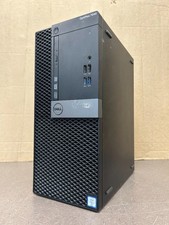
Dell Optiplex 7040 MT, i7-6700 3.40GHz, 16GB DDR4 RAM, NO HDD/OS #95
$65.00

Dell Optiplex 7050 Micro Core i5-7500 8 GB RAM 256GB SSD Microsoft Windows 11
$89.99



 Reply With Quote