-
Just getting started
I still have Windows installed and am trying out the Live CD.
The Live Knoppix recognized the Comcast modem and everything worked alright, though there were issues with display functions not performing properly. I have at least 256 Megs of Ram, so that should be enough to accomodate simple things such as display functions. On one website that I visited, only small portions of the screen were showing up. On several occasions, parts of the screen would get whited out and start partially reappearing as I moved the mouse over them. Plus, there were issues with sizing of the screens and the print coming out really small, though that is probably something that can be adjusted easily.
What causes these issues with the display functioning? Is it something to worry about when it becomes an actual full install?
I have limited space on my hard drive, about 2.3 gigs out of 8. I am inclined to just format my hard drive and start all over. Will connecting with my modem be anymore difficult after I format my hard drive?
Where can I find a crash course on the basics of Knoppix/Debian?
Also, is it possible to switch from one distro to another after I take the plunge with Knoppix?
-
Administrator
Site Admin-
Re: Just getting started

Originally Posted by
agentchange
What causes these issues with the display functioning? Is it something to worry about when it becomes an actual full install?
You have not given us much to go on, but the display issues that you write of sound like the display defaulted to a smaller resoution than you are used to.
Is this something to worry about when it becomes an actual full install? Oh no, you'll have much more important things to worry about if you ignore the warnings and actually decide to install the Live CD.
Originally Posted by
agentchange
Also, is it possible to switch from one distro to another after I take the plunge with Knoppix?
If you take the plunge with Knoppix, as you put it, there is a good change that you will want to delete the partitions and start over again with a distro inteded for hard disk like Debian. But many people who try to force Knoppix to install to hard disk and then experience problems with it seem unable or unwilling to admit the mistake and proceed on. Why this is is as much of a mystery as why they ignore the warning in the first place.
-
Senior Member
registered user
If your intent is to install a distro to your hard drive, Debian is a better choice than Knoppix. Knoppix is intended to be used as a "Live" disk and is NOT intended to be installed to the hard drive. Numerous issues would develop as a result and it is certainly not for a novice. That said, some of your display issues might be the browser you are using. Try FireFox and Konqueror to see if the issue occurs in both. That might give you a clue. It could be that there is a missing plug in causing certain pages to display improperly. Some pages are also poorly written or designed only for IE and don't display well in other browsers. Hard to tell without actually seeing them. Might also be the driver/module that was used form your display, or could also be limited graphics memory resources. Using a different desktop with less overhead might help. Try using the "knoppix desktop=icewm" cheatcode at the "boot:" prompt during startup. That will boot the system with a less "Resource Hungry" desktop. For more information on cheatcodes. go to the "Documentation" link at the top of the page and look for a link to some cheatcode information.
Kanotix is also a good choice for installation. It's based on Knoppix, but is also intended to be used as an installable distro. You can run it first to see how it works and then install it if it performs well for you.
Look to: http://www.debian.org/ for information on installation and Debian documentation. The best crash course in ANY operating system is to do a little research and then jump in to join the party. It's a learning experience that works well when learned hands-on. Just do not use a primary system for experimentation without first backing up anything of importance. Be prepared to make many insatllations until you settle on one you like. Also be prepared for disaster and worst case scenarios.
-
Thank you so much for your quick reply. There is still so much for me to learn. Is there somewhere I can read a general overview on all things related to Linux, or Debian?
So far, I am happy with the potential that I have seen and am completely ready to divorce myself from Windows permanently, though there is still plenty for me to learn before I do take the plunge. It seems user-friendly enough and with all of these forums, surely it can't be that hard to figure things out. Really the only major things I am concerned about are 1) getting the distro to recognize my Comcast modem and work with it, and 2) getting everything to function properly once I do make a full install.
Can the full Debian install be done with, say, 4 gigs? Can anything be done with 1 gig? How much space does it take? This might sound like a stupid question, but I won't need a DVD size disk to do a Debian install, right?
-
Administrator
Site Admin-
See the news forum on this site for some links to free Linux and Knoppix "books", the posts should be near the top of the most recent articles. There is plenty of other information on the Internet as well, a little searching with google will turn up more than you could ever read, but the books are a good place to start.
I don't know about your modem. If it is a USB modem there may be some issues, and I don't believe in or support USB modems in any way. That is not to say that there might not be a Debian driver for it, but I would avoid it. If it's an ethernet modem then it will work fine with almost any common 10/100 ethernet NIC in your system (and some 10/100/1000 NICS) and Linux. I would strongly suggest using a router, it's absure to run a high speed connection without the firewall protection one offers (the router is positioned between the modem and your computer in the ethernet network). A software firewall is not a replacement for a hardware firewall in a router.
Debian would install fine in 4 gigs and leave you plenty of room for additional packages. Of course, it's always easy to fill that space with more applications and more data. Debian could be installed in 1 gig, but it would not be a comfortable fit if you also tried to install the KDE Graphical User Interface. KDE is somewhat larger than others GUI's and will eat a lot of that space. You could certainly install Debian without a GUI (just a command line or "shell: textual interface) or even with a smaller GUI, there are many available for Linux such as Gnome that need less disk and memory space than KDE. 1 gig will be tight though, assuming that the purpose of this is to actually install some programs and have some data rather than just to install and have a Linux operating system, but it can be done.
Similar Threads
-
By TheChemist187 in forum Hdd Install / Debian / Apt
Replies: 2
Last Post: 10-22-2005, 05:13 AM
-
By atrick-pay in forum Hdd Install / Debian / Apt
Replies: 1
Last Post: 05-03-2005, 05:04 AM
-
By sirknot in forum MS Windows & New to Linux
Replies: 3
Last Post: 02-10-2005, 06:35 AM
-
By s10237 in forum General Support
Replies: 0
Last Post: 01-09-2005, 03:08 PM
-
By hokeypokey31 in forum General Support
Replies: 7
Last Post: 09-23-2004, 03:22 AM
 Posting Permissions
- You may not post new threads
- You may not post replies
- You may not post attachments
- You may not edit your posts
-
Forum Rules


(New) AMD Ryzen 7 5700X 8 Core 16 Thread AM4 Unlocked 3.4 GHz CPU OEM Tray
$174.99

SGIN 17.3" Laptop Intel Quad-Core Up to 2.4 GHZ 8GB RAM 256GB SSD HD
$229.99
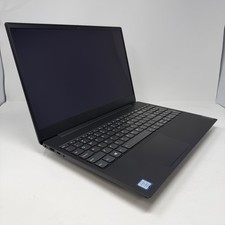
Lenovo IdeaPad S340-15IWL Laptop 15.6" Intel Core i3-8145U 8GB RAM 256GB SSD
$126.65
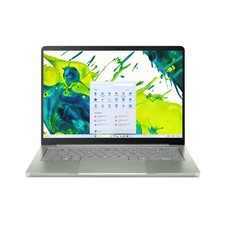
acer swift air 14
$600.00

Intel Xeon E5 - 2667V2 / SR19W 3.30GHz 25MB 8-Core CPU Socket LGA2011
$30.00

AMD FX 8350 8-CORE 4.00GHz CPU FD8350FRW8KHK SOCKET AM3+ *QTY
$39.99

AMD Ryzen 7 7800X3D 4.20GHz Quad Core 100-000000510 8 Thread AM4
$279.99
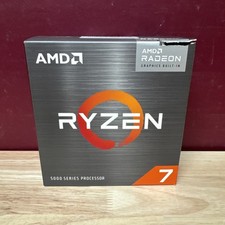
AMD Ryzen 7 5700G 8-Core 16-Thread 4.6GHz Max Boost, 3.8 GHz Base
$170.00

Dell T7810 Workstation 8-Core 2.40GHz E5-2630 v3 No RAM GPU HDD OS
$259.98

Dell OptiPlex 5070 SFF i7-9700 (8-Core) 3.0GHz 16GB 256 SSD Windows 11
$250.00



 Reply With Quote