


 Reply With Quote
FIXED!


I'm trying to get my wireless Linksys WMP54GS to work under Knoppix, to then preceed by installing Gentoo through Knoppix. But no matter what I seem to try, it dosen't seem to want to budge! But before logging out and loosing all my settings, I took the liberty of taking down some notes.
dmesg
lspciCode:IPv6 over IPv4 tunneling driver ndiswrapper version 1.1rc3 loaded (preempt=yes,smp=yes) ndiswrapper: driver wmp54gs (Linksys,12/22/2004, 3.100.46.0) loaded ACPI: PCI Interrupt 0000:06:01.0[A] -> GSI 22 (level, low) -> IRQ 22 ndiswrapper: using irq 22 wlan0: ndiswrapper ethernet device 00:14:bf:74:4c:fb using driver wmp54gs, configuration file 14E4:4318.5.conf wlan0: encryption modes supported: WEP, WPA with TKIP, WPA with AES/CCMP
iwconfig wlan0Code:0000:06:01.0 Network controller: Broadcom Corporation: Unknown device 4318 (rev 02)
Code:wlan0 IEEE 802.11g ESSID:off/any Mode:Managed Frequency:2.412 GHz Access Point: 00:00:00:00:00:00 Bit Rate:54 Mb/s Tx-Power:25 dBm RTS thr:2347 B Fragment thr:2346 B Encryption key:off Power Management:off Link Quality:100/100 Signal level:-10 dBm Noise level:-256 dBm Rx invalid nwid:0 Rx invalid crypt:0 Rx invalid frag:0 Tx excessive retries:0 Invalid misc:0 Missed beacon:0
ifconfig wlan0
Code:wlan0 Link encap:Ethernet HWaddr 00:14:BF:74:4C:FB inet6 addr: fe80::214:bfff:fe74:4cfb/64 Scope:Link UP BROADCAST RUNNING MULTICAST MTU:1500 Metric:1 RX packets:0 errors:0 dropped:0 overruns:0 frame:0 TX packets:0 errors:0 dropped:0 overruns:0 carrier:0 collisions:0 txqueuelen:1000 RX bytes:0 (0.0 b) TX bytes:0 (0.0 b) Memory:dfefe000-dfefffff
Also, when I check KWiFiManager, it can find my network and I see the greenlight and all, but my internet still won't work. Secondly, I do have access to the router if needed! And yes I was root while attempting all of this.
Thanks!
Edit: So I tried again today, and it finds my network fine. But I still can't access the internet. And the greenlight on the PCI card itself dosen't light up.
Also, it seems now that when I try to go to a website via Konqueror, that it actually tries to find the page as opposed to simply saying it can't find x site from the get-go.
FIXED!
Not to be an ass but would it kill you to expound on your fix to benefit the community at large? I'm sure there is someone lurking about who could potentially benefit from your newfound wisdom.
'Goon
Even better would be to edit the wireless networking section of the wiki to include this new information and then provide a simple link here to that new information.
---
Verifying of md5 checksum and burning a CD at slow speed are important.
 Posting Permissions


Dell Poweredge R720 8SFF 2.5" x Xeon E5-2680 v2 2.8GHz 20-Cores 128gb 4x Trays
$349.99

Dell PowerEdge R730XD Server 2x E5-2695 V4 = 36 Cores H730p 32GB RAM 4x trays
$649.99

Dell EMC PowerEdge R440 Xeon silver 4215 2.5GHz 16 GB ram 2x 550W PSU No HDD
$275.00

Dell Poweredge R720 8SFF 2.5" 2x Xeon E5-2680 v2 2.8GHz 20-Cores 64gb 4x Trays
$259.99

Dell PowerEdge R620 2x Xeon E5-2630 v2 3.1GHz 2.5" 4-BAY 32GB RAM No OS 2x 495w
$174.95

Dell Poweredge R630 2x Xeon E5-2680 v3 2.5ghz 24-Cores / 64gb / Raid / 2x 1Tb
$374.99
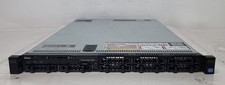
Dell PowerEdge R620 Dual Intel Xeon E5-2640 v2 @2.00GHz 192GB RAM No HDD H710P
$250.00

Dell Poweredge R630 2x Xeon E5-2680 v4 2.4ghz 28-Core | 32GB | HBA330 | 2x 1100w
$359.99

Dell PowerEdge R530 2x E5-2630v4 H330 iDRAC8 Port Card Riser No PSU/RAM/HDD
$99.99

DELL R640 10SFF Server 2x Gold 6152 2.1GHz =44 Cores 64GB H730p 4xRJ45
$959.00