-
If Knoppix doesn't use your HD, then...
When you use it, how do you save anything.If you browse the web, you can't use plug ins or install any software. I wanted to play with it, but don't understand this aspect of it. Can someone help ? Thanks so much.
-
You can save any changes/downloads etc. to a USB drive or a floppy drive (if you've not gone nutty with downloading). When Knoppix starts up you should be able to see when it creates a RAM drive where all user changes and downloads are "saved" for future use. Take a stroll through the Documentation section to see how to create a persistant home directory, that should clear up even more of the mystery.
'Goon
-
Thanks. I couldn't find
Anything in the documentation about making a persistant directory. I found something called burn directory, and that refrences using persistant directory, But I can't seem to find anything specific. Could you give me a link ? Thanks so very much.
-
Administrator
Site Admin-
Knoppix does not need to use the hard drive, it will run off the optical media just fine. You can still read the hard disk. The default action is to mount the hard disk read only, but if you have a FAT partition you can choose to mount it read/write. If you have NTFS then no officailly released Internet version of Knoppix can or should write to an NTFS partition, it is not safe and if you manage to do it will likely corrupt the partition. It is rumored that 5.0.1 Knoppix, expected in just a few days, will be able to write to NTFS. Do what you want, but I'm not going to rush to write to NTFS with it; I plan on gathering a lot of information from these forums and other sources before I risk my dtata that way.
---
Verifying of md5 checksum and burning a CD at slow speed are important.
-
Ok that's cool
So for example, I use a firefox browser with pages of bookmarks in windows. Once I boot to knoppix, All I have is a bare bones browser with no useful links, and since you can't save anything, anywhere you want to go you have to manually type the address into the browser. any program you run or anything you do will be undone as soon as you boot back into windows. This is what I don't understand.Am I understanding that that is how it works ? I must be missing something.
-
Administrator
Site Admin-
Re: Ok that's cool

Originally Posted by
Whiplash41594
I must be missing something.
I guess what you are missing is the concept of a Live CD and the chance to evaluate a Linux operating system befor you install anything. Yea, If you run the Knoppix DVD the copy of Firefox there comes up without any of the bookmarks that you have in the windows copy. There are techniques to have a persistant home directory and save much of your settings to hard drive (not NTFS) or flash drive, but I have never had good results with that (others report they have).
The new version of Knoppix due out in just a couple of days is said to be able to write to NTFS, but I plan on being very cautious about that. I will not be one of the people posting that Knoppix ruined my NTFS partition.
The new version of Knoppix is also said to be suitable for hard disk install (in spite of the utilities to do so the older versions were not). Again, I approach this with caution, but more importantly even if the new version can be installed I don't know that it should be installed. I see absolutely no advantage in installing Knoppix to hard disk over installing debian to hard disk and then using apt-get to install the same applications that are included in Knoppix that I want, but leaving out any applications that I will never use (and there are a lot on the DVD that I will never use).
So for me Knoppix is a great way to carry around a Live CD or DVD and be able to run software on any computer. And it's a great way to try Linux on a system before installing. But if I want Linux on a computer with browser bookmarks and everything then I'll install Debian on that system. And when installing Firefox in that case I believe I can even import my bookmarks from the Windows system.
 Posting Permissions
- You may not post new threads
- You may not post replies
- You may not post attachments
- You may not edit your posts
-
Forum Rules

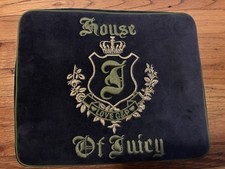
Vintage 2006 Juicy Couture House of Juicy Velour Laptop Sleeve Y2K NWT Rare
$199.99

Vintage Computer - PC Innovation Intel 486DX2 - Dos Ver 6.2 Windows 3.1
$250.00

Vintage Jetway J-620BF Socket 370 Celeron AT Motherboard SiS 620 Brand New
$75.00

🔥 RARE VINTAGE HP 2112A 21MX M-SERIES 16-BIT MINICOMPUTER HP
$299.99

Huge Lot of Vintage Computer Brochures, Catalogs, etc. - 1980's - SEE PICS
$100.00
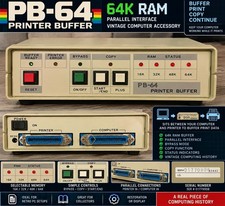
Vintage PB-64 64K RAM Printer Buffer Parallel Computer Printer Interface
$74.99
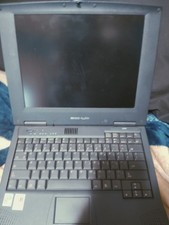
Vintage Laptop HP Hewlett Packard Pavilion N3110 Celeron 433 MHz *Please Read*
$50.99
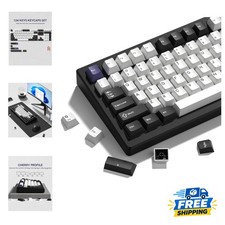
Vintage Black White Womier Keycaps Set 138 Keys - Doubleshot PBT Style
$30.99

Lot of 2 Vintage Plextor PX-43CS SCSI CD-ROM Caddy Drives + 4 Caddies Used
$139.98

Vintage Hewlett Packard HP 13181-60074 Circuit Card Assembly / Interface Board.
$135.37



 Reply With Quote