

I am running Knoppix with no hard drive, just a USB flash drive mounted as sda1. The drive is only 1/4 full. I can see from using Konqueror to browse files and also from the command line that all files have rwxrwxrwx permissions. I am trying to write to the USB drive but can't. If I use KEdit I get the message:
"The document could not be saved, as it was not possible to write to file:///mnt/sda1/asd.
Check that you have write access to this file or that enough disk space is available."
If I try to export bookmarks from Firefox I get not error message but the file is never written to the disk. I believe the problem started when I removed the USB drive and then replaced it during normal operations. After plugging the drive back in, I remounted it, and now I can read files fine, just can't write. I tried to unmount sda1 and then mount it again, but when I enter the command "umount /mnt/sda1" I get this message: "umount: /mnt/sda1: device is busy". Perhaps this is a clue.
Any ideas on how I can save all the work I have in memory before rebooting? Thanks!
---
Verifying of md5 checksum and burning a CD at slow speed are important.
 Posting Permissions


Lenovo ThinkPad L13 Yoga Touch Laptop 13.3” Core i5 8GB RAM 256GB SSD Win 11 Pro
$239.99

Lenovo ThinkPad T14 Gen 2 i5-1145G7 16GB 512GB SSD Touch Win 11 Pro Good
$261.99

Lenovo ThinkPad E14 Gen 2 Laptop 14” HD Ryzen 5 16GB RAM 512GB SSD Win 11 Pro
$319.99

Lenovo ThinkPad L15 Gen 3 15.6" 16GB, Thunder Black
$241.50

Lenovo ThinkPad T480s | i5-8350U | 256GB NVMe | 8GB RAM | W11 Pro | W/AC Adapter
$169.99

Lenovo ThinkPad L14 Gen 3 14" FHD Laptop i5 12th Gen 16GB RAM 256GB SSD Win 11
$329.99

Lenovo ThinkPad E14 Gen 3 Laptop 14” FHD AMD Ryzen 5 16GB RAM 512GB SSD Win 11
$374.99
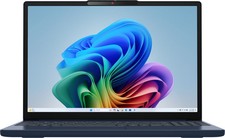
Lenovo - IdeaPad Slim 3i 15.3" 2K Touchscreen Laptop - Intel Core 7 350 2026 ...
$679.99

Lenovo ThinkPad T14s Laptop 14” Laptop Core i5 8GB RAM 256GB SSD Windows 11 Pro
$249.99

Lenovo ThinkPad T495 14” Laptop AMD Ryzen 5 PRO 16GB RAM 256GB SSD Windows 11
$229.99


 Reply With Quote