

Hi all:
When I boot knoppix 5.0.1 up from CD/DVD, it will popup a Konqueror window, and the Konqueror open /cdrom/index.htm.
when I click the [JP] link, it will open the /cdrom/KNOPPIX/index_jp.htm, but the content of this page does not displayed correctly.
The same problem also occurs in other applications such as Samba Network Neighborhood�smbclient�smbtree�Kconsole, if they displaying Chinese/East Asia characters.
The only application I have tried that can display Chinese characters correctly is Firefox, but the title of Firefox window itself does not display chinese character correctly.
This problem does not occur in v4.0.2, so, is the corresponding fonts stripped out from v5.0.1 or some other reason causes this problem ?
I have tried both CD and DVD version ISO, and I got the same result.
I have tried "lang=cn" boot option, and I got the same result too.
I have tried export LANG=en_US.UTF-8 (this is now I'm using), and I got the same result too.
Thanks !
谢谢�
 Posting Permissions


Seagate Exos 7E8 4TB 3.5" SAS ST4000NM0025
$22.00

Seagate 14TB Exos X14 7200RPM SATA 6Gb/s 256MB 3.5" Enterprise HDD ST14000NM0408
$354.99

New Western Digital WD40EFPX 68C6CN0 4TB 3.5" SATA III Internal NAS Red Plus HDD
$137.59

HUS726060ALA640 HGST Ultrastar 6TB SATA 6Gbps 7.2K 3.5" Hard Drive OF21860
$129.99

Hitachi / HGST Travelstar HTS541010B7E610 1TB 2.5" SATA III HDD
$29.99

Seagate ST6000NM0115 6TB 256MB 7200RPM 3.5" SATA 6.0Gb/s Enterprise Hard Drive
$159.99

HGST HUS724040ALA640 4TB 7200 RPM SATA 3.5" Internal Desktop Drive 100% Health
$78.00

Western Digital HUS726T4TAL5204 4TB 7.2K SAS 12Gb/s 3.5" 512e HDD NetApp X375A
$69.00
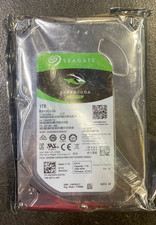
Seagate BarraCuda ST1000DM010 1TB 7200 RPM 64MB Cache SATA 6.0Gb/s Hard Drive
$63.99

HDD 3.5" SATA Hard Drive with Windows 10/Win 11 64x Installed Legacy
$35.00


 Reply With Quote