


 Reply With Quote
Why would you want to do that? You can just leave the cmg files on the desktop, or run them from /opt.
Greetings,
probono


I'm new to linux and new to klik as well. I'm wanting to take the .cmg file off my desktop and create a link to it on my desktop. How exactly do I do that? I move the cmg file to a new location /opt/klik and drag it to my desktop to create a link. The problem comes in when I try to run the new link, it doesn't. It just sits in my taskbar and then dissappears. Has anyone seen this? I'm running KDE 3.5.2.
Any help would be greatly appreciated
Thanks...
Why would you want to do that? You can just leave the cmg files on the desktop, or run them from /opt.
Greetings,
probono
Because I don't want the cmg extension.. I don't want any extension on it. plus if I create a link via the cmg in /opt I can't change the icon so it has no icon it's just a generic icon.Originally Posted by probono
For icon support, please see http://klik.atekon.de/wiki/index.php/KDE_Thumbnails
Please note that this is totally unsupported at the moment, but maybe will appear in future versions as a supported feature.
 Posting Permissions


Samsung SSD Solid State Drive MZ-VL25120 512GB
$54.99

ON SALE TURBOLINK EVO 4TB V-HAND SSD 2.5 SATA III Internal Solid State Drive
$199.99
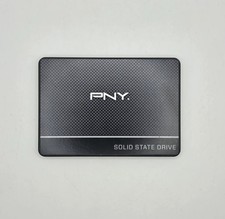
PNY CS900 250GB 2.5" Internal SSD (SSD7CS900-250-RB)
$31.00

Toshiba THNSN81Q92CSE 1920GB SATA 2.5 Solid State Drive
$199.00

Samsung 860 EVO 250GB, SATA III, 2.5" Internal Solid State Drive - Black
$29.00

SAMSUNG SSD 512GB 500GB 480GB 256GB 250GB 240GB SSD 2.5 Solide State Drive 6Gbps
$40.99

256GB mSATA SSD DRIVE MIXED BRAND TESTED WORKING
$23.50

Crucial 2TB P3 Plus NVMe PCIe 4.0 M.2 Laptop Desktop Internal SSD CT2000P3PSSD8
$199.00

Western Digital Blue 3D NAND 250GB 2.5" SATA III Internal SSD - WDS250G2B0A
$29.99

Netac 120GB 256GB 1TB 2TB Internal SSD 2.5'' SATAIII 6Gb/s Solid State Drive lot
$119.99
