-
Junior Member
registered user
recognizing a fat32 partition
I'm new to knoppix. I've overcome various obstacles to get basic functions (net access, saving
and using boot configurations, etc.) But I've been stymied with respect to transfering largish
files to Windows (which, perhaps unfortunately, is necessary). I've tried various things (networking with a Windows system, writing to a zip drive, writing to a fat32 partition, etc.) but the only thing
that works is writing to a floppy.
I would like to focus on being able to write to a fat 32 partition.
When I boot without stored configuration Knoppix sees the partition (and the zip drive for that
matter) but when I boot using myconfig=scan it doesn't seem to see either the fat32 partition
or the zip drive. It does see other Windows partitions. I can write to the floppy.
Your assistance would be appreciated.
Django
-
Administrator
Site Admin-
Re: recognizing a fat32 partition

Originally Posted by
django
When I boot without stored configuration Knoppix sees the partition (and the zip drive for that
matter) but when I boot using myconfig=scan it doesn't seem to see either the fat32 partition
or the zip drive.
Sounds like something may be wrong with the myconfig file. Are we to understand that you have been able to write to the fat32 partition just fine when not using the myconfig=scan option? What version of Knoppix is this that you are talking about? I have to admit that I've never gotten the myconfig options to work right, but I write to a fat32 partition frequently with Knoppix.
---
Verifying of md5 checksum and burning a CD at slow speed are important.
-
Junior Member
registered user
I wasn't sure if I'd actually written a file (as opposed to seeing the drive folder on the desktop)
so I rebooted, did a quick test, and yes, I can write to and read from the fat32 partition if
I boot without using the myconfig=scan option.
As to Knoppix version, I'm using 4.02.
Django
-
Junior Member
registered user
A few developments:
I was able to find hda7 and sda4 (the fat32 partition and the zip drive) in Konqueror
under mnt. But when I checked the permissions the values were greyed out and
when I checked the locations the existing files did not show up. The various menus
don't show a make writeable or a mount/dismount option.
Of course these all show up when I don't use myconfig=scan.
I am quite perplexed and would appreciate any suggestions, particularly since
secure download and transfer to a non-internet connected machine (which sometimes
runs Knoppix and sometimes runs Windows) is one of my main goals for Knoppix.
Thanks in advance for any suggestions.
Django
-
Administrator
Site Admin-
Originally Posted by
django
A few developments:
I was able to find hda7 and sda4...
Once you can find them, advice for permissions is in answer #6.
-
Junior Member
registered user
Thank you for the reference if it had been a plain vanilla
permissions problem that would have solved it.
However, I'm familiar with how to handle such things and
in this case there is no mount/unmount option in the menus
and the permission setting boxes and dropdowns are greyed out
and unusable.
Do you have any other ideas for me?
Thanks in advance.
Django
-
Administrator
Site Admin-
Nope. You said that you were new to Knoppix and many who are do not know about the default to read-only mode. But your problem does sound different from any I've seen reported.
---
Verifying of md5 checksum and burning a CD at slow speed are important.
-
Junior Member
registered user
Well, thanks for your time. If you get any more thoughts let me know.
Perhaps someone with a floppy and a usb zip drive could try replicating
the problem to see if it is a bug, a feature, or a config setting and how common
it is? (save a configuration to a linux formatted floppy, boot specifying the
floppy--floppyconfig if I recall correctly but do check if you don't know -- with
the zip drive plugged in, and see if the zip drive icon is on the desktop
or otherwise accessible.)
I continue to experiment.
I've poked around a bit and noticed that all the usable devices/partitions
are in both the /mnt and /media directories while the unusable ones
are only in the /mnt directory. Does this tell us anything useful?
Thanks in advance for any help.
Django
-
Junior Member
registered user
Just to be clear, the /mnt stuff that wasn't useable had missing mount
options on the menus and greyed out boxes and dropdown lists. And
the acid test for the replication experiment is the ability to read and
write files to the zip drive.
Thanks again.
Django
-
Junior Member
registered user
As I mention in another message I have since my last post solved the problem.
It appears that the fstab file Knoppix creates when saving its
configuration fixes the storage to be recognized when booting.
So since I apparently had no disk in the zip drive when I created
the config file and had created the fat32 partition after the config
file Knoppix didn't make them accessible when booting with
the myconfig=scan option.
My perhaps awkward solution was to boot without options,
redo all my config choices, and then save the new configuration.
(Attempting to mount the partitions as root had not succeeded.)
So that's working fine now.
Regards,
Django
Similar Threads
-
By alex2004 in forum MS Windows & New to Linux
Replies: 4
Last Post: 06-17-2005, 11:20 PM
-
By country.hacker in forum MS Windows & New to Linux
Replies: 2
Last Post: 09-05-2004, 04:23 PM
-
By Rivendell in forum Hardware & Booting
Replies: 2
Last Post: 08-05-2004, 08:55 AM
-
By bilzer in forum General Support
Replies: 10
Last Post: 04-21-2004, 05:43 AM
-
By margaritaville in forum General Support
Replies: 10
Last Post: 01-29-2004, 04:09 AM
 Posting Permissions
- You may not post new threads
- You may not post replies
- You may not post attachments
- You may not edit your posts
-
Forum Rules


SK Hynix 32GB 2RX4 PC4-2666V DDR4 RDIMM Server Memory RAM, HMA84GR7AFR4N-VK
$169.95

SMART(Micron)SafeStor 32GB(1X32GB) 1RX4 NN4-3200AA(DDR4) HPE Server Memory
$159.98

Dell 16GB PC4-21300 (DDR4-2666) Memory (SNPPWR5TC16G)
$89.99

Micro SD Adapter To SD HC SDHC Memory Card Adapter Reader NEW
$1.39
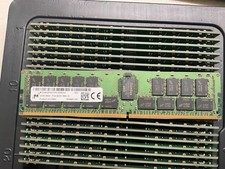
MTA36ASF4G72PZ-2G9E2 MICRON 32GB (1X32GB) 2RX4 PC4-2933Y MEMORY
$229.00
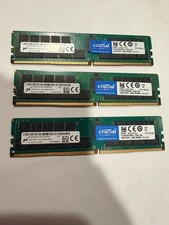
Lot 3x 16GB Micron MTA36ASF2G72PZ-2G6E1QI / CT16G4RFD4266 ECC Server memory
$160.00

Kingston 32GB 64GB 128GB 256GB USB 3.0 Flash Drive Thumb Memory Stick Pen lot
$285.90

USB 3.0 Flash Drive 32GB 64GB 128GB Memory Stick Thumb Stick Lot Pack
$826.09

x4 Intel 128GB NMB1XXD128GPS Optane Memory 200 Series PMEM Module 3200 DDR4 RAM
$329.99

24x Micron MT40A512M16LY-062E IT:E 8Gb DDR4-3200 96-FBGA Memory IC
$349.99



 Reply With Quote