

 Reply With Quote
i rewrote the partition as fat32, and no problems writing to it now.
but strange that knoppix can't write to ext3 ...


i have 3 hdd partitions as follows:
hda1 = swap
hda3 = ext3 (15 gig)
hda4 = ext3 (rest of disk +40gig)
these partitons were created to a blank hdd from fdisk ... there is no os on any of these drives ... they are blank save for being formated in ext3
in order to free my cd burner to create iso images for a new os install, i performed a "tohdd" switch at the knoppix boot.
the tohdd is mounted and appears on the hda3 partition.
the hda4 partition is free and is unmounted at boot.
i cannot mount the hda4 partition as writable. i need this space to save my iso's
i have:
right click on hda4 and select "actions > change read/write mode" so that it says it should be writeable.
right click on hda4 and select "properties > permissions" and changed everything to "can read & write"
right click on hda4 and select "properties > permissions > advanced permissions" and made sure that everything had a check for write.
right click on hda4 and select "properties > device" and unchecked "read only".
what's the deal?
also note: i've tried searching for the answer on the forum, but the forum search function seems to be quite lacking ... i searched on "mount ext3 write" and came up with nothing remotely like what would be considered related to my problem.
i rewrote the partition as fat32, and no problems writing to it now.
but strange that knoppix can't write to ext3 ...
If you are attempting to save ISOs to a FAT32 partition, there is a limitation of 4Gig. The current Knoppix 5.0.1 DVD ISO is over this limit, so it will not save to a FAT32 partition. You had mentioned in your post that your intention was to save ISOs to the partition you created.
thanks for the information, i was not aware of this limitation.
however, i do not have a dvd writer so the iso files i'm downloading are only ~650M each. 5 of them total (fedora core 5).
is this save limitation a TOTAL of 4 gig, or is it 4gig for one file?
4 gig (actually 4 gig minus one byte) is a file size limitation for FAT32 partitions. You can have larger partitions that that on FAT32 (you apparently do) and it should be pretty obvious that you can have more than 4 gogs of files total if you have, say, an 80 gig partition.Originally Posted by dmizer
---
Verifying of md5 checksum and burning a CD at slow speed are important.
 Posting Permissions

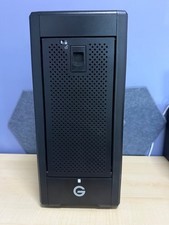
G-Technology G-SPEED Shuttle XL 8-Bay Thunderbolt 3 RAID ENCLOSURE ONLY
$550.00

Broadcom 9600-24i Tri-Mode RAID Controller 4.0 NVMe SAS SATA NEW 05-50111-01003
$639.69

G-Technology G-SPEED Studio XL 48TB Thunderbolt 2 Storage - Housing Only
$200.00

HP controller P3410-69003 NetRAID-1M SCSI 64-bit U160 32MB Cache (PCI)
$359.00

MegaRAID 9580-8i8e 16-port 12G SAS/SATA/NVMe 8GB PCIe RAID - 05-50076-00
$1619.30

Broadcom LSI 9305-16i 12Gbps SAS-3 PCIe x8 HBA 16-Ports Raid Controller
$64.99

9300-8i LSI SAS3008 8-Port 12Gb PCIe IT mode ZFS FreeNAS unRAID 2*SFF-8643 US
$49.50

OWC Mercury Elite Pro Quad 4 Bay RAID Storage Enclosure USB 3.1 Gen 2 No Drives
$149.95

BROADCOM 05-50077-01 PCI-E 4.0 x8 PCI-Express MegaRAID 9560-8i RAID Controller
$714.99
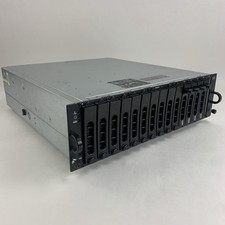
Dell PowerVault MD3000i AMP01 Storage Array 4x Cad 2x PSUs No HDDs/Controllers
$164.95