

 Reply With Quote
From my quick test, correct file seems to be .kde/share/config/kickerrc in your home-directory.Originally Posted by alberto.orlandini


Hello everybody,
I am customizing Knoppix cd 4.02, I removed OO but a button still appears in the KDE Panel. I'd like to remove it, but i don't know which files I have to modify... I'd prefer doing this textually from the chrooted environment, because i have some problems using xnest... Thanks
From my quick test, correct file seems to be .kde/share/config/kickerrc in your home-directory.
But if I modify a file in my home directory, will it take effect? I thought all the files in the home directory were copied from /etc/skel by a script during the boot...
Yes, something like that. I don't know the specifics as I havn't done any remastering for some time.
Knoppix 4.0.2 CD seems to have file /etc/skel/.kde/share/config/kickerrc, so perhaps that is the file you want.
 Posting Permissions


Lenovo ThinkPad T14 G2 14-Inch AMD Ryzen R5 5650U 16GB, 512GB SSD Win 11 Pro
$398.99

Lenovo ThinkPad L15 Gen 3 15.6" 16GB, Thunder Black
$241.50

Lenovo ThinkPad L15 Gen 3 15.6" 16GB, Thunder Black
$241.50
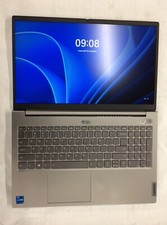
Lenovo Thinkbook 15 G2, i5 1135G7, 256GB, 8GB, 20VE003GUS no OS, Iris Xe, 15.6"
$200.00

Lenovo ThinkPad T14 Gen 1 14" AMD Ryzen 5 16GB 256GB SSD
$219.99
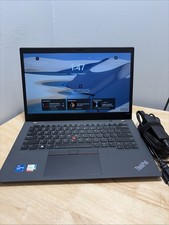
14" Lenovo ThinkPad T14S Gen 2i Core I7-1165G7 16GB 256GGB WCam W11 Cord
$230.00

Lenovo - Yoga 7i 2-in-1 16" 2K Touchscreen Laptop - Intel Core Ultra 5 Proces...
$749.99

Lenovo - IdeaPad Slim 3i 15.6" Full HD Laptop - Intel Processor N355 2025- 8G...
$349.99

Lenovo IdeaPad 330-15IGM 15.6" Laptop Celeron N4100 4GB 500GB HDD Gray
$180.00
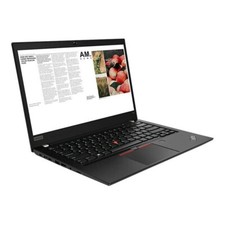
Lenovo ThinkPad laptop T490 14" i5 8365U 16GB NEW 256gb SSD WIN 11 pro CAM WIFI
$249.99