
With the increase of flash disk tech is it possible to boot from a flash stick, and save settings dynamically to it?
Thank you


With the increase of flash disk tech is it possible to boot from a flash stick, and save settings dynamically to it?
Thank you
It can be done, but most BIOS don't support it. Even my HP notebook bios which has "boot from USB drive" right in the modest list of bios boot options does not do it properly.
I'm not sure of how to exactly build the Knoppix flash drive, but a Knoppix derived distro, Damn Small Linux now has an installer that will make the flash image for you. And it only needs a 64 meg flash device. I would suggest that you try making a DSL flash device to find out if your hardware will really support it before you try getting Knoppix onto a flash device (and you may learn a lot about how the flash device needs to be structured in the process). Use the link above to get started.
Have a look in here: http://www.knoppix.net/forum/viewtop...?p=93758#93758Originally Posted by bin_aries
Hope this helps,
Gilles
PS: I wonder why Harry never mention my link and solution...
I had forgotten all about it. I had seen it in the past but since I didn't have a flash device large enough for Knoppix and I had determined my target computer wasn't going to boot from flash, I just didn't get to use it and without reinforcement it was forgotten. Sorry.
---
Verifying of md5 checksum and burning a CD at slow speed are important.
To install Knoppix 5.0.1 on a 1G usb pendrive *for testing* you do the following.
1. stick the device into the computer and hit the power button (note: the computer should be off before attemping this first step)
2. boot knoppix and download knoppix 5.0.1 image and syslinux-3.11 to a storage device, not the usb stick.
3. uncompress syslinux-3.11.
4. open root console and goto syslinux folder, type ./mkdiskimage -4 /dev/sd? 0 64 32 (where ?=your flash device. *all data is now gone*)
5. reboot (or if you know of someway of updating the system without reboot, do so... I don't)
{you should now have a /dev/sd?4 device.}
6. open console and make a new dir on / called... knoppix1 or whatever.
7. type mount -o loop /path/to/knoppix/image.iso /knoppix1
8. mount your device.
9. copy the knoppix folder now found in /knoppix,1 too your device.
10. copy the boot folder in /knoppix1.
11. move all the files *except isolinux.bin, delete it* from /boot/isolinux to /.
12. rename the isolinux.cfg file you just moved to syslinux.cfg.
13. edit the syslinux.cfg file: add the following to the first line starting with APPEND under DEFAULT linux; fromhd=/dev/sd?4 noeject noprompt.
14. goto /syslinux-3.11/unix folder.
15. type ./syslinux /dev/sd?4.
16. restart machine.
17. change the bios to boot off usb device and your done.
I'm wondering if having usb modules in minirt would speed up the initial boot process, something to try for later.
I also add nofirewire to APPEND as well because i have a port but no device so boot is a sec or two quicker. you might also want to add home=/dev/? where ?=your storage device for your persistent home.
As far as dynamic storage on the device itself. I tried partitioning 820 for the system image and 150 or so for a persistent home then I passed /dev/sda1 to mkdiskimage. The program started and stopped without error... but all it did was delete the partition. Here is what needs to happen. in the syslinux folder is a readme for usb pendrives, it says Bios is where the problem. untill the fix we must use mkdiskimage. Ideal solution whould be to create a empty home.img when you copy the system over and then have the boot scripts access and load the .img as rw. I don't know enough yet to be messing with the boot scripts and it takes forever to copy the system to disk. Update: looks like the device itself is mounted as read only which is great for security but the home .img on the same device is a risk.
I read a thread somewhere else that mkdiskimage doesn't work with 2G pendrives... could be the fat16 fs.
If you have asus a8v board your sound card will not be detected, you will need to type alsaconf. When I try to use the realtek driver it fails to find the sound device... the driver in use is very different, i don't think i like it.
after a slow initial boot, kde and all the software runs lighting fast, are highly responecive and stable, almost like the toram option. If you cannot afford 1G of ram then this is the best route for performance. As far as security goes... the system is now on a writeable media, I dont know if i like that. on a cd-r it is not going to change.
Hope this helps, I had lots of fun doing it and now it's easy to show off knoppix to my friends because it's on my keychain! too cool.
 Posting Permissions


Dell EMC PowerEdge R740 8 Bay Server w/ 32GB RAM 2x GOLD 6132 2x 1600W PSU H730p
$499.88

Dell PowerEdge R740xd Dual Intel Silver 4116 @2.1GHz 32GB HBA330 24Bay Server
$525.00

Dell EMC PowerEdge R440 Xeon silver 4215 2.5GHz 16 GB ram 2x 550W PSU No HDD
$275.00

Dell Poweredge R630 2x Xeon E5-2680 v3 2.5ghz 24-Cores / 64gb / Raid / 2x 1Tb
$374.99

Dell PowerEdge R640 1U 8SFF Server Barebones 2x Gold 5120 64GB H330 2x 750w
$538.88

Dell PowerEdge R640 1U 8SFF Server Barebones 2x Gold 6150 64GB 2x 750w
$358.88
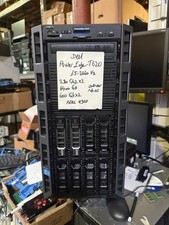
Dell PowerEdge T620 2x E5-2620 v2 @ 2.20GHz, 64GB 2X600GB HDD DVDRW H310 NO OS
$449.99

Dell PowerEdge C4130 1U AI GPU Server | 2x E5-2680 v3 | 32gb Ram | 2x 1600W
$484.99

Dell Intel X710-DA2 5N7Y5 Dual-Port 10GbE SFP+ PCIe 3.0 x8 Network Adapter
$27.50

Dell EMC VxRail E560F 10-SFF 2*Gold 6230R 2.1GHz No RAM HBA330 iDrac Ent Server
$349.99

 Reply With Quote