-
Junior Member
registered user
Mounting Problems after Hdd install
I recently installed a new 250gb hard drive, and having enjoyed playing around with the LiveCD, thought I'd give a hdd install of Knoppix (5.0.1) a whirl.
I have two other older, smaller, hard drives, one formatted in Fat32 (with almost no free space left on it!) and one formatted in NTFS. Windows XP is installed on the NTFS drive.
I decided to parition the new disk with 1 NTFS partition (for windows stuff exclusively), a linux home paritition, linux swap, and a Fat32 partition (for sharing files between linux and windows). I set up my NTFS parition first in Windows, to be ~100gb, then I also set up the Fat32 partition. I did this using Windows Setup, and found that it would only let me create a Fat32 parition of ~40gb. So I did this (thinking I could just resize it later, using QTparted).
Next, came the Knoppix install... it basically worked a treat, autodetected everything and installed without any problems. During the install process I created a linux ext3 partition of ~6gb, and a swap partition of ~2gb. First time I booted up off the hard drive, I could browse all of the other drives on my system happily.
I decided to use QTparted to resize the fat32 partition on my new drive to fill all of the remaining space. This seemed easy enough, and it appeared to resize OK without any error messages.
This is how my hda is configured:
root@box:/home/Jon# fdisk -l /dev/hda
Disk /dev/hda: 250.0 GB, 250059350016 bytes
255 heads, 63 sectors/track, 30401 cylinders
Units = cylinders of 16065 * 512 = 8225280 bytes
Device Boot Start End Blocks Id System
/dev/hda1 * 1 12748 102398278+ 7 HPFS/NTFS
/dev/hda2 12749 13513 6144862+ 83 Linux
/dev/hda3 13514 13768 2048287+ 82 Linux swap / Solaris
/dev/hda4 13769 30401 133604572+ b W95 FAT32
root@box:/home/Jon#
Next, I rebooted into windows. I could see my new fat32 partition, and it had indeed been resized to fill all of the remaining space. I copied a few files across, then rebooted into Linux.
Now, this is where things get tricky. Now, Linux flatly refuses to mount any of the partitions except for the ext3 linux home partition. Whenever I attempt to mount the other partitions I get the following (example is hda4, the fat32 formatted partition of the new drive):
root@box:/home/Jon# mount /dev/hda4
mount: wrong fs type, bad option, bad superblock on /dev/hda4,
missing codepage or other error
In some cases useful info is found in syslog - try
dmesg | tail or so
My forum searches and other research seem to suggest that the problem is probably caused by my /etc/fstab file being incorrect. This is what my fstab file looks like:
# /etc/fstab: filesystem table.
#
# filesystem mountpoint type options dump pass
/dev/hda2 / ext3 defaults,errors=remount-ro 0 1
proc /proc proc defaults 0 0
/dev/fd0 /floppy vfat defaults,user,auto,showexec,umask=022 0 0
usbfs /proc/bus/usb usbfs devmode=0666 0 0
sysfs /sys sysfs defaults 0 0
tmpfs /dev/shm tmpfs defaults 0 0
#/dev/cdrom /media/cdrom iso9660 defaults,ro,users,noexec,noauto 0 0
#/dev/cdrom1 /media/cdrom1 iso9660 defaults,ro,users,noexec,noauto 0 0
/dev/dvd /media/dvd iso9660 defaults,ro,users,noexec,auto 0 0
# Added by KNOPPIX
/dev/hda1 /media/hda1 ntfs auto,users,exec,umask=000,uid=knoppix,gid=knoppix 0 0
# Added by KNOPPIX
/dev/hda3 none swap defaults 0 0
# Added by KNOPPIX
/dev/hda4 /media/hda4 vfat auto,users,exec,umask=000,shortname=winnt,uid=knop pix,gid=knoppix 0 0
# Added by KNOPPIX
/dev/hdb1 /media/hdb1 vfat auto,users,exec,umask=000,shortname=winnt,uid=knop pix,gid=knoppix 0 0
# Added by KNOPPIX
/dev/hdc1 /media/hdc1 ntfs auto,users,exec,umask=000,uid=knoppix,gid=knoppix 0 0
I tried changing the entries for the hda partitions (other than hda2) to "defaults" instead of the "auto,users etc..." but it didnt make any difference.
So, my question is - what should I try next?
Windows XP sees all of the drives and partitions (except the ext3 and swap) and functions perfectly normally with them.
Any advice would be much appreciated.
Cheers
Jon
-
Junior Member
registered user
OK, I've made some progress now. It seems that part of the problem is caused by the "uid=Knoppix and gid=Knoppix" sections of the fstab file. It seems like the default username on the livecd "Knoppix" has carried through into the fstab for the hdd installation despite the system now not having a user called "Knoppix", and this is why I cant mount the Fat32 partitions. If I replace "Knoppix" for "Jon" (my username) then I can mount my two fat32 partitions OK.
I still cant mount my NTFS partitions though... but hopefuly I'll be able to figure that out with a bit more experimentation...
-
Senior Member
registered user
I still cant mount my NTFS partitions though... but hopefuly I'll be able to figure that out with a bit more experimentation...
I'd be inclined not to: it serves no useful purpose. And then, don't set them to automount -- a slip of the brain might result in you writing to them from Linux which may well trash the ntfs file system.[/quote]
-

Originally Posted by
TheBoyMole
OK, I've made some progress now. It seems that part of the problem is caused by the "uid=Knoppix and gid=Knoppix" sections of the fstab file. It seems like the default username on the livecd "Knoppix" has carried through into the fstab for the hdd installation despite the system now not having a user called "Knoppix", and this is why I cant mount the Fat32 partitions. If I replace "Knoppix" for "Jon" (my username) then I can mount my two fat32 partitions OK.
I still cant mount my NTFS partitions though... but hopefuly I'll be able to figure that out with a bit more experimentation...
were u able to automount ntfs? if yes, can u help me out please... i have the same problems... it gives me some permission error... this is the error i get:
"could not mount device the error report was:
error opening partition device: permission denied
dailed to startup volume: permission denied
couldn't mount device '/dev/hda1': permission denied
mount failed"
how can i automount ntfs, but i just want read only.. thnx
Similar Threads
-
By Digitalrover in forum Hardware & Booting
Replies: 3
Last Post: 06-29-2009, 11:34 PM
-
By stufoo in forum Hdd Install / Debian / Apt
Replies: 3
Last Post: 11-19-2006, 02:40 AM
-
By jehan60188 in forum MS Windows & New to Linux
Replies: 1
Last Post: 07-24-2005, 09:46 PM
-
By kuser123 in forum Networking
Replies: 3
Last Post: 08-27-2004, 11:49 PM
-
By pummer in forum Hdd Install / Debian / Apt
Replies: 9
Last Post: 07-16-2003, 07:46 PM
 Posting Permissions
- You may not post new threads
- You may not post replies
- You may not post attachments
- You may not edit your posts
-
Forum Rules


Vintage Apple II Avant-Garde Creations Super Shape Draw And Animate 1981
$295.00

Vintage Apple Monitor IIc 9" Green Monochrome 06/1985 A2M4090 October 1984 Stand
$275.00

Vintage cross Apple computer branded pen rainbow logo In original box
$100.00
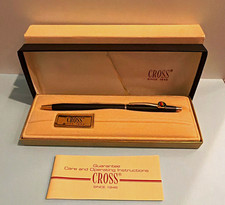
Vintage Apple computer Cross Metal Ballpoint Pen Black Ink Gold Trim
$125.00

Rare Vintage Macintosh Apple Wooden Disk Storage Box Dovetailed
$69.95

LARGE LOT Vintage Apple Macintosh Mouse Cables Accessories SCSI etc - UNTESTED
$80.00
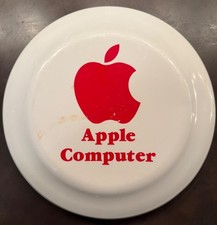
Vintage RARE 1980s Apple Computer Logo Frisbee. Great shape, w/ the usual nicks
$220.00

Vintage Apple Macintosh 128K 512K Carrying Case Rainbow Logo Excellent Cond
$140.00

Vintage Apple Multiple Scan 15av Display Monitor M4681
$299.99
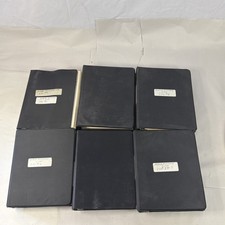
Vintage Apple Assembly Line Newsletter Vol: 1,2,3,4,5,6,7 From 1984
$179.99



 Reply With Quote