-
Can't Mount Flash Drive with Knoppix 5.0.1 installed
lately i have been having problems when i try to plug in my flash drive (or thumb drive or removable disc, whatever you want to call it) i cant mount it to, say, get files off of it or what have you. It reads it as a hard disc when i go to the storage media folder, but on the desktop it still has the same icon as unmounted removable media. When i click on it to open in it konquer, it give me the error "could not mount device. The reported error was: mount: wrong fs type, bad option, bad superblock on /dev/sda1, missing codepage or other error". But when i booted up the live cd it worked fine, but i was unable to copy the files to the hd but i already know about that problem... so i think the main problem is that it thinks my flash drive is a hard drive and is trying to make it act like one...whicn isnt working....does anybody have any ideas on how i could fix this annoyance?
-
Junior Member
registered user
Sounds like you've hit a similar problem to me. Probably your /etc/fstab file needs editing to remove the "knoppix" user that the hdd install seems to apply to partitions. Take a look at this thread:
http://www.knoppix.net/forum/viewtopic.php?t=24572
-
Thanks
Thanks for your help ill see if it works for me
-
YAY!
THANK YOU THANK YOU THANK YOU !!! gosh it feels good to fix a problem doesnt it?
yea at first it was saying acess denied when i tried to save it so i had to open the root shell and then i did cd /ect and then ls and then kwrite fstab but it still gave me the same error so i tried the same thing only i opened it with kate instead of kwrite and it worked.....odd....but i dont care it worked :P but yea thank you for your help im glad i got that loss of sleep out of the way 
-
one more thing....
ok so thats all good but i still have one more small annoyance. When i go to storage media my flash drive shows up as a hard drive...but on the desktop it has the icon of a flash drive but its name is still Hard Disk [sda1] what is it thinking that makes it think its a hard drive?
-
one more thing...
ok well now once when i plugged in my flash drive once a pop up box came up and asked me what i wanted to do with my flash drive and i selected open in new window and clicked "always perform this action" and now whenever i plug it in i have to re-edit the fstab file every time and it is a hassle...why does it do that?
Similar Threads
-
By johnsfine in forum Customising & Remastering
Replies: 0
Last Post: 12-05-2007, 08:07 PM
-
By jacksonon in forum Hdd Install / Debian / Apt
Replies: 3
Last Post: 08-01-2006, 02:10 AM
-
By satimis in forum Hardware & Booting
Replies: 4
Last Post: 02-27-2006, 06:25 PM
-
By bokaroseani in forum Hardware & Booting
Replies: 7
Last Post: 11-04-2005, 09:27 PM
-
By jscinoz in forum The Lounge
Replies: 11
Last Post: 10-02-2005, 01:35 PM
 Posting Permissions
- You may not post new threads
- You may not post replies
- You may not post attachments
- You may not edit your posts
-
Forum Rules


1x64GB Hynix HMAA8GL7MMR4N DDR4 PC4 2133P-LE0-11 4Rx4 ECC LRDIMM Server RAM
$320.00

24x Micron MT40A512M16LY-062E IT:E 8Gb DDR4-3200 96-FBGA Memory IC
$349.99

24x Micron MT40A512M16LY-062E IT:E 8Gb DDR4-3200 96-FBGA Memory IC
$349.99

Microsoft Office 2021 Pro Plus USB for 1PC Windows 10 & 11
$62.55

Kingston 32GB 64GB 128GB 256GB USB 3.0 Flash Drive Thumb Memory Stick Pen lot
$285.90
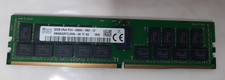
SK Hynix 32GB(1x32GB) 2RX4 PC4-2666V-R DDR4 ECC Memory RDIMM HMA84GR7CJR4N-VK
$200.00

USB 3.0 Flash Drive 32GB 64GB 128GB Memory Stick Thumb Stick Lot Pack
$826.09
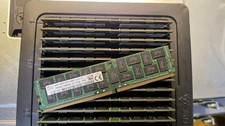
1x64GB Hynix HMAA8GL7MMR4N DDR4 PC4 2400T-LE0-11 4Rx4 ECC LRDIMM Server RAM
$340.00

Dell 16GB PC4-21300 (DDR4-2666) Memory (SNPPWR5TC16G)
$89.99
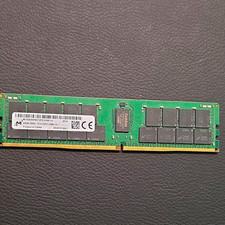
Micron 64GB DDR4 SDRAM PC4-2933Y 288-Pin DIMM RAM MTA36ASF8G72PZ-2G9E1UI
$300.00



 Reply With Quote