-
Two interconnected issues
Hi all,
I'm a new user (the past 12 hours) of Knoppix, and I'm trying to sort out an issue. I am able to log in as root in a command line, but not in KDE. I successfully set up a root password for KDE (when i try to access user settings it prompts for it and it works) but I cannot log in as root. I need to have root access in order to extract my firmware update to the /lib/firmware folder... I believe. Is there any way to get it to work?
The problem this has stemmed from is that, like others i've noticed in this forum, I'm using an Intel 2200bg wireless adapter, and I'm unable to get it to work. The Device Manager recognizes it, but when I attempt to set it up it says that there's no wireless card detected (using Wavelan) which leads me to believe it's a driver problem...
So in short, does anyone know what I need to do to correct these issues? I know that the first one is a necessity, and probably a necessity to solve the 2nd one. I figure that once I get my wireless up and running in Knoppix any other problems that may present themselves will be researchable from that end, rather than having to boot back and forth between XP and Linux each time something goes wrong...
Thanks everyone,
Bri
-
nobody? I'd really like to figure this out and I'm having no luck on my own.
-
Senior Member
registered user
if you type in a console you will get root acess to the filemanager, use that to go to your file rightclick on it and choose extract...
-

Originally Posted by
OErjan
if you type
in a console you will get root acess to the filemanager, use that to go to your file rightclick on it and choose extract...
Thank you very much. I'll try this out after work tomorrow, and hopefully have my wireless up and running by Saturday... thanks again, I really do appreciate it.
Bri
-
UPDATE:
I used THIS process to get the card up and running:
(after copying the firmware to /usr/lib/hotplug/firmware/)
"Thanks, I copied the firmware version 3.0 from the ipw2200.sf.net , and copied them to the mentioned directory.
Then I proceed onto the following steps in a root shell...
1. modprobe -r ipw2200
2. modprobe ipw2200
3. ifconfig eth1 up
4. netcardconfig
After the DHCP is configured with netcardconfig, it started to work.
I'm writing this from my net connected Knoppix 5.01 !
Cool !
Isao"
And it worked... I saveconfig'd it, then rebooted the system... the OTHER configuration changes I had made were saved, but during the boot sequence the system mentioned one knoppix.sh file having an error or some issue with line 11, and then told me that eth2 failed to load (which is my wireless connection)
When I rename the knoppix.sh file the problem goes away... along with all of my configuration changes... I tried to redo the process with the same configuration and it failed on me, so i went back to my previous config (from a few days ago) and tried it... it worked, but then when i rebooted, same issue; it appears to be an issue with the knoppix.sh file, which I'm sure is a file saved by the configuration, but I don't recall seeing that file BEFORE I configured the wireless card...
any ideas as to what is going on and how i can remedy it? I've made great strides today, but I can't have the configuration of my wireless be a recurring issue, there's gotta be a way to get it to work correctly...
any takers?
Thank you for everything,
Bri
Similar Threads
-
By matt houston in forum Hardware & Booting
Replies: 3
Last Post: 08-05-2007, 04:19 PM
-
By _paul in forum Hdd Install / Debian / Apt
Replies: 1
Last Post: 11-10-2004, 01:38 PM
-
By Cuddles in forum General Support
Replies: 12
Last Post: 04-25-2004, 03:40 PM
-
By Kethinov in forum Hdd Install / Debian / Apt
Replies: 1
Last Post: 04-08-2004, 05:13 AM
-
By rushworld in forum General Support
Replies: 8
Last Post: 10-14-2003, 03:23 PM
 Posting Permissions
- You may not post new threads
- You may not post replies
- You may not post attachments
- You may not edit your posts
-
Forum Rules


Intel Xeon E5-2680 V2 2.8GHz 10-Core 25MB 8GT/s SR1A6 LGA2011 B Grade Server CPU
$7.95

Dell EMC PowerEdge R440 Xeon silver 4215 2.5GHz 16 GB ram 2x 550W PSU No HDD
$275.00

NEW HP Z4 G4 Workstation Xeon W-2123 16GB ECC 256GB NVMe NVIDIA T400 750W Win11
$450.00
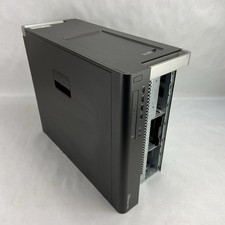
Dell Precision T7600 MT 2x Intel Xeon E5-2609 2.4GHz 32GB RAM No HDD/OS/GPU
$269.99
INTEL Xeon E5-2697 V4 SR2JV 2.30GHZ 45MB 18-Core LGA2011-3 CPU P*km
$18.99
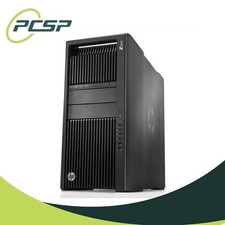
HP Z840 44 Core Workstation 2x Xeon E5-2699 v4 - No RAM/ GPU/ HDD/ OS
$594.97

Intel Xeon E5-2699 V4 2.20GHz 55M 22-CORES LGA2011-3 Server Processor 145W SR2JS
$84.49

Lenovo ThinkStation P520c Intel Xeon W-2133 6-Core 3.60GHz -NO RAM/ HDD/ GPU/ OS
$127.54

Dell PowerEdge FX2s + 8x FC430 Blades 16x E5-2630v4 160 Cores Rails No PSU/RAM
$699.00

Lenovo ThinkServer TS460 Part Number: 70TS-S01U00
$279.00



 Reply With Quote