

 Reply With Quote
Do you think it might help if you told us what you are hooking up to?


Hi,
Knoppix newbie. The Windows XP PC had it's network settings set to "Get IP & DNS address automatically".
But When I try to configure Knoppix via netcardconfig and say yes to DHCP it say resource temprarily unavailable?
Help me pls!!
What should the manual settings be?
zzapper
Do you think it might help if you told us what you are hooking up to?
---
Verifying of md5 checksum and burning a CD at slow speed are important.
Harry,
The Network is driven by a BT Voyager 240 Router which connects to Broadband.
From my Knoppix PC (Live CD) I and ping 127.0.0.1 OK but that's all
I have tried setting manual DNS, Gateway etc from netcardconfig
zzapper
OK, good. A router should set you up by DHCP and things should just work. Apparently that is not happening here but the problem should be resolvable.Originally Posted by zzapper
Meaningless. Pinging the loopback doesn't test the hardware at all. It would be much more useful to know what failed.
So what happened? What settings did you try (and why did you select those values)? I can't tell you what the manual settings should be without knowing what your router's IP address is and what settings it normally is expected to hand out.
So tell us what you are trying to use. Also tell us the results of typing ipconfig in your windows machine(s) at a command prompt, as well as what ifconfig is telling you under Knoppix.
If you have any nasty "security features" turned on in that router, like limiting access by MAC address or even by IP address, turn them off for now. I don't know if your router has these features or not, but many do and we have tracked down some problems to the router doing exactly what it had been told to do.
Can you ping the router's local IP address? Do you know the router's local IP address?
Harry,
I'm trying to write some info back to a windows directory
/media/hda1/temp/kxtrace.txt
but I'haven't got write access, where can I write to?
Dave
See answer #6 and think alternatives like flash drives and even floppies.
 Posting Permissions


Dell Precision T5820 Workstation 3.70GHz W-2135 No RAM/ GPU/ HDD/ OS
$179.98

Dell Precision Tower 7810 Xeon E5-2630 v3 @ 2.40GHz , 32GB Ram, NO HDD, NO OS
$239.99

Dell Precision T7820 2x Xeon Silver 4114 2.20GHz 950W No RAM GPU HDD 4x SATA
$350.48

Dell EMC PowerEdge R440 Xeon silver 4215 2.5GHz 16 GB ram 2x 550W PSU No HDD
$275.00

INTEL XEON E5-2680V4 SR2N7 2.40GHZ CPU
$11.00

Intel Xeon E5-2699 V4 2.20GHz 55M 22-CORES LGA2011-3 Server Processor 145W SR2JS
$84.49

Genuine Intel Xeon W-2145 3.70Ghz 8 Cores LGA2066 CPU SR3LQ Tested USA SELLER
$94.94

DELL Precision 5820 Workstation Xeon W-2123 3.6ghz/NO RAM/NO SSD/P400 Vid
$139.99

Dell PowerEdge FX2s + 8x FC430 Blades 16x E5-2630v4 160 Cores Rails No PSU/RAM
$699.00
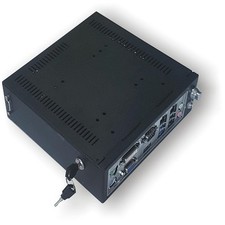
A Mini Windows Server w Xeon E3 Processor & (2) 500GB Hard Drive-Home/Industrial
$319.00