

 Reply With Quote
try this: open normall knoppix root shell, typein chrooted environment typeCode:Xnest -ac :1and thenCode:export DISPLAY=localhost:1Code:startx


I am trying to remaster knoppix. I am using the menu based scripts to remaster. I have come to the point where it says,'if you have performed this howto in KDE then follow the following steps'
so exit chroot <ctrl D>
type init 2
then it will close KDE and leave me at a command prompt
then i type in : cd /mnt/hda2/scripts
./knoppix-remaster /mnt/hda2/remaster
choose No i donot want to create a new remaster
press enter
select the Chroot option
type in su - knoppix
type in startx
This is where the problem is, its supposed to load kde, but i get an error "fatal io error 104 (connection reset by peer) on X server ":0.0"
"after 0 requests (0 known processed) with 0 events remaining
Please can someone help
try this: open normall knoppix root shell, typein chrooted environment typeCode:Xnest -ac :1and thenCode:export DISPLAY=localhost:1Code:startx
 Posting Permissions


Intel SRG17 Core i7-9700T Desktop Processor CPU
$74.99
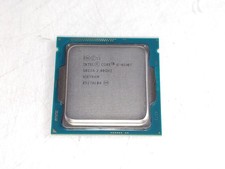
Intel Core i5-4590T 2 GHz 5 GT/s LGA 1150 Desktop CPU Processor SR1S6
$14.99

PS5 Over Heating Problem Solver 1.5 Grams Liquid metal thermal paste CPU, GPU
$15.99

HP ProDesk 405 G8 Desktop AMD Ryzen 5 PRO 5650GE 16GB RAM 512GB SSD W11P
$319.99

Intel Core i7-3770K 3.5 GHz Processor
$39.00

Intel Core i7-9700 Octa-Core 3 GHz Desktop Processor LGA 1151
$79.99
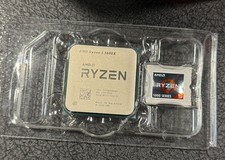
AMD Ryzen 5 5600X Desktop Processor (3.7GHz, 6 Cores, AM4 CPU) 100-100000065
$125.00

Intel i7-8700 Coffee Lake 3.2GHz 6-Core Max Turbo 4.6GHz Processor
$69.99

GAMING COMBO: ASUS Prime H470M-PLUS MOTHERBOARD + i5-10600KF CPU + 16GB DDR4
$229.95
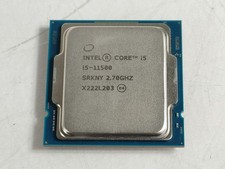
Intel Core i5-11500 2.70 GHz LGA 1200 Desktop CPU Processor SRKNY
$94.99