

 Reply With Quote
try this: open normall knoppix root shell, typein chrooted environment typeCode:Xnest -ac :1and thenCode:export DISPLAY=localhost:1Code:startx


I am trying to remaster knoppix. I am using the menu based scripts to remaster. I have come to the point where it says,'if you have performed this howto in KDE then follow the following steps'
so exit chroot <ctrl D>
type init 2
then it will close KDE and leave me at a command prompt
then i type in : cd /mnt/hda2/scripts
./knoppix-remaster /mnt/hda2/remaster
choose No i donot want to create a new remaster
press enter
select the Chroot option
type in su - knoppix
type in startx
This is where the problem is, its supposed to load kde, but i get an error "fatal io error 104 (connection reset by peer) on X server ":0.0"
"after 0 requests (0 known processed) with 0 events remaining
Please can someone help
try this: open normall knoppix root shell, typein chrooted environment typeCode:Xnest -ac :1and thenCode:export DISPLAY=localhost:1Code:startx
 Posting Permissions


Intel Core i5-12500T SRL5W 2GHz 18MB 6 Core Socket LGA1700 Desktop CPU Processor
$114.99
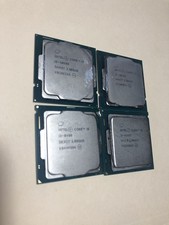
(LOT OF 4) Intel Core i5 Processors Different Gens
$249.99

INTEL CORE I9-10940X X-SERIES PROCESSOR | 3.30GHZ | SRGSH
$179.99

Intel Core Ultra 7 265K CPU Desktop Processor LGA 1851 20-Core - New
$284.79

AMD Ryzen 5 5500 Processor ( read Description)
$59.00

Intel Core I7-7700 SR338 3.60 Ghz Processor
$39.99

Intel Core i7-3770K 3.5 GHz Processor
$39.00

Intel Xeon E3-1230 v3 SR153 3.3GHz Quad Core LGA 1150 CPU Processor
$14.49

Lenovo ThinkCentre M920s SFF Barebones PC Motherboard PSU DVD No CPU RAM SSD
$27.99

AMD - Ryzen 7 5800X3D 8-Core - 16-Thread 3.4 GHz (4.5 GHz Max Boost) w/ Ice Pad
$355.99