

 Reply With Quote
It's a laptop and he apparently has none of the drivers so reformat could become a bit tricky, right?


Certainly seems like a case where rescuing the data with Knoppix while you still can and reformatting and starting over is a better choice than trying to "fix" the data. That's a common situation with NTFS. Less common with FAT, but then again I don't know your friend's or your skills or what all bad has happened to the disk. And it certainly could be a drive going bad as weel (in addition to the infection, not instead of). I have a few drives here that I could format and make look perfect, but in less than a month you would not be able to accurately read the files from them again (and even Spinrite can't help them).
My suggestion: recover all that your friend wants to save (see the resque fac for tips if needed). Repartition and reformat the drive, if it's woth saving at all, but either don't use it for critical data or make very sure that you or he have good backups. Decide in a few months if the drive is still stable and safe enough to depend on, if not erase it throughly and destroy it.
It's a laptop and he apparently has none of the drivers so reformat could become a bit tricky, right?
I don't see why. Vitrtually any even halfway modern laptop's hard drive should bo on an IDE interface and look like any other IDE drive to formatting and partitioning software, no extra drivers needed beyond what is in Windows or even what is in DOS.Originally Posted by rwhboston
---
Verifying of md5 checksum and burning a CD at slow speed are important.
Alright then I think I'll give it a shot and see what happens, since this will be a first for me is there any tips or matters of importance I should know before going through with this.
Without knowing you or your abilities there is not much advice I can give. Backup everything that you need before you start. Have one or more bootable DOS diskettes available, I would start with DOS and your partitioning software of choice. Consier that it is likely that the disk is headed to it's grave anyway, so there isn't much harm you can do as long as you have the critical information backed up. Know what size you expect the disk to be and confirm that it matches what you see in the partition software (or at least comes close). Decide what you would like to put on the disk if everything goes well, Windows, Debian, or something else, and have the needed install software available. Good luck.
---
Verifying of md5 checksum and burning a CD at slow speed are important.
Once you've salvaged what you can from the disk, why not pop in a knoppix cd and : dd if=/dev/zero of=/dev/hdx (replace x with the hd as knoppix sees it). I will take a long time , over an hour most likely, but you will have ERASED EVERYTHING ON THE DISK, or more specifically written 0's over the entire disk. Then start from scratch - new partitions etc.. If the drive is going bad - you might hear clicking noises - trash it.
HTH
Good advice, Harry and Rusty I thank you both and I'll keep everyone posted
 Posting Permissions


Lenovo ThinkPad E14 Gen 2 Laptop 14” HD Ryzen 5 16GB RAM 512GB SSD Win 11 Pro
$334.99

Lenovo ThinkPad E14 Gen 3 Laptop 14” FHD AMD Ryzen 5 16GB RAM 512GB SSD Win 11
$374.99

Lenovo ThinkPad L15 Gen 3 15.6" 16GB, Thunder Black
$241.50

Lenovo ThinkPad L15 Gen 3 15.6" 16GB, Thunder Black
$241.50

Lenovo Legion 5 Gaming 15.1" WQXGA OLED 165Hz Core i9-14900HX 16GB 1TB RTX 5070
$1469.00

Lenovo ThinkPad T14 Gen 1 14" AMD Ryzen 5 16GB 256GB SSD
$219.99

Lenovo - IdeaPad Slim 3i 15.3" 2K Touchscreen Laptop - Intel Core 7 350 2026 ...
$679.99

Lenovo ThinkPad X13 Gen 1 i5-10310U 16GB 512GB SSD Touch Win 11 Pro Good
$222.99
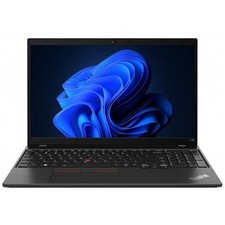
Lenovo ThinkPad L15 Gen 3 15.6" 16GB, Thunder Black
$242.00

Lenovo ThinkPad T14s Laptop 14” Laptop Core i5 8GB RAM 256GB SSD Windows 11 Pro
$249.99