

 Reply With Quote
Doesn't boot on an IBM Thinkpad X31. It hangs on when mounting filesystem...
Any idea? Mandrake Move starts fine!!


Toshiba Satellite 5200 series (PS520C-31P0EP)
Mobile Intel Pentium 4 - 2G, 512MB RAM, 40G HD
KNOPPIX_V3.4-2004-05-04-EN.iso
Boot up with Knopppix 3.4:
Linux 2.4 - no problem (just hit the return key)
Linux 2.6 - requires "linux26 noscsi"
With both Linux 2.4 & 2.6, the Hotkey "Fn" function is not working. One result is that on bootup, the display brightness is set at minimum and it cannot be adjusted any brighter. So the 15" UXGA display is quite dim.
The default display resolution on bootup is 1,600x1,200 (it's native resolution, I believe). However, it can be changed to 800x600 at the bootup command line with
screen=800x600
Doesn't boot on an IBM Thinkpad X31. It hangs on when mounting filesystem...
Any idea? Mandrake Move starts fine!!
Knoppix 3.4 5-10-2004 boots wonderfully on my Inspiron 5100.
Performed HDD install, both the 2.4 and 2.6 kernels run wonderfully on it
Laptop dual-botos Winblows XP Home and Knoppix
Thank you Knoppix!
Compaq/HP nx5000 (1.4ghz Centrino, all new stuff)
Knoppix 3.4 booted great - detected (via lspci) my Broacom 10/100/1000 BCM5705M but didn't load drivers for it... also detected the INtel IPW2100 WLAN adapter, but again, nothing loaded for it...
Have to try in 2.6 (that was 2.4)
Everything seems to work on my Toshiba A45-S1202. Atheros Wireless and sound works. I used "clusterKNOPPIX 3.4-2004-05-10"
I got 3.4 working on my Sony Vaio FX220 laptop with CPU Pentium 750 Mhz and 120MB RAM. It detected my school network easily and I could configure my external USB mouse and USB thumbdrive. I have not tested the modem yet though. Some of the websites say that my comp has a winmodem. I will resolve that when I have some free time.
Here are the summary of steps I took:
Used the knoppix-installler instead of knx-hdinstall script to do the install.
In the LILO dialog box I opted for Overwrite MBR (I was really scared that it will mess up my other OS.. but it did not)
Knoppix rocks!
Persario 3000 /w the Huge Screen! Built-in Wifi 54g
I have my wifi working with 3.4 Knoppix, But no boot up config yet to give to everyone.
I'm just learning the knoppix script. Someone will beat me to it. But I did note this was not common knowledge or found in recent post. USE the NDISwrapper! Make it easy on yourself.
If you use the ndiswrapper you may get invalid module type when you try to modprobe ndiswrapper.
There is one step that may not be real clear an have been overlooked.
So everyone needs to note:
1) You must compile with gcc-2.95 not gcc-3.3!
a) cd /usr/bin
b) rm -f gcc
c) ln -s /usr/bin/gcc-2.95 gcc
d) goto the ndiswrapper dir
e) config, compile and install
f) cd /usr/bin --again
g) rm -f gcc
e) ln -s /usr/bin/gcc-3.3
2) This is under 2.6, haven't tried it under 2.4 kernel
3) Check the version or link to the gcc in your /usr/bin
a) whereis gcc
4) I tried to make a script but i'm really new at this.
+++++++ WUT is a Linux House Now!
I have dual booted all my windows systems and have changed the focus to more linux development at WUT. Microsoft is screwed and I attain better control over system designs, down to the kernel.
+++++++
Thx to the Knoppix Development Team
from the CEO of We Understand Technology
http://www.weunderstandtechnology.com
/usr/src/ndiswrapper/2.6make
#!/bin/bash
# Change gcc compile tool from 3.3 to 2.95 to 3.3
# run the make install while 2.95
#
cd /usr/bin
rm -f gcc
ln -s /usr/bin/gcc-2.95 gcc
cd /usr/src/ndiswrapper
make clean
make install
cd /usr/bin
rm -f gcc
ln -s /usr/bin/gcc-3.3 gcc
cd /usr/src/ndiswrapper
#/*
# Update Info to Knoppix-autoconfig
# add these lines after the APM section
#
#*/ You'd better understand what your doing in this script!
#
# Let's Modprobe ndiswrapper for 54g wireless
echo " ${BLUE} Loading NDIS Wrapper as reqested.${NORMAL}"
modprobe ndiswrapper
iwconfig wlan0 essid ***Your SSID Here***
echo " ${GREEN} Setting ESSID as reqested.${NORMAL}"
iwconfig wlan0 mode Managed
echo " ${GREEN} Setting mode to Managed as reqested.${NORMAL}"
#
# You can also get to info from a file, Not shown here
#
# Add these lines after
# First: PCMCIA Check/Setup
# This needs to be done before other modules are being loaded by hwsetup
#
# Fat-Client-Version: DHCP Broadcast for Wireless IP address
if checkbootparam "nodhcp"; then
echo " ${BLUE}Skipping DHCP broadcast/network detection as requested on boot commandline.${NORMAL}"
else
#NETDEVICES="$(awk -F: '/eth.tr.:/{print $1}' /proc/net/dev 2>/dev/null)"
NETDEVICES="$(awk -F: '/wlan.
for DEVICE in $NETDEVICES
do
echo -n " ${GREEN}Wireless Network device ${MAGENTA}$DEVICE${GREEN} detected, DHCP broadcasting for IP.${NORMAL}"
trap 2 3 11
pump -i $DEVICE >/dev/null 2>&1 &
trap "" 2 3 11
sleep 1
echo " ${BLUE}(Backgrounding)${NORMAL}"
done
fi
### Now your 54g or 11b card is ready to roll.
Vaio PCG-N505SN
All hardware without exception works perfectly under Knoppix:
Bootable external PCMCIA CD-ROM
Firewire
Infrared IRDA
Sound
Screen Brightness Control
Video with xv accelleration
Wireless LAN with Orinoco Gold card
PCMCIA modem
Standby to RAM
The only thing is that I couldn't get it to hibernate to disk yet.
Averatec 3150P:
Has problems with the Synaptic Touchpad in kernel 2.4
Everything works flawlessly in 2.6
Also, my DLINK DWL 650 wireless works too... so the one that comes with the 3150H should work fine because it is a prism2 as well
I have Knoppix running on a Toshiba 2410, sd card not working, linmodem not working, Nvidia Graphics just fine, sound just fine, I used a pcmcia modem, do not care about the sd card.
Still haven't figured out how to get the xscreen savers to work in kde, but as soon as I found how to access my files on the ntfs system, I backed them up and booted windows right out the door.
Linux is happier without pushy windows.
And I am happier without any more crashes into windows.
 Posting Permissions


(New) AMD Ryzen 7 5700X 8 Core 16 Thread AM4 Unlocked 3.4 GHz CPU OEM Tray
$174.99

SGIN 17.3" Laptop Intel Quad-Core Up to 2.4 GHZ 8GB RAM 256GB SSD HD
$229.99
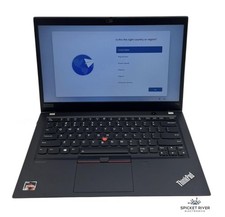
Lenovo ThinkPad T14S Gen 1 8-Core Ryzen 7 Pro 4750U 512GB SSD 16GB RAM FAIR BATT
$225.00

HP ZBook Firefly 14" G8 Mobile Workstation i5 11th Gen 16GB RAM 256 GB SSD No AC
$184.99

Intel Xeon E5 - 2667V2 / SR19W 3.30GHz 25MB 8-Core CPU Socket LGA2011
$30.00

AMD Ryzen 7 9800X3D 8-Core 16-Thread AM5 CPU Processor Brand New Unused
$395.95

AMD FX 8350 8-CORE 4.00GHz CPU FD8350FRW8KHK SOCKET AM3+ *QTY
$39.99
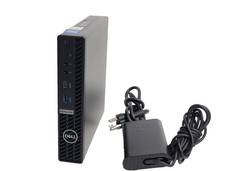
Dell OptiPlex 5090 Micro Core i5-11500T 1.50GHz 8GB RAM 256GB SSD W11P Wifi
$199.00

Dell T7810 Workstation 8-Core 2.40GHz E5-2630 v3 No RAM GPU HDD OS
$259.98

Home Assistant Server | 8GB RAM | 128GB SSD | Intel i5 Quad-Core | Dell OptiPlex
$159.99
