

 Reply With Quote
Yup, you did it wrong. Covered in answer #1.


I am having trouble starting knoppix. I am a newbee on this so please excuse me on the question that I ask. I have read the FAQ but I cannot find my problem. When I put my CD
and start up the computer I receive the message "Starting Caldera DR-DOS 7.0.3" some files
are installed and then I get the DR-DOS A:> prompt. I cannot get Knoppix to run.
I have tried to use a professional prepared DVD with Knoppix. When I try this disc I get the
title page of Knoppix with the word boot at the bottom. Whenever I input a command I get
Loading Linux...then isolinux: Disk error 80, AX=429D, drive 9F. Boot failed: press a key to retry. Can someone please help me. I would really appreciate any help anyone can give
me. Robert Barch
Yup, you did it wrong. Covered in answer #1.
OK, I see now the mistake I made in trying to burn this software. But I only tried to burn this
CD when the DVD did not work. Now this DVD was purchased from "cheapbytes" a regular
distributor of LINUX software. I would imagine that it was burned correctly. But I am getting
this Disk error 80, AX=429D, Drive 9F Boot failed message with every command . Do you
have any idea what the problem could be with this?
Robert Barch
I would not make that assumption. While there might be some other issue, most or all people selling Linux software to make a profit who burn individual copies to writeable media (as opposed to those who have runs "pressed"), burn at a high speed. We repeatedly see here that high speed burns cause booting problems on many systems( and sometimes slow operation problems later). Let me know if you want links to prove this.Originally Posted by rbarch
With the information linked to above did you actually get a good CD made and does it boot OK for you? Does the DVD boot to the Knoppix boot prompt? If the answer to both of these is true then I think it is extremely likely that if your system can boot the CD you made that it should also be able to boot the DVD, and failure to do so is very likely due to a bigh speed burn.
By the way, I always recommend against buying a copy of Knoppix for this reason.
I have tried 3 times with no luck. I am using Nero Burning Rom 7 with StartSmart or Ashampoo Burning Studio 6 but neither is giving me anything useful. One problem is that the directions on burning using Nero do not seem to correspond to the version I am using. In order
to use Nero I have to go thru the "New Compilation Screen" and here is where the trouble begins. In order to burn a image I first have to select the "Make a Boot CD" option. Now according to the downloading directions I am not suppose to make a boot CD but just a image
CD. Whenever I try just to make a image CD nothing happens when I try to use it. The computer does not try to boot from it and just ignores it. I have tried to download that program
on burning ISO files But I cannot get it to work. So I am just spinning my wheels going nowhere. Robert Barch
I don't have Nero 7 so I can't give you instructions to burn an image or burn an ISO with Nero 7. But considering that the option was there in Nero 5 and it was there in Nero 6 then I would certainly expect it to be there in Nero 7 (although they seem to like to move it around and make you find it). I can assure you that any choice that involves making a boootable CD will not end up making a CD that boots Knoppix (as you have seen). My suggestions, either:
or
- 1 Go ahead and start Nero as if you were going to make a data CD (that's what I have to do in 6). Then look through all of the menus for a file dialog that will let you open an ISO, image or so other similar term for burning.
You could help us out if you add a section to the wiki for Nero 7 when you find the right option
- 2. As a last resort, read the Nero documentation.
Well I have made some progress. I think I was able to make a bootable CD (sort of). Although I don't know how I was able to do it. I am able to get a title screen and then another
screen that saids "Welcome to the Knoppix live linux on CD" and a picture of the Linux penguin.
Then I get "Scanning for USB devices, Enabling DMA" then the error message "Can't find
Knoppix file system, Sorry Dropping you to a (Very limited) shell". That's about it.
(1) So is the disk OK or did I just partially make a bootable disk.
(2) What do I do next? Since knoppix can't find the file system do I keep trying to make
a better bootable disk? or keep trying to load Knoppix using this disk.
(3) This is version 5.0 What am I suppose to get when this program is working correctly.
All I am getting is a black screen and a few commands. When Knoppix is
advertised I see a blue screen with icons like Windows and nice graphics.
Robert Barch
 Posting Permissions

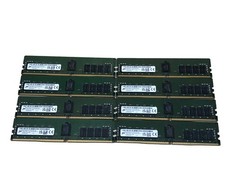
Micron 128GB (8x16GB) PC4-3200AA Server Ram / ECC Memory MTA18ASF2G72PDZ-3G2J3UI
$1100.00

Microsoft Windows 11 Pro 64-Bit USB Flash Drive (HAV-00162)
$36.99

TF/SD Card Adapter Camera Reader Android Type-c For iPhone17 Pro Max Plusm lot
$573.98
Hynix 16GB PC4-2933Y 288pin DDR4 SDRAM ECC Reg Server Memory HMA82GR7JJR8N-WM
$79.95

USB 3.0 Flash Drive 32GB 64GB 128GB Memory Stick Thumb Stick Lot Pack
$826.09

Kingston 32GB 64GB 128GB 256GB USB 3.0 Flash Drive Thumb Memory Stick Pen lot
$285.90

A-Tech 8GB DDR3 1600 PC3-12800 Laptop SODIMM 204-Pin Memory RAM PC3L DDR3L 1x 8G
$21.68
M386A8K40BM2-CTD SAMSUNG 64GB (1X64GB) 4DRX4 PC4-2666V DDR4 SERVER MEMORY TESTED
$289.00
Samsung 32GBX2 1Rx4 PC4-3200AA DDR4 ECC Server Memory M393A4G40AB3-CWEBQ 64GB EC
$370.00
Lenovo 2TB USB 3.0 Flash Drive Metal Drive Flash Memory Stick Data Storage.
$3.99