

 Reply With Quote
cmg files are run with ".zAppRun" (in your home directory). If you setup klik as described on the klik site, cmg files should automatically be associated with .zAppRun...


a Klik app ran fine when I clicked Download & Run on the klik page. But now that I have the .cmg file on my desktop, when I click it I get an "Open with..." dialog.
What program should I select to open a .cmg file? Where is that prog located?
(I did a search for klik on my computer with several results; not sure which, if any, is the right choice.)
(Using Xandros 3.02 OCE with KDE)
cmg files are run with ".zAppRun" (in your home directory). If you setup klik as described on the klik site, cmg files should automatically be associated with .zAppRun...
Easily with:
orCode:sh .zAppRun
If it dooesn´t work, try searching where the file .zAppRun it´s located (it´s a hidden archive) and give the full path.Code:sh /home/username/.zAppRun
In KDE I could associate them, only after changing the icon of the application.cmg, the check box to associate didn´t apear before.
Hope this helps.
 Posting Permissions


(New) AMD Ryzen 7 5700X 8 Core 16 Thread AM4 Unlocked 3.4 GHz CPU OEM Tray
$169.99

Apple MacBook Air 13.6” M2 8GB 256GB SSD 2022 MLY33LL/A 8‑Core CPU 8‑Core GPU
$529.95

8-core 10-core GPU baseboard 8654 to PCIE 5.0x16 GPU expansion baseboard
$377.77
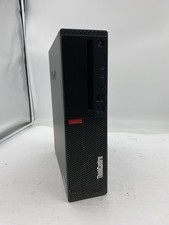
Lenovo ThinkCentre M920S Sff Intel Core i5 8600 8GB 256GB SSD Windows 11 Pro
$94.99
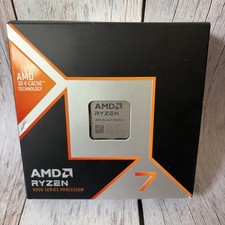
AMD Ryzen 7 9800X3D - Ryzen 7 9000 Series Zen 5 8-Core 5.2 GHz - Socket AM5 120W
$399.99

AMD Ryzen 7 9800X3D 8-Core AM5 CPU 4.7GHz 96MB L3 8MB L2 100MHz
$389.99
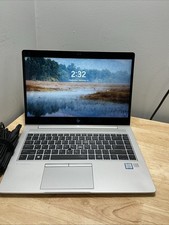
HP Elitebook 840 G5 Core I5-8250U 1.60GHZ 8GB 256GB Touch ,Win 11 Pro & Cord
$135.00

Intel Core i9-9900K Coffee Lake 8-Core, 16-Thread, 3.6 GHz (LGA 1151)
$189.99
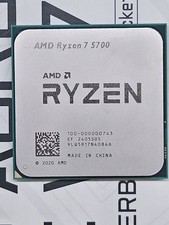
READ AMD Ryzen 7 5700 8-Core Socket AM4 CPU 3.7GHz 100-000000743 Processor 5500
$114.95

Panasonic Toughbook CF19 MK8 Core i5 3610ME 2.7GHz 12GB RAM 512GB SSD Win 10 Pro
$319.00