

 Reply With Quote
You could try
And then check if you can see the CD at /home/knoppix/cdrom1 directory.Code:mkdir /home/knoppix/cdrom1 sudo mount /dev/cdrom1 /home/knoppix/cdrom1
If not, do you get any error-messages from mount-command?


I am using Knoppix live CD with no hard drive, just a USB flash drive. The live CD is in one of two optical drives, and shows up on the desktop as cdrom.
If I click on the cdrom icon Konqueror opens up and I then see the contents of the live CD displayed. The second opitical drive appears on the desktop as cdrom1. However, when I click on the cdrom1 icon on the desktop I get the error message...
"Unable to run the command specified. The file or folder file:///mnt/cdrom1 does not exist."
If I use the command line and try "sudo mount /mnt/cdrom1 -w" I get the error message "mount: can't find /mnt/cdrom1 in /etc/fstab or /etc/mtab".
How do I get this cdrom1 mounted?
Thanks for any help!
You could try
And then check if you can see the CD at /home/knoppix/cdrom1 directory.Code:mkdir /home/knoppix/cdrom1 sudo mount /dev/cdrom1 /home/knoppix/cdrom1
If not, do you get any error-messages from mount-command?
Thanks, Mailaire. I tried your code, and I get the following 2 lines of message:
mount: block device /dev/cdrom1 is write-protected, mounting read-only
mount: you must specify the filesystem type
You could try this then. It specifies the filesystem type (iso9660 for CDs) and mounts the CD read-only.Originally Posted by GottaBuild
After you stop using the CD, you should unmount it withCode:mkdir /home/knoppix/cdrom1 sudo mount -t iso9660 -o ro /dev/cdrom1 /home/knoppix/cdrom1
Code:sudo umount /home/knoppix/cdrom1
I tried:
sudo mount -t iso9660 -o ro /dev/cdrom1 /home/knoppix/cdrom1
...and it mounts the crdom1 for ro access. But I need to write to this drive to use it for backups. When I try:
sudo mount -t iso9660 -o rw /dev/cdrom1 /home/knoppix/cdrom1
...I still get the message "mount: block device /dev/cdrom1 is write-protected, mounting read-only".
I have a CD in the cdrom1 drive with a text file on it for testing purposes. WHen I check the properties using the K GUI I see that the permissions are grayed out and can't be accessed. For some reason Knoppix thinks this drive is a read-only device, but it is a tested and proven RW.
I think you can't mount CDs read-write in Linux. You need to use a cd-writing program (e.g. K3b or cdrecord) to write to CDs.
In Knoppix you should be able to start K3b from KMenu->Multimedia->K3b (CD & DVD Burning)
 Posting Permissions


Fujinet 1.7.1 Atari 400 800 800XL 130XE 65XE XEGS Assembled, Tested, Working
$99.99

Atari 400 / 800 Computer Memory Module 16K RAM PCB CX853 - Works Perfectly
$18.95

Atari 400 Home Computer System includes Power Cord G2U
$159.99
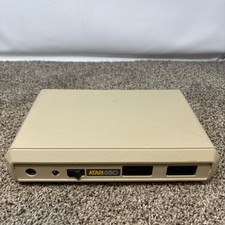
Atari 850 Interface Module For ATARI 400/800 Computer Vintage Tested
$50.00

Atari 1200 XL home computer with original owners guide and power supply power on
$255.00
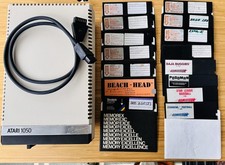
Vintage Atari 1050 Disk Drive w/ SIO Cable & 32 Games/Programs - UNTESTED
$67.76
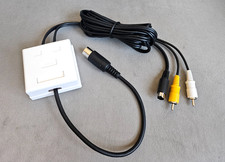
Atari 800 130XE 65XE Color S-Video, Composite Video & Audio Cable Tested
$29.78
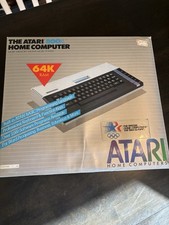
Atari 800XL Home Computer 64K RAM in Original Box 1984 Olympic Edition Untested
$149.99

GreaseWeazle v4 board USB floppy drive adapter Retro All Formats
$35.00

DEFECTIVE Atari 810 Vintage Computer Disk Drive powers on Unit Only Boo G3D
$49.29