-
ethernet - WiFi bridge
Hi all,
I was wondering if it would be possible to set up knoppix as a Router/Wireless Acces Point?
Bit of explenation:
In the LAN at home there's a dedicated file server wich is running pretty much all the time,the idea now is to add a usb wifi stick to the system and configure the server to act as server/router/wireless acces point.
Will it work?
And how hard wll it be?
Greets
-
Administrator
Site Admin-
There are some issues.
Is your file server running Knoppix? If not this seems like a problem right there. And if your file server is some other Linux software than I would advise doing it (if you decide to do it at all) in that Linux. In fact, if the file serer is Knoppix then I would suggest doing the whole thing, file server and access point in Debian.
There is some good Linux software writtem for just this type of thing, so it should not be too hard. I would not suggest running a Linux box just as an access point unless you needed some pretty fancy front end (such as for an Internet Cafe prehaps), I would just use an off-the-shelf inexpensive box, but if the Linux box is running anyway to provide the fle server then this makes a lot more sense.
Wireless support in Linux is not great. In the latest version of Knoppix even more so (I can't get my wireles card that worked in previous Knoppix versions to work in Knoppix 5.0.1). You'll have to select the wireless device that you use carefully. And USB devices are truly awful for networking. I would strongly suggest avoiding USB and go with a PCI card for the interface. Still, you'll need to do some work to be sure that the card that you use is suitable for Linux. And you might even find that it costs as much or more than a low cost router that will do the job (be careful here too, if you already have a router in place and just want to add an access point, some router can be used as just an access point and some can not, if you go that router select carefully). Or you could just replace your router with one that includes a wireless access point, if the router location favor this.
-
Thanks for the info.
So it's possible,glad to hear that.
I'll explain what i'm doing, what hardware and what OS i'm using.
The server is a softmodded xbox (Celeron 733Mhz,64MB) equiped with a 250GB HDD.
I'm running Xebian wich has the same kernel as knoppix: Debian.
The reason why i'm trying to use it as acces point is just for fun and cause i'm pretty new to linux i think i would learn a lot from it.
Xebian is now configured as SAMBA and SSH server,the next step would be a print server (included in SAMBA) followed by a WiFi acces point.
You could say i'm trying to use my xbox as usefull as possible.
Also note i'm not asking for a step by step guide allthough i wouldn't mind i someone wrote one, i would be more than happy if i just got pointed into the right direction.
Greets
-
Administrator
Site Admin-
By the way, you use the terms access point and bridge as if they are interchangable, but they are very different devices. You should study this a bit and be sure that you say what you mean and don't get them confused.
I have no experience with Xebian. Hopefully it is more friendly about installing other Debian packages than Knoppix is. And I would suggest that you either use the terms Xebian or at least Debian when discussing this project rather than Knoppix, it will improve the quality of your responses.
I've never done what you are planning, so I can't give much advice, but I kow I've seen a lot of discussion of software available for Linux that does it, from simple access points to some pretty fancy front ends. I would start with a few Google searches with the obvious key words and/or checking out the Debian packages system, particularly looking over the packages available for networking. What you are looking for may be elsewhere and not here, but it seems a good place to start looking.
-
I wasn't refering to a bridge as being a "network bridge",but i can understand it's confusing,my mistake.
What i meant is like building a bridge between ethernet and wifi.
As for Xebian,it installs pretty easy,has a GUI : FluxBox (wich i'm not using) and is basicly a standard Debian install "patched" for the xbox.
Allthough i did search the net for info i probably missed it so thanks for the links.
Greetz
Similar Threads
-
By sturoe in forum Networking
Replies: 3
Last Post: 03-17-2007, 11:04 PM
-
By mikemz in forum Networking
Replies: 6
Last Post: 09-08-2004, 05:32 PM
-
By aureoleday in forum General Support
Replies: 0
Last Post: 07-12-2004, 11:12 AM
-
By Bertje in forum Networking
Replies: 0
Last Post: 06-29-2004, 10:16 AM
-
By adamm in forum Networking
Replies: 5
Last Post: 06-06-2003, 06:06 PM
 Posting Permissions
- You may not post new threads
- You may not post replies
- You may not post attachments
- You may not edit your posts
-
Forum Rules


Kingston 16GB DDR4 3200MHz PC4-3200AA-SA2-12 Laptop RAM SODIMM (HP32D4S2S8ME-16)
$64.99

Netac DDR4 32GB 16GB DDR4 3200MHz UDIMM C16 Desktop Internal Memory RAM Kit
$99.99

16GB KIT (2x8GB) DDR4 Gamer Desktop RAM PC4 MIXED BRANDS
$65.00
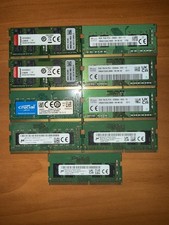
Lot of DDR4 Sodimm Laptop Ram (8-8GB sticks) (1-4GB Stick)
$250.00
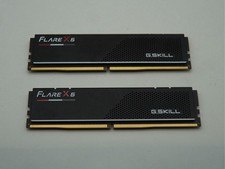
G.Skill Flare X5 32GB (2x16GB) (DDR5-6000 DDR5 RAM Memory Cl30-38-38-96 AMD EXPO
$419.95

A-Tech 8GB DDR3 1600 PC3-12800 Laptop SODIMM 204-Pin Memory RAM PC3L DDR3L 1x 8G
$21.68
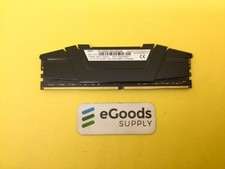
F4-3200C16D-64GVK G.Skill RipJaws 32GB RAM DDR4 3200MHz Memory
$159.00
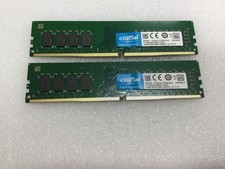
Crucial 32GB (2x16GB) DDR4 2666MHz Desktop 288 -Pin RAM Kit -OPEN BOX
$114.99

16GB ( 4X 4GB ) MEMORY DDR3 PC3-10600 1333MHz FOR DELL OPTIPLEX 790 780 990 980
$39.99

Corsair Vengeance DDR3 8GB 16GB 32GB 1866MHz PC3-14900 Desktop RAM Memory DIMM
$43.00



 Reply With Quote