-
About Accesing Windows XP Files from live cd
Ok, so I Have win XP on a partition. I want to rename a file, that way instead of opening logon.src it would open cmd (that way I can have access to the command line prompt) because my friend forgot his password and I want to reset it.
If I do that, is there a chance of damaging files or something worse to my Windows XP?
I am using Knoppix Live CD 3.x. How do I access my windows partition files when booting with the live cd?
-
Administrator
Site Admin-
Re: About Accesing Windows XP Files from live cd

Originally Posted by
bicho
If I do that, is there a chance of damaging files or something worse to my Windows XP?
Yes, a good chance, if you manage to do it at all. See answer #6.
---
Verifying of md5 checksum and burning a CD at slow speed are important.
-
How do I access Windows Files if I can't access them?
-
Administrator
Site Admin-
---
Verifying of md5 checksum and burning a CD at slow speed are important.
-
Senior Member
registered user
Re: About Accesing Windows XP Files from live cd
Originally Posted by
bicho
because my friend forgot his password and I want to reset it.
just use the password reset disk: http://home.eunet.no/~pnordahl/ntpasswd/
-
Senior Member
registered user
I believe Knoppix and subsequent developers of rescue type Knoppix spin-offs (such as INSERT) anticipated just such a scenario like yours, that is, using Knoppix as a rescue disk to reset NT passwords.
See for example Hack #75 in the Oreilly book "Knoppix Hacks" which explains the steps.
http://hacks.oreilly.com/pub/ht/124
An expanded explanation is here:
http://www.linuxquestions.org/linux/...s_with_Knoppix
Now, to do the above, you are going to have to activate Knoppix's NTFS write capability. Not everyone is going to agree that it is safe. I have done my trials, and believe it is good enough for rescue purposes, which is what I will use Knoppix mainly for. This is because in a rescue situation, it is often a case of taking a risk, or else lose everything by doing nothing. If you want to be cautious (I am), image the XP partition before fiddling with it.
Best of luck. And if you succeed, come back and tell us about your experience.
-
How to get files from SATA HDD?
Please refer to the data in
http://www.knoppix.net/forum/viewtopic.php?t=25034
Cannot access my SATA disk
Similar Threads
-
By spanspace in forum Other Live CDs
Replies: 9
Last Post: 08-20-2007, 11:02 PM
-
By ianmurrays in forum Hdd Install / Debian / Apt
Replies: 2
Last Post: 07-21-2005, 10:34 PM
-
By blue_sky in forum MS Windows & New to Linux
Replies: 3
Last Post: 06-30-2005, 11:09 AM
-
By dpdpdp in forum General Support
Replies: 2
Last Post: 04-17-2004, 10:39 AM
-
By millennia in forum General Support
Replies: 6
Last Post: 03-05-2004, 11:42 PM
 Posting Permissions
- You may not post new threads
- You may not post replies
- You may not post attachments
- You may not edit your posts
-
Forum Rules


Vintage Apple II Avant-Garde Creations Super Shape Draw And Animate 1981
$295.00

Apple Macintosh Classic M1420 Vintage Desktop Computer Model Macintosh Classic
$100.00
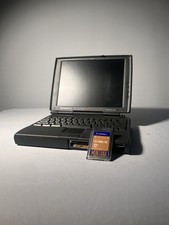
Apple PowerBook 1400c Vintage Macintosh Laptop Untested No Power Cord & Modem
$99.99

Vintage Apple iBook G3 12.1” 500MHz 2001 Restored, SSD Upgraded Mac OS 9.2/OS X
$180.00

LARGE LOT Vintage Apple Macintosh Mouse Cables Accessories SCSI etc - UNTESTED
$80.00
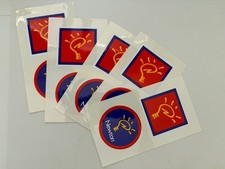
5 Vintage Apple Newton Stickers – Original Apple Memorabilia
$15.00

Vintage Apple Macintosh Plus 1MB - M0001A W/ Keyboard, 2 Mice, 800K HD, + More
$300.00
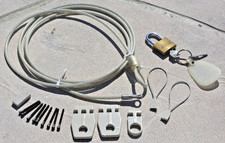
VINTAGE Apple Macintosh Security Lock Kit M0201 + Lock + parts NO BOX Original O
$24.99
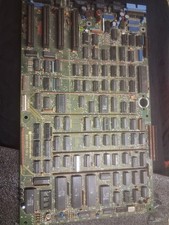
Vintage Apple III Motherboard Logic Board 820-0043-00 E Fully Populated Tested
$210.00

Vintage Apple Multiple Scan 15av Display Monitor M4681
$299.99



 Reply With Quote