-
HP DV5000
I managed to get Knoppix to boot using the apsci=off cheat, however when I boot my internal wlan isn't recognized. I thought it might be because it was integrated somehow and such a new computer that it wouldn't have any drivers, so I put in a linksys wirelessG card, and this is also not recognized. Does anyone know how to get these to work, or would it be better to go back to a wirelessB? I am planning on going to a store on my lunch break to pick something up, what would be best? Thanks
ZM
-
Administrator
Site Admin-
We have a section in the wiki about wireless networking, although contributions to it have be, to put it kindly, "light". In my own experience the one wireless NIC that I have that worked under 4.02 (a Belkin 802.11b pcmcia card) no longer seems to work with 5.0.1 (it's apparently recognized but I can't convince the software to set it up and use it.
I also have two D-link DWL-650 Rev M 802.1b pcmcia cards, but Knoppix has never worked with them. Same for a Belkin 802.11g card. The strange thing is that I'm finding some other Linux distros work with these cards. Ubunto recognized the DWL-650s and even picked my SSID out of thin air (literally), all I had to do was set up my encryption key and I was good to go. And interestingly enough Ubuntu identified the chipset as a Realtek RK8180L, and this seems to be a highly recommended chipset for Linux wifi nics, but D-link shows no Linux driver for it and Knoppix ignores it. And unfortunately there isn't much software available on the Ubuntu Live CD (and strangely the Ubuntu Live DVD seems to have exactly the same software installed as the Live CD, nothing more!)
I have also come across a Live CD recently that reciognizes the above 802.11g card that Knoppix doesn't, although I forget which. Might have been Mandirva or Puppy Linux.
So sadly I can't recommend a card, both because manufacturers have discontinued many of the 802.11b cards that used to work, and because the too often release cards with different chipsets under the same model number, and because the current Knoppix is failing even on some cards that did work in the past.
-
Thanks for the reply!
If you know of a distro that is a live CD, has airsnort, and can recognize a linksys G, or an intel G (don't know the chipset) that would be great to know! Thanks
ZM
Edit: fixed awful grammar.
edit2: Could running the apsci=false command be breaking this?
-
Administrator
Site Admin-

Originally Posted by
ZetronMan
If you know of a distro that is a live CD, has airsnort, and can recognize a linksys G, or an intel G (don't know the chipset) that would be great to know! Thanks
I don't know of any, but as you search please consider adding any similar information to the wireless networking section of the wiki. Although we are obviously a Knoppix site, it would be handy to know what cards are supported in other distros too (could be a simple inclusion in the text for that particular card, after telling if it works in Knoppix or not), and it sure would be nice to start building a list of what wireless tools each distro has. I don't think you have much chance getting Airsnort working with the Intel card; they are not releasing needed information on it, I don't know the status of the Linksys. My understanding is that airsnort only works on a very limited set of cards.
-
Well, I have seen and heard of airsnort working with linksys cards as they do have the prism 2 chipset...I'm far more concerned with getting a network card working with it. It's the WPC55G, so I'll try it with 3.7 since that worked with the WPC55AG. I will post my results tomorrow. 
-
Still no go on 3.7 
I may have to install this to a partition so that I can install the drivers.
-
Administrator
Site Admin-
Originally Posted by
ZetronMan
Still no go on 3.7
I may have to install
this to a partition so that I can install the drivers.
If you are going to install anything, why not just install Debian and avoid the known problems of a Knoppix install?
-
Very true, thank you for pointing that out before I went ahead with this.
Similar Threads
-
By furinto in forum Hardware & Booting
Replies: 6
Last Post: 09-14-2007, 11:45 PM
-
By rohitjava in forum Laptops
Replies: 1
Last Post: 02-13-2006, 12:44 AM
 Posting Permissions
- You may not post new threads
- You may not post replies
- You may not post attachments
- You may not edit your posts
-
Forum Rules


Commodore Amiga A1200 Vintage Computer Power Supply Mouse Bundle - Tested
$999.99

Framethrower, Amiga HDMI output via a PiStorm A500 A2000
$40.00

RGB2HDMI Amiga 500 UltraLong (Accelerator Friendly) HDMI Games, non-RTG A500
$50.00
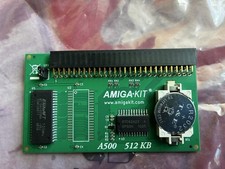
A500 512KB RAM Memory Card with (Built-In) Real Time Clock - New by Amiga-Kit
$41.00
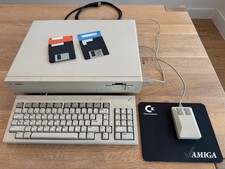
Commodore Amiga 1000, Keyboard, Tank Mouse, RAM Expansion, Tested, Working
$599.00

Commodore Amiga 2000HD Vintage Personal Computer A2000
$599.99
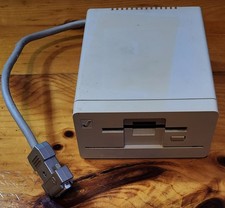
Commodore Amiga 1010 External 3.5” Floppy Drive A500 A1000 A2000 • Untested
$74.99
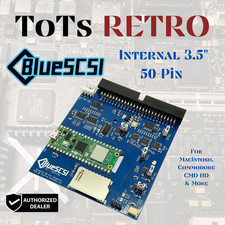
BlueSCSI v2 Internal 50-pin 3.5" SCSI Drive ,Wi-Fi,For Macintosh, Amiga, PC
$52.99
NewTek Video Toaster 4000 Commodore Amiga
$170.00

Microbotics Starboard 2MB + SCSI Sidecar for Amiga 1000 Vintage Computer READ
$229.00



 Reply With Quote