-
DVD boot
I can't boot from knoppix DVD. It gets to the hardware detection phase, then says "can't find knoppix filesystem, sorry." I can get to the boot: prompt, though. The CD version works fine. I suspect that my BIOS can't see past the first 700MB (thinking my DVD drive is a CD drive), because I have the same problem with Ubuntu, except that gives me "buffer i/o error on device hdc".
Is there a boot floppy I can download so I can use a floppy to boot up the DVD version? I have no other computer to start up this knoppix DVD and run 'mkbootfloppy', so i would like another way. Can I make a boot floppy from the knoppix 5.0 CD version?
-
Senior Member
registered user
mpn:
Sorry, but there appears to be no way to make a boot floppy for version5.0.1. I believe it has to do with the size of the kernel being too large to fit on one disk.
Now for the booting issue. I would look at the downloading faqs http://www.knoppix.net/wiki/Downloading_FAQ and be certain that the DVD has been burned at a slow speed and that the media is error free and that it is compatible with your DVD drive. I have run into several issues with some drives not being able to read DVD-R or DVD+R media. Just one of the two, and not both. You might also need to disable dma using the cheatcode "knoppix nodma".
I would also suggest trying various cheatcodes or combinations. You could start with failsafe or expert and go from there.
You could also try Smart Boot Manager: http://www.knoppix.net/wiki/Download...t_Boot_Manager
Good luck and be sure to let us know how you make out.
-
I might try the smart boot manager. Does that run off a floppy, and if it does is it safe to use (i.e. does it do anything to the HD)?
-
Senior Member
registered user
mpn:
You would need to "install" the program to a floppy disk and NOT to your HDD. It will then create a boot disk. It may or may not solve your issue with booting the DVD. It allows a system to select booting devices that might not otherwise be available in the BIOS selections. It may also help a faulty BIOS boot from the optical drive. I would be more inclined to try some of the cheat codes as I had described before, but the Smart Boot Manager is a great disk to have handy, so you wouldn't be wasting your time creating one. Use a "NEW" or clean disk when you create it, and follow the directions to the letter.
-
Administrator
Site Admin-

Originally Posted by
mpn
I might try the smart boot manager. Does that run off a floppy, and if it does is it safe to use (i.e. does it do anything to the HD)?
SBM can be "instaled" to either a floppy or a hard disk. As long as you have a floppy I would certaily start with that, so that you can get a feel for the program and see how well it works for you.
If you like it you can install it to the hard disk. It will replace the MBR in the first sector of the disk. It is easy enough to make a backup of this sector in Knoppix with the dd command if you want to try SBM on the hard disk and then replace the old MBR if it is not to your liking.
Another boot managet is XOSL. I like XOSL a lot more than SBM, and it used SBM code to still allow booting of optical discs on systems that don't fully support it. It also provides a much nicer GUI than SBM, and has a number of start-up features that make it much cleaner. The downside is that while SBM can be install to the MBR without affecting any of the rest of the disk, XOSL is larger and does require some other disk space, I suggest giving it a partition of it's own of a few meg in size. But start with SBM on a floppy to see if it solves your boot issues.
---
Verifying of md5 checksum and burning a CD at slow speed are important.
-
Senior Member
registered user
Originally Posted by
Harry Kuhman
Another boot managet is XOSL. ...
Unfortunately XOSL 1.1.5 is not 100% free to use.
From notes.txt in XOSL 1.1.5:
4. With XOSL comes Ranish Partition Manager, written by Mikhail
Ranish. Note that certain circumstances exist where it is not
free to use. Refer to
http://www.ranish.com/part for the details.
And from README.TXT in Ranish Partition Manager 2.40:
REGISTRATION: Ranish Partition Manager version 2.38 is distributed as the
shareware. You may evaluate the program for the period of time and then you
pay for it if you like it.
Even if private users are allowed to evaluate that for 10 years, and then must pay $10 or send a postcard if they can't afford that, it's still not free.
-
Senior Member
registered user
malaire:
Thank you for the information and interpretation of XOSL's license details. I just don't see where anyone claimed it to be a "free" program in this post. I did not recommend it simply because it requires a write to the drive. It's a capable program and well worth the charge, if one has chosen to purchase it.
-
Administrator
Site Admin-
I use XOSL on several systems. While there may be some restrictions on Ranish, which is included in XOSL, there is no charge requested for XOSL that I have ever seenn and the program is supposedly covered by the GPL (GPL sources available). I did not state that it was free, but I've never seen a request for payent or any sort of "this is shareware, you have thirty days to try it then pay up or remove it" foolishness. I think it is a valid alternative that was worth mentioning, although SBM is likely the better first choice here. I like XOSL because amoung other reasons, it makes a computer that does not support proper CD or DVD booting into one that does, and can even boot off the second optical drive if you wish, as well as being a great multiple boot manager and, yes, containing that Ranish partition manager, which is my first choice for a partition tool.
There is a downside to XOSL that should be mentioned however. It is aging and it now seems to be no longer supported. It still does what it does well, but it apparently lacks support for SATA devices (I have no SATA and have not confirmed this myself, but I have reports of this). But for IDE use it works great for me.
---
Verifying of md5 checksum and burning a CD at slow speed are important.
-
I tried re-burning another DVD at the slowest speed the player would allow AND verified the data, and this time the DVD booted and got into KDE...but it was slower than molasses on pluto. I tried it without loading up my 4.0 CD home image on /mnt/sda1 and still slow. Clicked restart KDE and it went to tty1 where it threw up "Buffer i/o error on device hdc". I just shut it off there.
For now, I will not use the DVD version until i can figure out what the heck is going on. Burning it at a slower speed got me somewhere, though. I'm burning the 5.0 CD. 5.0 seems to be the best for my ATI radeon card, because the display works correctly (actual 1024x768, not some squished "wide-screen"). Will the display still work with the CD version?
-
Administrator
Site Admin-
CD and DVD versions should work exactly the same as far as screen display, difference should only be additional software available on the DVD.
A DVD running too slow may still be a sign of a disc that is having to do a lot of error correction. See this post for another example of that. If it's not the speed of the burn that is the only issue then it could be the quality of the media, or optical problems with either the reader or the writer or both, although in this case it seems like the burn speed certainly agrivated the other problems to the point it couldn't boot at all. I hope that you can figure out what your other issue is.
 Posting Permissions
- You may not post new threads
- You may not post replies
- You may not post attachments
- You may not edit your posts
-
Forum Rules

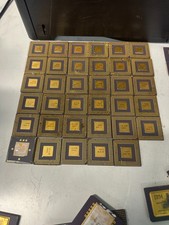
10 Pounds Vintage Ceramic CPU Processor/ic chips Gold Recovery Computers Scrap
$1999.99

Vintage HP 21MX 1000 M-Series Minicomputer Chassis Backplane Parts AS-IS
$228.19

Lot of 2 Vintage Plextor PX-43CS SCSI CD-ROM Caddy Drives + 4 Caddies Used
$55.99
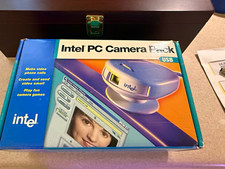
Vintage Intel PC Camera Pack USB CICP3 825118 NOS Open Box Complete 2000
$39.99

Vintage Coach 5209 Brown Leather BusinessTote Laptop Briefcase Y2K Shoulder Bag
$150.00
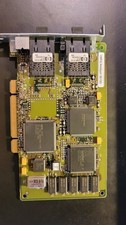
Compaq 242506-001 Netelligent 100 FDDI DAS Fiber SC PCI Network Adapter Vintage
$249.00
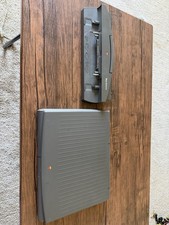
PowerBook Duo 210 vintage laptop
$120.00

Original Vintage Old Style STANDARD Black CD Jewel Case (Heavy Duty) 90g Lot
$316.95

Vintage Apple iMac G4 15" Lamp 700MHz 512MB Mac OS X 10.4.6 W/ Pro Speakers
$300.00
vintage Gateway motherboard, socket 370 1ghz cpu, 256mb ram, cables, power switc
$69.99



 Reply With Quote