-
Senior Member
registered user
mpn:
You did not say whether you tried the "knoppix nodma" cheatcode. It may have the solution for many optical drive issues, since some controllers need it enabled and others need it disabled to work correctly. If you are using Version 5.0.1, then it is enabled by default. Some prior versions were disabled and much earlier, enabled. It can cause slow reads and error messages.
Also the type of media can be an issue. Some drives will read DVD-R, OR DVD+R, and sometimes both. Trying a different media type might be the key also. I would look at the data/spec sheets for your optical drive to see what capabilities it has.
-
Administrator
Site Admin-

Originally Posted by
ckamin
Some prior versions were disabled and much earlier, enabled.
Actually, the history is disabled by default, then enabled by default, then "opps, that is causing way too many problems, let's disable it again", and now finally "hey, I forget why we disabled it, lets re-enable it".
Originally Posted by
ckamin
Also the type of media can be an issue. Some drives will read DVD-R, OR DVD+R, and sometimes both. Trying a different media type might be the key also. I would look at the data/spec sheets for your optical drive to see what capabilities it has.
Good point, I had forgotten about trying the other polarity of media. But now that you mention it I would also try DVD/RW media if you have any, for two reasons. First, nothing is lost if it doesn't work. And second the difference in gain needed to read it sometimes corrects problems. I found this out years ago with CDRs and CR/RWs, I would have expected CDRWs to be even more picky, since the bit transistions are much less and it takes extra electronics to read them. But I had a drive that started flaking out on CDRs and eventually all it could read and write correctly was CR/RWs (it could still read pressed CD's), but it worked on CD/RW's fine until I retired it.
-
Senior Member
registered user
Originally Posted by
Harry Kuhman
Actually, the history is disabled by default, then enabled by default, then "opps, that is causing way too many problems, let's disable it again", and now finally "hey, I forget why we disabled it, lets re-enable it".
Harry, You are certainly right about it starting out as dma disabled by default. My memory needs periodic testing and it failed on that one. It's hard to remember past last month, let alone a few years ago. I have seen dma cause some very strange issues in numerous operating systems. I like the option in the Knoppix menu where you can enable or disable dma on certain drives. You can start up without dma and then enable dma on the hard drives selectively and leave the optical drive off or vice versa, depending on which devices are troublesome.
Good point about the RW media.
 Posting Permissions
- You may not post new threads
- You may not post replies
- You may not post attachments
- You may not edit your posts
-
Forum Rules

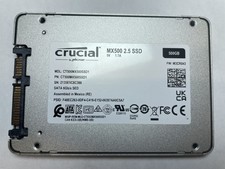
Crucial MX500 500GB 2.5" SATA III Internal SSD CT500MX500SSD1
$52.99

SSD 880EVO SATA III 2.5 4TB INTERNAL STATE DRIVE
$214.99
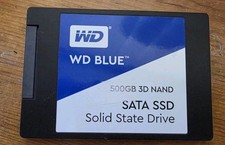
Western Digital Blue 3D NAND 500GB Internal 2.5" (WDS500G2B0A) SSD
$43.99
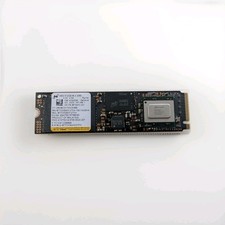
Micron 3400 512GB M.2 2280 PCIe Gen4 x4 NVMe Internal SSD Black USED
$50.00

Western Digital WD Blue 3D NAND 500GB 2.5in SATA III Internal SSD WDS500G2B0A
$41.99

M.2 SATA SSD 2280 128GB 256GB 512GB major brands | Very Good health
$19.49

2 PACK 128 GB SSD M.2 2280 SATA Solid State Drive Major Brands, Samsung, LiteON
$28.80

M.2 NVMe SSD 2280 Single Notch 128GB 256GB 512GB | Very Good health
$38.99

Samsung 860 EVO 250GB, SATA III, 2.5" Internal Solid State Drive - Black...
$30.00

128TB External SSD Solid State Drive Hard Drive Disk PC Phones Mac Games Videos
$123.90



 Reply With Quote