-
Administrator
Site Admin-
Re: Total Newb Needs Your Help

Originally Posted by
ZenMaster
answer #7 points to some issue with the subject line. If that's the case,
You are correct to an extent; the subject seemed apparent by the main thread topic. That's why I even tried to point you to the rescue faq, which I didn't know at the time that you had read, as otherwise a subject line like yours would cause me to not give an answer even if I knew it. But you seem to be posting your problem in a thread somewhat far away from where the people who might help you are likely to find it, being that this is a forum for those who think a hard disk install of Knoppix is a sane idea. I wasn't going to split it out and move it, however, with that subject line. If you search around in the forums you'll find other recent threads where the topic of trying to mount partitions that don't show up on the desktop or refuse to mount are covered in better detail.
-
Senior Member
registered user
ZenMaster,
Try searching or asking at the forum on this site: http://www.linux-ntfs.org/. These are the people who are actually developing the Linux ntfs drivers and they seem a friendly lot and I have been quite impressed with the progress they have made with ntfs in just a few years. I think I have seen something like MFT problems on the posts there. Seems to me like you have a corrupt MFT (master file table). On some sites, the suggested solution is to boot with a Windows Recovery CD and do a chkdsk, but better check with the experts at linux-ntfs to be sure.
Regards.
-
Thanks for your reply, Jackey -- I will definitely check that site out. I suspect that my drive is hosed since I did try the Recovery Console and chkdsk earlier and it told me that the drive had one or more unrepairable problems, or something like that. Nonetheless, I'll keep fishing around for something that might allow me to retrieve those files. Thanks again.
-
Senior Member
registered user
If all else fails and you just want to recover files, you can also try testdisk and photorec (both are on Knoppix). photorec in particular is good for recovering files. It ignores the underlying file system and scans disks for byte patterns which match the signature of common file formats. So it might still work even if the filesystem is damaged and the disk cannot be mounted.
Photorec is good for media files like digital images (what it was originally designed to rescue) but now can recover many different types of files. Try a google for photorec to look at the main home site. It might be useful to you. Unfortunately, the documentation and manual is quite brief.
-
i had similar problems with permissions after doing a debian type install to hard drive. with live cd everything works fine, but after installing to hard drive i have problems running programs like kwrite and konqueror from root terminal and also i cannot mount hdb1 anymore, which is my ntfs partition. if i mount as root from terminal then its fine but this is no good for my xbox accessing over network.
after installing sux i can now run konqueror and kwrite from terminal (so i have root privelages). in konqueror i browsed to /dev directory and right clicked on hdb, set permissions for "others" to -can read and write- and did the same for hdb1. now when i click on desktop icon it mounts straight away.
i can appreciate that this may the wrong method , but it works so may put someone else onto the right track.
Similar Threads
-
By couverman in forum Hdd Install / Debian / Apt
Replies: 1
Last Post: 02-02-2007, 06:13 AM
-
By Explorer2 in forum Hdd Install / Debian / Apt
Replies: 5
Last Post: 06-22-2006, 03:40 PM
-
By dcleghorn in forum General Support
Replies: 3
Last Post: 03-02-2006, 10:46 PM
-
By itaydagani in forum MS Windows & New to Linux
Replies: 3
Last Post: 02-02-2005, 12:53 AM
-
By kidsatacrux in forum MS Windows & New to Linux
Replies: 19
Last Post: 08-03-2004, 07:41 AM
 Posting Permissions
- You may not post new threads
- You may not post replies
- You may not post attachments
- You may not edit your posts
-
Forum Rules


Genuine OEM Apple MagSafe 2 45W AC Adapter Charger for Macbook Air 2015 11" 13"
$14.24

OEM Apple Data Migration Toolkit for A1706 A1707 MacBook Pro PN 076-00236
$549.99

Genuine Apple OEM A2164 30W USB-C AC Power Adapter with USB-C Cable, Very Good
$21.05

Genuine Apple Power Adapter Extension Cable 6FT White OEM MacBook MK122LL/A
$10.99
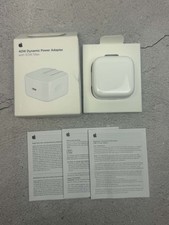
Apple 40W Dynamic Power Adapter 60W Max for iPhone/iPad/AirPods/MacBooks OEM
$18.99

OEM 45w T-Tip Power Adapter charger for Apple macbook air 2012-2017 A1436 A1466
$19.99

OEM Apple 45W A1436 Power Charger AC Adapter for MacBook Air MagSafe 2
$12.99
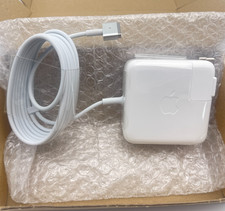
OEM 45W Charger For Apple MacBook Air 11-inch 13-inch Early 2012 2013 2014 2015
$26.98
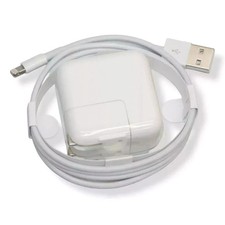
OEM Genuine Apple 12W USB Power Adapter Charger for iPhone iPad A2602 A2133 NEW
$21.55
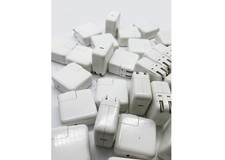
Lot of 30 Genuine OEM Apple 30W USB-C Power Adapter for iPhone iPad MacBook Air
$419.59



 Reply With Quote