-
kwifimanager in 5.01 - can't select eth0 instead of eth2
My netgear MA 401 wireless card works flawlessly and very fast with knoppix 4.02. 4.02 ingnores my internal broadcom adapter in my acer aspire. Fine with me. I would continue to use 4.02, but it does not recognize my battery status and knoppix 5.01 does. If there is an application that exits to monitor the battery in 4.02, I guess I would settle for that rather than the help I request below. My acer does not have an external monitor so if the battery gets low, the computer just craps out with no warning.
Knoppix 5.01 recognizes my internal braodcom wireless device in my Acer aspire but does not seem to configure properly. When I boot with my MA 401 card, I can use netcardconfig with eth0 and everything seems to go well, including DCHP recognizing a connection and giving some feedback regarding the connection before the shell closes. However, despite my best efforts to use the configuration editor in kwifimanager to change the automatic interface detection so that it ignores the non-working broadcom as eth2 and go to my working MA 401 with eth0 as the interface, the toolbar for kwifi still says eth 2 and nothing happens. If I close kwifi and reopen it, it does read eth0 in the configuration editor, but the toolbar still says eth2 and does not light up. FYI eth1 is my internal wired interface.
Oddly, with the internal broadcom, it does show a short red line for signal in kwifi, but that is about it. With netcardconfig and this device, it mentions something about some file not being found and bails. Bootup lines do recognize eth0, eth1, eth2 (with the MA 401 installed, otherwise I get eth0 and eth 1 for the internal wireless and wired devices)
I am fairly "new" to using wireless with knoppix so any specific lines I can type into konsole to either disable the broadcom and use the ma 401, or get the broadcom adapter working... that would be great... I really don't know much about the command lines to figure this out on my own.
Similar Threads
-
By LInuXRatES in forum Laptops
Replies: 7
Last Post: 09-06-2008, 04:46 PM
-
By kelsey in forum Hdd Install / Debian / Apt
Replies: 1
Last Post: 08-22-2006, 01:24 PM
-
By AugustQ in forum Hdd Install / Debian / Apt
Replies: 0
Last Post: 06-15-2005, 03:28 PM
-
By gjhicks in forum Networking
Replies: 4
Last Post: 05-01-2005, 08:00 PM
-
By Lemming in forum General Support
Replies: 3
Last Post: 02-19-2004, 09:02 PM
 Posting Permissions
- You may not post new threads
- You may not post replies
- You may not post attachments
- You may not edit your posts
-
Forum Rules


Macintosh Platinum Mouse - Apple 128K 512K 512Ke Mac Plus Lisa IIe M0100 - NEW
$49.99
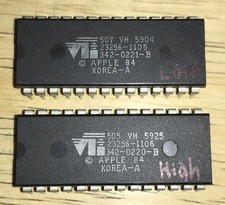
RARE 1984 Apple Macintosh 128K Original ROM Set Low/High Version B TESTED NICE
$169.99

Apple Macintosh Mac 128k - 512k Boot / Diagnostics 2 Disk Set for Classic Macs
$14.99

1984 APPLE MACINTOSH 128K MATCHING # BOX Set Original Mac Model M0001 WORKS RARE
$6299.00
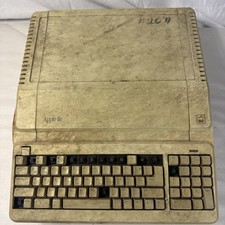
Vintage Apple IIe Platinum A2S2128 128K Computer Parts Repair Missing Keys
$100.00

Apple Macintosh 128k 512k Plus Power Supply Analog Board - needs work
$60.00
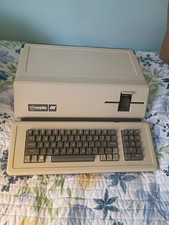
VINTAGE APPLE III COMPUTER A3S1-052010 (128k)
$800.00
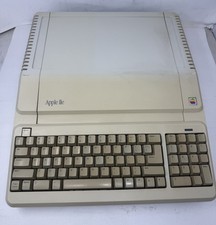
Apple IIe Platinum 128k Computer - Powers On - As is - See Photos - a2s2128
$255.00

Apple Macintosh 9" B&W CRT Mac 128k 512k Plus SE SE/30 Classic - Working (260191
$39.99
Vintage Apple Macintosh M0100 Mouse 128K 512K Original Tested Working USA
$65.00



 Reply With Quote