

 Reply With Quote
you can boot from the iso file with the cheatcode bootfrom=/dev/?/k*.iso ?=path to iso


Hi,
I downloaded Knoppix from
http://torrent.unix-ag.uni-kl.de/tor...-01-DE.torrent
Before this version I used Knoppix 4.0.2 which boots perfectly from a
SCSI drive connected to an Adaptec 29160 controller.
Knoppix 5.0.1 does not seem to have the aic7xxx module available for boot
as the boot scripts prints that it can not find the Knoppix CD and drops to
a emergency shell. insmod aic7xxx fails because of missing module.
What can I do to use Knoppix 5.0.1 on my SCSI-only system?
Greetings, spiralvoice
you can boot from the iso file with the cheatcode bootfrom=/dev/?/k*.iso ?=path to iso
How to do that without SCSI driver?
Use an iso image that is on a hard drive, boot off the cd and at the prompt use the cheatcode. There is a scsi module in the minirt.gz which was put there for hard drives I'm thinking, if you don't have any ide.
Tried that, did not work. It seems the SCSI module is not loaded during boot
although its present in minirt.gz in /modules/scsi/aic7xxx.ko
How can I force loading that module?
gentoo a # lspci
01:07.0 SCSI storage controller: Adaptec AIC-7892A U160/m (rev 02)
gentoo a # cat /proc/scsi/aic7xxx/0
Adaptec AIC7xxx driver version: 7.0
Adaptec 29160 Ultra160 SCSI adapter
aic7892: Ultra160 Wide Channel A, SCSI Id=7, 32/253 SCBs
boot using 'expert' mode, it is for loading modules from floppy. I'm not sure what you mean by 'did not work', are all your drives pluged into the addon card or something?
When I boot Knoppix, with or without bootfrom=/dev/sda5/KNX.iso (the file is there),
the boot script tries to find the Knoppix CD. Your tip did not work because the SCSI
driver is also not loaded so no SCSI device can be found. All my drives (HDD, CD,
DVD) are connected to the SCSI controller, I have a SCSI-only system, no IDE.
After the bootscript fails I am dropped to a rescue shell where only a view
commands, like lsmod/insmod/mount, can be executed. Even from this
shell I can not load the aic7xxx module.
I will try to copy the aic7xxx.ko file to a floppy and use expert mode, thx for the tip.
Not sure if this is help or not, but I have a machine with AIC-7880 SCSI controller on the motherboard connected up to a Yamaha CRW8424S. It boots the 5.0.1 CD quite happily like previous versions. Machine also has IDE dvd writer now and can boot from either drive. Could this be another problem with Knoppix 5 rather than a missing driver?
Using "expert" mode I could choose aic7xxx.ko driver from a list of drivers
present on the CD, now Knoppix 5.0.1 is working here, currently writing this with Knoppix 5.0.1
I do not know why my SCSI card is not auto-dectected anymore,
with Knoppiy 4.0.2 everything was ok...
But anyway, it works now, thanks for help!
I have the same problem with Knoppix 5.1.1 ....
grrr
is there a way to automize the loading of the driver? (boot parameter?)
 Posting Permissions


Dell 6P85J 4TB ST4000NM0063 7.2k 6Gb/s 3.5” SAS SED Hard Drive with Tray
$39.99

Seagate Exos X14 10TB 7200RPM 3.5" SAS 12Gb/s Hard Drive HDD ST10000NM0528
$165.00

Seagate 14TB Exos X14 7200RPM SATA 6Gb/s 256MB 3.5" Enterprise HDD ST14000NM0408
$354.99

Seagate Exos X16 ST10000NM010G 10TB 7200RPM SAS 12Gb/s 3.5" 512e/4Kn HDD
$199.00

Seagate ST6000NM0115 6TB 256MB 7200RPM 3.5" SATA 6.0Gb/s Enterprise Hard Drive
$159.99
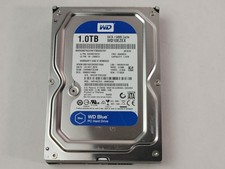
Western Digital WD Blue WD10EZEX 1 TB 3.5" SATA III Desktop Hard Drive
$23.99

HGST HUS724040ALA640 4TB 7200 RPM SATA 3.5" Internal Desktop Drive 100% Health
$78.00

Dell ST91000640SS 1TB 2.5" 6Gb/s 64MB 7.2K RPM SAS Hard Drive Dell P/N: 0VXTPX
$16.99
SEAGATE ST4000LM024 4TB 2.5" SATA 5400RPM 128MB HDD LAPTOP HARD DRIVE
$169.00

MG08SCA16TE Toshiba 16TB 7.2K SAS 12gb/s 512e 3.5inch HDD HDEPN10GEA51 NEW
$454.44