-
more of that "vey limited shell"
Hi
i just downloaded and burnt the knoppix 5.01 cd (re-burned at 4x)
the cd works like a charm on my compaq r4000 laptop (with the nodma cheat) but fails miserably on my homebuilt athlonxp machine
i tried the knoppix nodma and knoppix failsafe but still the "I/O error" loading the cdrom and a "very limited" shell
the SAME CD works on my compaq
the cd drive in the homebuilt rig is v old (from my old compaq pIII not sure of the year, around '99-'00"
i enabled UDMA in bios, and everything else looks fine.
cdrom is ATA 33, a (phillips, i think) cdrw readspeed 32x or something
-
Administrator
Site Admin-
Have you tried the knoppix nodam cheat code? Of course it could also be that the drive is so old and marginal that you just are going to have issues with it, or it might be something completely different about the hardware. If nodma does not help you might want to try swapping optical drives just as a temporary test, to help confirm that the drive works in the other system or to rule out the drive as the only problem in the system it is now failing in.
-
copy the iso image to a partition and use the bootfrom=/dev/hd?/path/to/iso/k*.iso cheatcode and see if she boots, then post any error messages reguarding your cd-rom. replace ? with your hard drive and partition (i.e. a1)
'dmesg' 'udevinfo -q all -p /block/hd?' and 'hdparm /dev/hd?' might help aswell.
replace '?' with the minor number of your cd/dvd device (i.e. [a-z])
edit: sorry about the sloppy first post.
-
Senior Member
registered user

Originally Posted by
Harry Kuhman
Have you tried the knoppix nodam cheat code?
It should be nodma
-
Administrator
Site Admin-
Originally Posted by
UnderScore
It should be nodma
Opps, thanks for catching my typo Underscore.
---
Verifying of md5 checksum and burning a CD at slow speed are important.
-
I am having the same problem. On a Compaq 2100 laptop I can not get past the "I/O error" "very limited shell". I have used the cheat codes and nothing helps. I have put the CD in another computer and everything works great (except itsays my hard drive is not mounted but that is another issue for another place). I burned the CD at 8x (that is as low as I could). I even tried failsafe and I get the same result. Any other suggestions I have tried all of them on this post and the other post.
Similar Threads
-
By TecHunter in forum Hardware & Booting
Replies: 1
Last Post: 07-16-2005, 05:04 AM
-
By lothario in forum Hardware & Booting
Replies: 1
Last Post: 03-06-2005, 08:14 PM
-
By oreo in forum General Support
Replies: 11
Last Post: 07-23-2003, 06:33 PM
-
By geebee2000 in forum Hardware & Booting
Replies: 9
Last Post: 05-21-2003, 07:29 PM
-
By Juny in forum General Support
Replies: 4
Last Post: 03-14-2003, 09:02 AM
 Posting Permissions
- You may not post new threads
- You may not post replies
- You may not post attachments
- You may not edit your posts
-
Forum Rules


Amiga Model 1080 RGB color CRT monitor - Parts Or Repair - Doesn’t Power On
$100.00

Microbotics Starboard 2MB + SCSI Sidecar for Amiga 1000 Vintage Computer READ
$329.00

RGB2HDMI Amiga 500 UltraLong (Accelerator Friendly) HDMI Games, non-RTG A500
$50.00

Amiga Emplant Emulator Card For Commodore Amiga 2000 4000 3000
$249.00
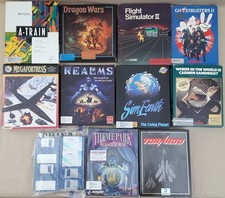
(10) BOXED Games for Commodore Amiga 500 600 1000 1200 2000 3000(T) 4000(T)
$329.98

Commodore Amiga 4000 Motherboard Rev B - untested
$225.00
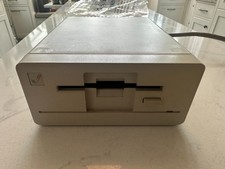
Commodore Amiga 1010 3.5" Floppy Disk Drive 880K WORKS GREAT
$179.00
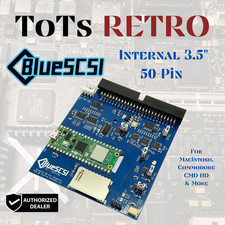
BlueSCSI v2 Internal 50-pin 3.5" SCSI Drive ,Wi-Fi,For Macintosh, Amiga, PC
$52.99

Best FlickerFixer RGB2HDMI Amiga HDMI Games, non-RTG A2000CPLDSlot v2.2
$75.00
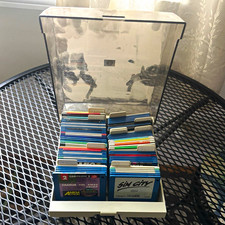
ALS Storage Box with Assorted Amiga Format 3.5" Floppy Disks
$199.00



 Reply With Quote