

 Reply With Quote
the first boot option that appears after
is the default option, so placeCode:## ## End Default Options ##
first and that should do it.Code:title Windows 2K/XP/2003 (hda1) chainloader (hd0,0)+1


Hello,
I am a newbie with Knoppix.
I want to change the default boot on Knoppix, i.e. I want Windows XP to load with the start of the computer. Below is what my meny.lst reads (I only dared to change the timeout to 30 sec.):
# menu.lst - See: grub(, info grub, update-grub(
# grub-install(
# grub-md5-crypt, /usr/share/doc/grub
# and /usr/share/doc/grub-doc/.
## default num
# Set the default entry to the entry number NUM. Numbering starts from 0, and
# the entry number 0 is the default if the command is not used.
#
# You can specify 'saved' instead of a number. In this case, the default entry
# is the entry saved with the command 'savedefault'.
# WARNING: If you are using dmraid do not change this entry to 'saved' or your
# array will desync and will not let you boot your system.
default 0
## timeout sec
# Set a timeout, in SEC seconds, before automatically booting the default entry
# (normally the first entry defined).
timeout 30
# Pretty colours
color cyan/blue white/blue
## password ['--md5'] passwd
# If used in the first section of a menu file, disable all interactive editing
# control (menu entry editor and command-line) and entries protected by the
# command 'lock'
# e.g. password topsecret
# password --md5 $1$gLhU0/$aW78kHK1QfV3P2b2znUoe/
# password topsecret
#
# examples
#
# title Windows 95/98/NT/2000
# root (hd0,0)
# makeactive
# chainloader +1
#
# title Linux
# root (hd0,1)
# kernel /vmlinuz root=/dev/hda2 ro
#
#
# Put static boot stanzas before and/or after AUTOMAGIC KERNEL LIST
### BEGIN AUTOMAGIC KERNELS LIST
## lines between the AUTOMAGIC KERNELS LIST markers will be modified
## by the debian update-grub script except for the default options below
## DO NOT UNCOMMENT THEM, Just edit them to your needs
## ## Start Default Options ##
## default kernel options
## default kernel options for automagic boot options
## If you want special options for specific kernels use kopt_x_y_z
## where x.y.z is kernel version. Minor versions can be omitted.
## e.g. kopt=root=/dev/hda1 ro
## kopt_2_6_8=root=/dev/hdc1 ro
## kopt_2_6_8_2_686=root=/dev/hdc2 ro
# kopt=root=/dev/hdb1 ro ramdisk_size=100000 lang=us apm=power-off nomce vga=791
## default grub root device
## e.g. groot=(hd0,0)
# groot=(hd1,0)
## should update-grub create alternative automagic boot options
## e.g. alternative=true
## alternative=false
# alternative=false
## should update-grub lock alternative automagic boot options
## e.g. lockalternative=true
## lockalternative=false
# lockalternative=false
## additional options to use with the default boot option, but not with the
## alternatives
## e.g. defoptions=vga=791 resume=/dev/hda5
# defoptions=
## altoption boot targets option
## multiple altoptions lines are allowed
## e.g. altoptions=(extra menu suffix) extra boot options
## altoptions=(recovery mode) single
# altoptions=(recovery mode) single
## controls how many kernels should be put into the menu.lst
## only counts the first occurence of a kernel, not the
## alternative kernel options
## e.g. howmany=all
## howmany=7
# howmany=all
## should update-grub create memtest86 boot option
## e.g. memtest86=true
## memtest86=false
# memtest86=true
## should update-grub adjust the value of the default booted system
## can be true or false
# updatedefaultentry=false
## ## End Default Options ##
title Debian GNU/Linux, kernel 2.6.17 Default
root (hd1,0)
kernel /boot/vmlinuz root=/dev/hdb1 ro ramdisk_size=100000 lang=us apm=power-off nomce vga=791
initrd /boot/initrd.img
savedefault
boot
title Debian GNU/Linux, kernel 2.6.17
root (hd1,0)
kernel /boot/vmlinuz-2.6.17 root=/dev/hdb1 ro ramdisk_size=100000 lang=us apm=power-off nomce vga=791
initrd /boot/initrd.img-2.6.17
savedefault
boot
### END DEBIAN AUTOMAGIC KERNELS LIST
title Windows 2K/XP/2003 (hda1)
chainloader (hd0,0)+1
title Windows 95/98/ME (hda2)
root (hd0,1)
makeactive
chainloader +1
title Windows 95/98/ME (hda3)
root (hd0,2)
makeactive
chainloader +1
In Mandriva it's quite easy doing this as it has a GUI Control centre with GUI boot management. Is there such a thing in Knoppix?
Thank you!
the first boot option that appears after
is the default option, so placeCode:## ## End Default Options ##
first and that should do it.Code:title Windows 2K/XP/2003 (hda1) chainloader (hd0,0)+1
Yes, it did. Thank you!
 Posting Permissions


IBM System X3850-X5 Server w/4x Intel Xeon E7-4870 CPU , 512 GB DDR3 RAM,NO HDD
$1299.99

IBM QRadar xx29 2x Xeon E5-2650v4 2x 900W PSU M5120 12x 3.5" Bay Server No RAM
$179.99

Unused IBM 09P0037 MAINBOARD For RS/6000 7044-170 P-Series
$375.00

Rare Vintage IBM 93ZZ PowerPC Server Board - MCM Ceramic CPU - 40N1844 - 1.1 lbs
$49.99

IBM 02YC027 Seagate ST2400MM0129 2.4TB 10K SAS 12Gb/s 2.5" Server Hard Drive
$200.00

IBM SYSTEM X3500 M3 SERVER 7380AC1 TOWER Server XEON E5620 8GB RAID SEE NOTES
$110.30
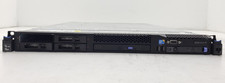
IBM System x3550 M3 1U Server Intel Xeon E5630 4GB DDR3 No HDD
$279.99

IBM Power 8 S822L Server 8247-22L POWER8 Enterprise 256GB RAM 2x 00KV626 CPU
$999.99

IBM ADP Server Type 7870 AC1 NO HDD | 128GB RAM PC3L | 2 x Xeon E5620
$199.99
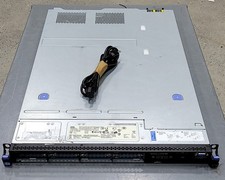
DEFECTIVE IBM SYSTEM X3530 M4 7160AC1 Server 2INTEL XEON E52430L 0 80GB G3D
$142.50