

 Reply With Quote
add the option 'fromhd=/dev/sda1'I need to tell grub about the location of /boot which is /dev/sda1, not sure how this is done from a Knoppix boot.
see /cdrom/knoppix/cheatcodes.txt for all the codes.


Hi All,
Have a test box that I'm trying to recover. RHEL 4 with 4 SCSI drives.
/dev/sda1 is the /boot
/dev/sda2 is swap
/dev/sda3 is part of the software raid
The other drives contain swap and software raid partitions.
Software raid is /dev/md0
In my test I'm failing sda3 with mdadm, as if I have lost the whole drive and then booting in with Knoppix to save the dayNext I rebuild the partitions, format the /dev/sda1 and copy the /boot info back to /dev/sda1 from backup copy I have on CD. Next I want to redo the MBR on /dev/sda, this is where I'm getting stuck on grub syntax.
I need to tell grub about the location of /boot which is /dev/sda1, not sure how this is done from a Knoppix boot.
Any Ideas Welcome!
Joe
add the option 'fromhd=/dev/sda1'I need to tell grub about the location of /boot which is /dev/sda1, not sure how this is done from a Knoppix boot.
see /cdrom/knoppix/cheatcodes.txt for all the codes.
Ok, not sure what thats supposed to do. /dev/sda1 is my /boot directory, does this use the info in the /boot?
knoppix fromhd=/dev/sda1 Boot from previously copied CD-Image
Originally Posted by Zrebel
Sorry, just use the install scripts that come with the distro, 'knoppix-installer' as root.
The very last thing I would consider doing if I was trying to recover a system would be run the Knoppix installer.
I cannot 'chroot' because the / (root) partition is part of /dev/md0 (raid 5). I can mount the /dev/sda1 which contains /boot .
I'm running this test on RHEL 4 32 bit and I have made a boot disk with mkbootdisk command, using the boot disk you can run grub and get everything back to normal on the new /dev/sda/ disk. But the real server is RHEL 4 64 bit and the mkbootdisk command is not available So trying to recover some other way on the test box without a RHEL 4 boot disk.
When I first started this little test I made a copy of the MBR, I've been trying to re-install the MBR with:
dd if=MBRbackup.bin of=/dev/sda bs=512 count=1
It runs fine, but GRUB does not boot the system. I get the "Error 15"
I don't know, just seems to be little gotchas no matter which way I go.
Thanks,
Joe
Yea were not going to do that
 Posting Permissions


Kingston 32GB 64GB 128GB 256GB USB 3.0 Flash Drive Thumb Memory Stick Pen lot
$285.90

2 in 1 USB 3.0 Card Reader Micro TF card Reader usb adapter High Speed Cardreder
$3.99

P43330-0A1 HPE 32GB 2RX8 PC5-4800B DDR5 SERVER RAM P43328-B21 / HMCG88MEBRA107N
$1100.00
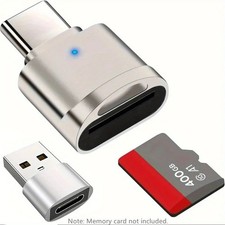
2 Pack USB C SD TF Card Reader Adapter Zinc Alloy USB-C to USB for iPhone 15-17
$3.35
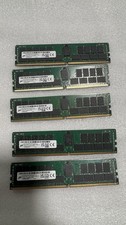
Micron MTA36ASF8G72PZ-3G2F1 64GB DDR4 RDIMM Memory Module
$500.00
64MB (2 x 32MB) 72 Pin EDO Memory SIMM 5V Non Parity 60ns
$19.44

Samsung 96GB LPCAMM2 PC5 9600 FE1 E1 LPDDR5X CAMM2 M561K6LC3CL1-CCV DDR5 Memory
$2150.00
NMA1XXD128GPS Intel Optane 1X128GB DDR4 PC4-21300 DCPMM Persistent Server Memory
$75.00

6 in 1 USB 3.0 Type C Card Reader SD Micro SD TF OTG Memory Adapter Laptop PC US
$3.95

Apple iPad Mini 5 64GB, Wi-Fi, 7.9"
$69.00