-
Senior Member
registered user
(SOLVED)USB MOUSE DETECTED DURING BOOT , NOT WORKING ON KDE
My USB mouse is detected as shown after the autodetect as stated (A4Tech usb mouse on /dev/input/mice). But it is not usable-the cursur just stays on the middle of the screen.
I can only use a mouse after I plug a serial mouse into the serial input "on the fly"-that is with kde already up.
I have not tried connecting ther usb scanner I have. I also checked the USB view and all seems to be correct.
Please help!
-
Senior Member
registered user
Post your /etc/X11/XFree86config-4
-
Senior Member
registered user
Okay I have solved the problem(sort of) THE HARD WAY-by trial and error.
By the way,I have the 'poor man's install' so the xf86config is not saved. Anyone knows how to save it with the cd setup?
The steps:
1. had to delete the myconfig files and the persistent home(using win9 .
.
2. boot to knoppix.This time the usb mouse worked.
3. do KNOPPIX/configuration-both persistent home and config files.
4. reboot knoppix.USB mouse now works.
Similar Threads
-
By Shadda in forum Hardware & Booting
Replies: 10
Last Post: 03-14-2005, 09:14 PM
-
By mikey in forum Laptops
Replies: 1
Last Post: 05-16-2004, 04:53 AM
-
By keokeo in forum Hardware & Booting
Replies: 8
Last Post: 02-19-2004, 12:15 AM
-
By kim in forum Hardware & Booting
Replies: 0
Last Post: 02-13-2004, 01:12 PM
-
By sagipolley in forum Hardware & Booting
Replies: 1
Last Post: 01-11-2004, 02:40 PM
 Posting Permissions
- You may not post new threads
- You may not post replies
- You may not post attachments
- You may not edit your posts
-
Forum Rules


Dell Precision T5820 Workstation 3.70GHz W-2135 No RAM/ GPU/ HDD/ OS
$179.98

Dell Precision Tower 7810 Xeon E5-2630 v3 @ 2.40GHz , 32GB Ram, NO HDD, NO OS
$239.99

Dell PowerEdge R740xd Dual Intel Silver 4116 @2.1GHz 32GB HBA330 24Bay Server
$525.00
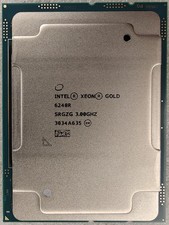
Intel Xeon Gold 6248R 3.0GHz 24-Core SRGZG 35.75MB LGA3647 Server CPU Processor
$225.00

Intel Xeon E5-2680 V2 2.8GHz 10-Core 25MB 8GT/s SR1A6 LGA2011 B Grade Server CPU
$7.95

Intel Xeon E5-2699 V4 2.20GHz 55M 22-CORES LGA2011-3 Server Processor 145W SR2JS
$84.49

Dell Precision T7820 2x Xeon Gold 6130 2.10GHz 950W No RAM GPU HDD 4x SATA
$374.48

Dell Precision T7820 2x Xeon Silver 4114 2.20GHz 950W No RAM GPU HDD 4x SATA
$354.48

NEW HP Z4 G4 Workstation Xeon W-2123 16GB ECC 256GB NVMe NVIDIA T400 750W Win11
$450.00

DELL Precision T3420 | Xeon 1240v6 | 525GB SSD |16GB RAM |Nvidia GPU |Win11
$149.00



 Reply With Quote