-
Senior Member
registered user
My apologies, anksingh, I missed out one step.
After bootfrom hda2, before I created my PH, i did make hda2 writable. And then I created my PH on hda2. But you can't do it the normal way by right-clicking on the icon. That's why you got the error message. You have to use mount, remount etc. I will be happy to show you how to make hda2 writable to set up the PH there, but I have an even simpler suggestion below. (But if you are still interested in the above, then please ask.)
My simpler suggestion is: remember you were going to create a 15GB hda3, as a common partition to store and share files between XP and Knoppix? Create it in type fat32. Then put your persistent home directory in hda3.
Now to answer your questions:
To get around this, i think that i should first boot from CD & then make PH on the free space in that partition.
But would not there then be a sharing conflict when i bootfrom iso in the same partition having PH. Will i be able to save anything in PH as the partition is not writable? Is it that i cannot write on it , but the system can ?
Interesting idea. It could work. Why don't you try it and let us know? What I do know is that I regularly load and reload different PH images which I store elsewhere and use them. And the changes persist, even though I never directly made writable the partitions where the PHs were. Having said that, why not do the simpler thing to put the PH on hda3.
One related question is that suppose i make my PH of size 4.3 GB, will the data on destop folder say, config. changes in various programs, & Program additions, will automatically be saved on the PH when i shut down? or will i need to do something else to save the changes in the PH?
You don't have to do anything to save changes in your PH. Once you have set up your PH, whatever changes you make to your desktop, Home directory and anywhere else in the Knoppix filesystem will be saved by Knoppix on shutdown and will persist. As I said above, oncre created, you don't have to specially make the partition where the PH is writable or anything like that. Knoppix will do it when it needs to But remember, what you store in the PH will not be visible from XP. Say if you download a music file from the internet and store it on the knoppix desktop. With a PH, It will still be there next time you start knoppix and select the PH. But you won't see the music file from Windows XP. That's because Knoppix has stuffed it into its PH image file. To share the music file, put it into a common data partition eg your hda3.
I encourage you to experiment with Knoppix. Try different ways. The beauty of Knoppix is YOU CAN'T BREAK IT! If it doesn't work, simply reboot. And if you are afraid of wrecking your PH with some config change, just save and reload your last good PH. And if you never click on your hda1 icon (where your XP is), and never make your XP NTFS writable (please don't, yet!) you can't do anything to break your Windows XP either. And when you find out something or have some success, come and tell us. We could learn from you too.
Similar Threads
-
By victoria in forum General Support
Replies: 14
Last Post: 10-08-2006, 03:57 PM
-
By xfiles in forum Knoppix DVD
Replies: 1
Last Post: 09-02-2005, 06:20 AM
-
By bigkahuna in forum Hdd Install / Debian / Apt
Replies: 0
Last Post: 01-13-2005, 08:22 PM
-
By prehis in forum Hdd Install / Debian / Apt
Replies: 5
Last Post: 09-15-2004, 04:44 AM
-
By Obsidian in forum Hdd Install / Debian / Apt
Replies: 1
Last Post: 08-28-2003, 06:34 AM
 Posting Permissions
- You may not post new threads
- You may not post replies
- You may not post attachments
- You may not edit your posts
-
Forum Rules


Intel Xeon E5-2680 V2 2.8GHz 10-Core 25MB 8GT/s SR1A6 LGA2011 B Grade Server CPU
$7.95
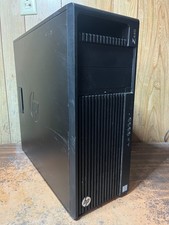
HP Z440 Workstation Windows 11 Pro Computer XEON 16GB 500GB SSD 2TB HDD M2000
$200.00

HPE DL360 G10 CTO Server W/ 2x800W 1x LP PCIE RISER 1xFLEXROM 2XHIGH PERF FANS
$200.00

NEW HP Z4 G4 Workstation Xeon W-2123 16GB ECC 256GB NVMe NVIDIA T400 750W Win11
$450.00

Dell Precision T7820 2x Xeon Silver 4114 2.20GHz 950W No RAM GPU HDD 4x SATA
$354.48
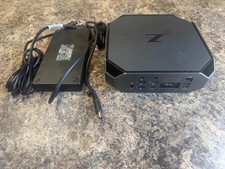
HP Z2 Mini G5 Workstation Xeon W-1270P 3.8GHz/16GB/1TB SSD/ NVIDIA T1000/W11 Pro
$349.00

Lenovo ThinkStation P520c Intel Xeon W-2133 6-Core 3.60GHz -NO RAM/ HDD/ GPU/ OS
$127.54

Dell Precision T7820 2x Xeon Gold 6130 2.10GHz 950W No RAM GPU HDD 4x SATA
$374.48
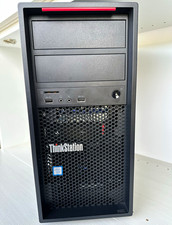
Lenovo ThinkStation P520c Xeon W-2133 3.60GHz 16GB Quadro P2000 Desktop Wi-Fi 6
$180.00
HP Z420 Tower Workstation Xeon E5-1620 3.60GHz, 4GB Ram, NO HDD, NO OS
$140.00



 Reply With Quote