-
Senior Member
registered user
Unfortunately, once installed to HD, there won't be an opportunity to enter boot cheat codes. In order to set the locale and language defaults to UK there is a whole lot of configuration files which need to be edited, and I am not sure I know what all of them are. On a live CD boot, Knoppix would have done all this automatically.
Anyway, to set the default x keyboard mapping to the UK keyboard, edit the file /etc/X11/xorg.conf (you will need root privileges for this) Find the line that says Option "XkbLayout" "us". Change it to Option "XkbLayout" "gb".
You should now get most applications using the UK keyboard. This can be easily tested with shift-3 which should show the sterling symbol.
This takes care of keyboard mapping in X. It does not take care of localisation to UK (which affects things like date formats and so on). I would suggest you search google for UK websites on the topic of localisation or setting the locale to the UK environment.
Regards.
Similar Threads
-
By ptracton in forum Hardware & Booting
Replies: 2
Last Post: 05-09-2006, 10:22 PM
-
By Superhezka in forum Hardware & Booting
Replies: 6
Last Post: 12-04-2005, 03:57 PM
-
By FrankZappa17_4 in forum Hardware & Booting
Replies: 4
Last Post: 08-22-2004, 01:24 AM
-
By gENO in forum General Support
Replies: 1
Last Post: 10-05-2003, 01:09 AM
-
By ian in forum Customising & Remastering
Replies: 0
Last Post: 08-20-2003, 04:46 PM
 Posting Permissions
- You may not post new threads
- You may not post replies
- You may not post attachments
- You may not edit your posts
-
Forum Rules


INFO/soft Character Generator Manual for Atari 3000/5000/7000 NTSC
$40.00

Atari 130 XE/Atari 1050 Bundle W/ Cords And Extras (Powered On)
$300.00

DEFECTIVE Atari 810 Vintage Computer Disk Drive powers on Unit Only Boo G3D
$49.29

Atari 800 8-bit Computer System Fully Tested Great Condition 48k READ
$350.00

Fujinet 1.7.1 Atari 400 800 800XL 130XE 65XE XEGS Assembled, Tested, Working
$99.99

Atari XE 130XE Computer NTSC with Power Supply Powers On Untested
$159.95

ATARI Mouse with Adapter for ST, STE, Mega STE, TT Optical - USA Seller
$29.99
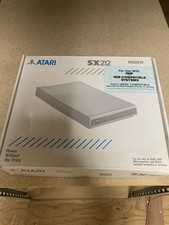
Atari SX212 Modem for IBM Systems w/ Box, Owner's Manual & Power Adapter NOS
$125.00

UNOCART-2600 SD card Multi Rom Cartridge for ATARI 2600 with CASE
$34.25

Vintage Atari SF354 Floppy Disk Drive & Power Supply FOR PARTS OR REPAIR AS IS
$120.00



 Reply With Quote