

 Reply With Quote
Have you tried GCC? i.e.
g++ nameofprogram.cp -o anyname


Hi!
Using KNOPPIX 5.0.1CD, the gcc compiler for C has no trouble finding stdio.h. The C++ compiler cannot find iostream.
1. Do you have any suggestions for a work-around?
2. I'm going to be remastering this version of KNOPPIX to have some tools that aren't in the standard version, so I could change path variables, etc. What needs to be changed?
Thanks,
Fred
Have you tried GCC? i.e.
g++ nameofprogram.cp -o anyname
Thanks, WaKa!
What I did was the simple "hello, world!" program in C and C++, using exactly the format you suggested.
For C, it worked absolutely as expected, so I was surprised when it couldn't find iostream for the C++ version of the program (using cout << "Hello, world!" << endl; ), and I got the error message that ostream was not defined in this function! I gave it this:
#include <iostream>
for C++, just like I gave it:
#include <stdio.h>
for the C case. I tried the alias for gcc (g++), as well. If I specifically gave the absolute path to iostream it worked.
Since this is a Live CD, however, I'd have to re-master to add a PATH or an alias.
So suggestions are still welcome!
--Fred
use this:
#include <iostream>
int main()
{
std::cout << "Hello, world!" << std::endl;
return 0;
}
Thanks for your reply, WaKa.
The problem is that gcc can't find the #include file iostream, not that it's using the wrong namespace.
Whe I use the -v (verbose) output, it tells met that it is, in fact, looking in a non-existent directory. - many directories deeper than the real one.
Does the program you gave actually work on your copy of KNOPPIX 5.0.1CD? If so, then I'll have to try another download.
Thanks,
Fred
FYI, here's the response to the gcc invocation:
knoppix@1[~]$ gcc -v test.cpp -o test
Using built-in specs.
Target: i486-linux-gnu
Configured with: ../src/configure -v --enable-languages=c,c++,java,f95,objc,ada,treelang --prefix=/usr --enable-shared --with-system-zlib --libexecdir=/usr/lib --without-included-gettext --enable-threads=posix --enable-nls --program-suffix=-4.0 --enable-__cxa_atexit --enable-clocale=gnu --enable-libstdcxx-debug --enable-java-awt=gtk-default --enable-gtk-cairo --with-java-home=/usr/lib/jvm/java-1.4.2-gcj-4.0-1.4.2.0/jre --enable-mpfr --disable-werror --with-tune=i686 --enable-checking=release i486-linux-gnu
Thread model: posix
gcc version 4.0.4 20060507 (prerelease) (Debian 4.0.3-3)
/UNIONFS/usr/bin/../lib/gcc/i486-linux-gnu/4.0.4/cc1plus -quiet -v -iprefix /UNIONFS/usr/bin/../lib/gcc/i486-linux-gnu/4.0.4/ -D_GNU_SOURCE test.cpp -quiet -dumpbase test.cpp -mtune=i686 -auxbase test -version -o /tmp/cclr3aiv.s
ignoring duplicate directory "/usr/lib/gcc/i486-linux-gnu/4.0.4/../../../../include/c++/4.0.4"
ignoring duplicate directory "/usr/lib/gcc/i486-linux-gnu/4.0.4/../../../../include/c++/4.0.4/i486-linux-gnu"
ignoring duplicate directory "/usr/lib/gcc/i486-linux-gnu/4.0.4/../../../../include/c++/4.0.4/backward"
ignoring nonexistent directory "/usr/local/include/i486-linux-gnu"
ignoring duplicate directory "/usr/lib/gcc/i486-linux-gnu/4.0.4/include"
ignoring nonexistent directory "/usr/include/i486-linux-gnu"
#include "..." search starts here:
#include <...> search starts here:
/UNIONFS/usr/bin/../lib/gcc/i486-linux-gnu/4.0.4/../../../../include/c++/4.0.4
/UNIONFS/usr/bin/../lib/gcc/i486-linux-gnu/4.0.4/../../../../include/c++/4.0.4/i486-linux-gnu
/UNIONFS/usr/bin/../lib/gcc/i486-linux-gnu/4.0.4/../../../../include/c++/4.0.4/backward
/UNIONFS/usr/bin/../lib/gcc/i486-linux-gnu/4.0.4/include
/usr/local/include
/usr/include
End of search list.
GNU C++ version 4.0.4 20060507 (prerelease) (Debian 4.0.3-3) (i486-linux-gnu)
compiled by GNU C version 4.0.4 20060507 (prerelease) (Debian 4.0.3-3).
GGC heuristics: --param ggc-min-expand=99 --param ggc-min-heapsize=129331
test.cpp: In function 'int main()':
test.cpp:8: error: 'cout' was not declared in this scope
test.cpp:8: error: 'endl' was not declared in this scope
As I read this, gcc is looking in a bunch of wrong directories for the C++ include files.
--Fred
Post your source code. I think it is that you are not using the STD namespace.
You should do this in your file:
#include <iostream>
using namespace std;
int main (void)
{
cout << "Hello World!" << endl;
return 0;
}
See if that works. If that doesn't work, post your source.
gcc is the compiler for CCode:knoppix@1[~]$ gcc -v test.cpp -o test
g++ is the compiler for C++
test(name of program) is not a unique name because it conflicts with bash.
use this
g++ -v test.cpp -o test_1 (or what ever you like)
 Posting Permissions

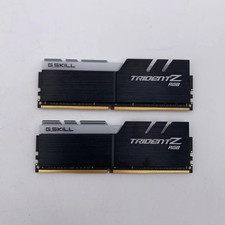
G.Skill Trident Z RGB 32GB (2x16GB) RAM DDR4 3200MHz F4-3200C16D-32GTZR
$159.99

Corsair Vengeance RGB Pro White DDR4 DIMM 288-Pin Desktop RAM Memory (4x8GB)
$275.00

Corsair CMK32GX4M2B3000C15 Vengeance LPX DDR4 3000mhz Memory Kit - 32GB (2x16GB)
$164.95

RAMAXEL Lenovo 32GB LPDDR5X CAMM2 7500MHz Laptop RAM | UNTESTED
$445.00

Corsair Vengeance DDR3 8GB 16GB 32GB 1866MHz PC3-14900 Desktop RAM Memory DIMM
$43.00
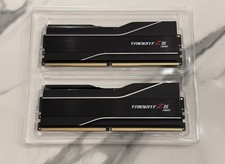
GSKILL Trident Z5 Neo RGB DDR5 32GB (2x 16GB) 6000MTs CL30 *AMD EXPO* RAM Kit
$499.99
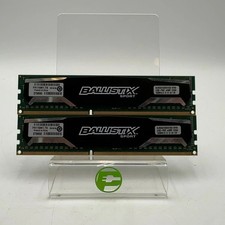
Ballistix Sport 16GB (2x8GB) RAM DDR3 1600MHz BLS2KIT8G3D1609DS1S00
$25.00

Micron MTC4C10163S1UC48BA1 8GB RAM DDR5 4800MHz
$87.00
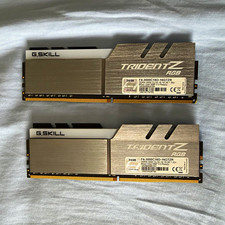
G.SKILL Trident Z RGB 16GB (2x8GB) DDR4-3000 DIMM 288-Pin XMP F4-3000C16D
$80.00

P43330-0A1 HPE 32GB 2RX8 PC5-4800B DDR5 SERVER RAM P43328-B21 / HMCG88MEBRA107N
$1100.00