-
Agh, udev is driving me nuts..
Ok - so I'm trying to get Knoppix to boot and play nice so I can chroot into another partially installed *nix system to finish that install - I don't need perfect hardware support, just ethernet and a responsive system..
Sadly, an instance of modprobe is sucking up 99.9% CPU regardless of what boot flags I give, and I can't kill -9 it either. It appears to be udev's fault..
Teach me for trying to install on esoteric hardware (Arima W830-DA laptop, otherwise known as an Alienware m9700).
So far I've tried booting with:
knoppix
knoppix nodhcp acpi=off noapic pci=bios
knoppix vga=0 acpi=off pnpbios=off noapic noapm nodhcp
knoppix nodhcp apci=off noapic pci=bios nohwsetup
knoppix failsafe nodhcp
nodhcp is needed because dhcp hangs trying to get an ethernet address for some reason, so that'll be the next challenge if I can fix udev.
There's no difference with any option at all - it always runs the spinny-bar hardware detection, and always starts udev.
Anyway, the modprobe that spins is:
Code:
root 1486 1 98 23:01 ? 00:12:28 /sbin/modprobe pci:v00001814d00000201sv00001462sd00006833bc02sc80i00
Pretty sure it's normally spawned by udev, though this time it appears to be spawned by init - I think it's probable that udev itself exited and orphaned the process, however.
lspci:
Code:
0000:00:00.0 Memory controller: nVidia Corporation CK804 Memory Controller (rev a3)
0000:00:01.0 ISA bridge: nVidia Corporation CK804 ISA Bridge (rev a3)
0000:00:01.1 SMBus: nVidia Corporation CK804 SMBus (rev a2)
0000:00:02.0 USB Controller: nVidia Corporation CK804 USB Controller (rev a2)
0000:00:02.1 USB Controller: nVidia Corporation CK804 USB Controller (rev a3)
0000:00:04.0 Multimedia audio controller: nVidia Corporation CK804 AC'97 Audio Controller (rev a2)
0000:00:04.1 Modem: nVidia Corporation CK804 AC'97 Modem (rev a2)
0000:00:06.0 IDE interface: nVidia Corporation CK804 IDE (rev f2)
0000:00:07.0 IDE interface: nVidia Corporation CK804 Serial ATA Controller (rev f3)
0000:00:08.0 IDE interface: nVidia Corporation CK804 Serial ATA Controller (rev f3)
0000:00:09.0 PCI bridge: nVidia Corporation CK804 PCI Bridge (rev a2)
0000:00:0b.0 PCI bridge: nVidia Corporation CK804 PCIE Bridge (rev a3)
0000:00:0c.0 PCI bridge: nVidia Corporation CK804 PCIE Bridge (rev a3)
0000:00:0d.0 PCI bridge: nVidia Corporation CK804 PCIE Bridge (rev a3)
0000:00:0e.0 PCI bridge: nVidia Corporation CK804 PCIE Bridge (rev a3)
0000:00:18.0 Host bridge: Advanced Micro Devices [AMD] K8 [Athlon64/Opteron] HyperTransport Technology Configuration
0000:00:18.1 Host bridge: Advanced Micro Devices [AMD] K8 [Athlon64/Opteron] Address Map
0000:00:18.2 Host bridge: Advanced Micro Devices [AMD] K8 [Athlon64/Opteron] DRAM Controller
0000:00:18.3 Host bridge: Advanced Micro Devices [AMD] K8 [Athlon64/Opteron] Miscellaneous Control
0000:01:06.0 FireWire (IEEE 1394): Ricoh Co Ltd: Unknown device 0832
0000:01:06.1 0805: Ricoh Co Ltd R5C822 SD/SDIO/MMC/MS/MSPro Host Adapter (rev 19)
0000:01:06.2 System peripheral: Ricoh Co Ltd: Unknown device 0843 (rev 01)
0000:01:06.3 System peripheral: Ricoh Co Ltd R5C592 Memory Stick Bus Host Adapter (rev 0a)
0000:01:0a.0 Network controller: RaLink Ralink RT2500 802.11 Cardbus Reference Card (rev 01)
0000:05:00.0 Ethernet controller: Marvell Technology Group Ltd.: Unknown device 4363 (rev 12)
0000:06:00.0 VGA compatible controller: nVidia Corporation: Unknown device 0298 (rev a1)
0000:07:00.0 VGA compatible controller: nVidia Corporation: Unknown device 0298 (rev a1)
dmesg implies that it's doing everything the full boot would do - maybe I'm not doing the 'failsafe' properly? Weird..
dmesg is available here: http://dev.mind-design.co.uk/dmesg.txt
Help, please :-/ this is driving me nuts now, it's like a challenge 
Any advise gratefully received - I may not be new to Linux (been going since Slackware in '97), but I've lapsed a bit recently and udev is a whole new ballgame to me, let alone knoppix 
Similar Threads
-
By Vetrivela in forum Hardware & Booting
Replies: 9
Last Post: 02-12-2009, 04:46 PM
-
By ewest305 in forum MS Windows & New to Linux
Replies: 1
Last Post: 04-03-2008, 12:07 AM
-
By sakiZ in forum Other Live CDs
Replies: 2
Last Post: 04-11-2007, 09:52 PM
-
By omghellyeah2003 in forum Hardware & Booting
Replies: 11
Last Post: 10-02-2005, 03:52 AM
-
By Seeker in forum Hdd Install / Debian / Apt
Replies: 6
Last Post: 09-22-2003, 10:11 AM
 Posting Permissions
- You may not post new threads
- You may not post replies
- You may not post attachments
- You may not edit your posts
-
Forum Rules


NEW Kingston 8GB DDR4 2666MHz Desktop RAM KCP426NS8/8 PC4-21300
$30.00
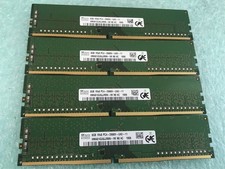
SK hynix 32GB(4 x 8GB) HMA81GU6JJR8N-VK PC4-2666V DDR4 Desktop RAM - CR337A
$89.95
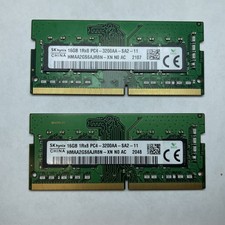
Lot of 2 SK Hynix HMAA2GS6AJR8N-XN 16GB DDR4 PC4-3200AA 1Rx8 Laptop SODIMM RAM
$354.99

16GB (2x8GB) Kingston HyperX blu KHX1600C10D3B1/8G PC3-12800U DDR3 1600
$27.99

DDR4 Laptop RAM 4GB 8GB 16GB 32GB 2400 2666 3200 Samsung Hynix
$66.00

Samsung W03J0009150379F87A 64GB (2x32GB) RAM DDR4 2400MHz CRC0Y
$179.99

A-Tech 8GB DDR3 1600 PC3-12800 Laptop SODIMM 204-Pin Memory RAM PC3L DDR3L 1x 8G
$21.68
HP56U46BS8MD-16 DDR5 16GB (1x16GB) DIMM Desktop Memory 5600MHz (brand may vary)
$179.99
Apple iPad 11th Generation 10.9" 128GB (Wi‑Fi + 5G) Blue
$220.00
Lot Of 21 Samsung 4GB 1Rx8 PC3-12800U-11-13-A1 NON-ECC M378B5173QH0-CK0 (21x4GB)
$180.00



 Reply With Quote