

I installed knoppix 5.0.2 to the hard drive using knoppix-installer.
I went with the Debian-like install.
I installed the bootloader to the MBR. (I think this might be the problem)
When I boot the computer I get the grub menu, but the default entry doesn't boot automatically. It boots if I just hit enter, but I would rather have it just boot automatically since I'm not going to install any other OSes. There were two entries in the menu.1st which were both the same except one had Default in the title. I removed the one without Default and tried again, but it still does not boot automatically. Here are the uncommented parts of my menu.1st:
I've tried changing default to 1 and saved, but it still does not load automatically. Is the problem that I put it in the MBR? If so, is there any way to install it in the boot partition without doing a full format and reinstall?Code:default 0 timeout 2 color cyan/blue white/blue title Debian GNU/Linux, kernel 2.6.17 Default root (hd0,1) kernel /boot/vmlinuz root=/dev/hda2 ro ramdisk_size=100000 lang=us apm=power-off nomce vga=791 initrd /boot/initrd.img savedefault boot
 Posting Permissions


1969 EAI TR-20 Analog Computer Programming PACE Philbrick Electronic Associates
$35.00
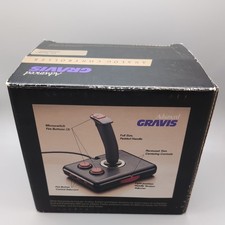
Advanced Gravis Analog Controller Joystics For Tandy Computers complete in box
$90.98

Vintage Donner Scientific Analog Computer Patch Cords Banana Plugs & Resistor
$100.00

Vintage 1970’s Analogic MP2110 10-Bit A/D Converter Computer Circuit Board
$24.99

Vintage Analog Computing Magazines For Atari Computer Owners No 11-20 Acceptable
$75.00
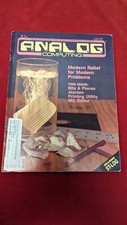
ANALOG COMPUTING MAGAZINE No. 42 May 1986, Modern Relief for Modern Problems
$11.01
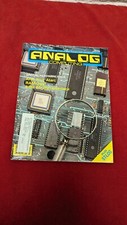
Analog Computing Atari Magazine No. 44 RAM Copy & 8 Bit July 1986
$22.00
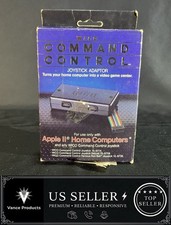
WICO Computer Command Apple II Analog Joystick Adaptor NOS 72-4525
$59.99

RARE VINTAGE Kontron 80 Psi Compact Microcomputer Computer Germany Early 1980s
$399.99

VINTAGE 1970s SKIT Scientific Kit for Computer & Electronics SEALED INSIDE Rare
$249.00


 Reply With Quote