-
There's little to share but here it is:
Code:
;
; /etc/samba/smb.conf
;
; Sample configuration file for the Samba suite for Debian GNU/Linux
;
; Please see the manual page for smb.conf for detailed description of
;	every parameter.
;

[global]

# Do something sensible when Samba crashes: mail the admin a backtrace
   panic action = /usr/share/samba/panic-action %d
   printing = cups
   printcap name = cups
   load printers = yes
   guest account = nobody
   invalid users = root

; "security = user" is always a good idea. This will require a Unix account
;	in this server for every user accessing the server.
   security = user

; Change this for the workgroup your Samba server will part of
   workgroup = WORKGROUP

   server string = %h server (Samba %v)

; If you want Samba to log though syslog only then set the following
;	parameter to 'yes'. Please note that logging through syslog in
;	Samba is still experimental.
   syslog only = no

; We want Samba to log a minimum amount of information to syslog. Everything
;	should go to /var/log/{smb,nmb} instead. If you want to log through
;	syslog you should set the following parameter to something higher.
   syslog = 0;

; This socket options really speed up Samba under Linux, according to my
;	own tests.
   socket options = IPTOS_LOWDELAY TCP_NODELAY SO_SNDBUF=4096 SO_RCVBUF=4096

; Passwords are encrypted by default. This way the latest Windows 95 and NT
;	clients can connect to the Samba server with no problems.
   encrypt passwords = true
;   passdb backend = smbpasswd guest

; It's always a good idea to use a WINS server. If you want this server
;	to be the WINS server for your network change the following parameter
;	to "yes". Otherwise leave it as "no" and specify your WINS server
; 	below (note: only one Samba server can be the WINS server).
;	Read BROWSING.txt for more details.
   wins support = no

; If this server is not the WINS server then specify who is it and uncomment
;	next line.
;   wins server = 172.16.0.10

# If we receive WINS server info from DHCP, override the options above.
   include = /etc/samba/dhcp.conf

; Please read BROWSING.txt and set the next four parameters according
;	to your network setup. There is no valid default so they are commented
;	out.
;   os level = 0
;   domain master = no
;   local master = no
;   preferred master = no

; What naming service and in what order should we use to resolve host names
;	to IP addresses
   name resolve order = lmhosts host wins bcast

; This will prevent nmbd to search for NetBIOS names through DNS.
   dns proxy = no

; Name mangling options

   preserve case = yes
   short preserve case = yes

; This boolean parameter controlls whether Samba attempts to sync. the Unix
;	password with the SMB password when the encrypted SMB password in the
;	/etc/samba/smbpasswd file is changed.
   unix password sync = false

; For Unix password sync. to work on a Debian GNU/Linux system, the following
;	parameters must be set (thanks to Augustin Luton
;	<[email protected]> for sending the correct chat script for
;	the passwd program in Debian Potato).
   passwd program = /usr/bin/passwd %u
   passwd chat = *Enter\snew\sUNIX\spassword:* %n\n *Retype\snew\sUNIX\spassword:* %n\n .

; The following parameter is useful only if you have the linpopup package
;	installed. The samba maintainer and the linpopup maintainer are
;	working to ease installation and configuration of linpopup and samba.
;   message command = /bin/sh -c '/usr/bin/linpopup "%f" "%m" %s; rm %s' &

; The default maximum log file size is 5 MBytes. That's too big so this
;	next parameter sets it to 1 MByte. Currently, Samba rotates log
;	files (/var/log/{smb,nmb} in Debian) when these files reach 1000 KBytes.
;	A better solution would be to have Samba rotate the log file upon
;	reception of a signal, but for now on, we have to live with this.
   max log size = 1000

   obey pam restrictions = yes

; Some defaults for winbind (make sure you're not using the ranges
;	for something else.)
;   winbind uid = 10000-20000
;   winbind gid = 10000-20000
;   template shell = /bin/bash

; ISOLATIN1 with euro sign
 unix charset = iso-8859-15
 display charset = iso-8859-15
 dos charset = 850

[homes]
   comment = Home Directories
   browseable = no

; By default, the home directories are exported read only. Change next
;	parameter to "no" if you want to be able to write to them.
   read only = no

; File creation mask is set to 0700 for security reasons. If you want to
;	create files with group=rw permissions, set next parameter to 0775.
   create mask = 0700

; Directory creation mask is set to 0700 for security reasons. If you want to
;	create dirs. with group=rw permissions, set next parameter to 0775.
   directory mask = 0700

[print$]
   comment = Printer Drivers
   path = /var/lib/samba/printers
   browseable = yes
   guest ok = no
   read only = no
   write list = knoppix

[printers]
   printer admin = knoppix
   comment = All Printers
   browseable = no
   path = /tmp
   printable = yes
   public = no
   writable = no
   create mode = 0700

; A sample share for sharing your CD-ROM with others.
;[cdrom]
;   comment = Samba server's CD-ROM
;   writable = no
;   locking = no
;   path = /cdrom
;   public = yes
;
; The next two parameters show how to auto-mount a CD-ROM when the
;	cdrom share is accesed. For this to work /etc/fstab must contain
;	an entry like this:
;
;       /dev/scd0   /cdrom  iso9660 defaults,noauto,ro,user   0 0
;
; The CD-ROM gets unmounted automatically after the connection to the
;
; If you don't want to use auto-mounting/unmounting make sure the CD
;	is mounted on /cdrom
;
;   preexec = /bin/mount /cdrom
;   postexec = /bin/umount /cdrom

[cdrom]
	comment = /media/cdrom
	browseable = yes
	path = /media/cdrom
	writeable = yes
	preexec = /bin/mount /media/cdrom
	postexec = /bin/umount /media/cdrom
[hdd]
	comment = /media/hdd
	browseable = yes
	path = /media/hdd
	writeable = yes
	preexec = /bin/mount /media/hdd
	postexec = /bin/umount /media/hdd
[hdc]
	comment = /media/hdc
	browseable = yes
	path = /media/hdc
	writeable = yes
	preexec = /bin/mount /media/hdc
	postexec = /bin/umount /media/hdc
[hda1]
	comment = /media/hda1
	browseable = yes
	path = /media/hda1
	writeable = yes
	preexec = /bin/mount /media/hda1
	postexec = /bin/umount /media/hda1
[hda2]
	comment = /media/hda2
	browseable = yes
	path = /media/hda2
	writeable = yes
	preexec = /bin/mount /media/hda2
	postexec = /bin/umount /media/hda2
[hda3]
	comment = /media/hda3
	browseable = yes
	path = /media/hda3
	writeable = yes
	preexec = /bin/mount /media/hda3
	postexec = /bin/umount /media/hda3
[hda5]
	comment = /media/hda5
	browseable = yes
	path = /media/hda5
	writeable = yes
	preexec = /bin/mount /media/hda5
	postexec = /bin/umount /media/hda5
[hda6]
	comment = /media/hda6
	browseable = yes
	path = /media/hda6
	writeable = yes
	preexec = /bin/mount /media/hda6
	postexec = /bin/umount /media/hda6
[hdb1]
	comment = /media/hdb1
	browseable = yes
	path = /media/hdb1
	writeable = yes
	preexec = /bin/mount /media/hdb1
	postexec = /bin/umount /media/hdb1
[hdb2]
	comment = /media/hdb2
	browseable = yes
	path = /media/hdb2
	writeable = yes
	preexec = /bin/mount /media/hdb2
	postexec = /bin/umount /media/hdb2
[hdb3]
	comment = /media/hdb3
	browseable = yes
	path = /media/hdb3
	writeable = yes
	preexec = /bin/mount /media/hdb3
	postexec = /bin/umount /media/hdb3
It sounds like you're having Ethernet probs, bec the default SMB.CONF
is so simplistic that I can't imagine how its settings would have an effect
on anything....
Similar Threads
-
By chrislynch8 in forum Networking
Replies: 2
Last Post: 01-13-2010, 06:53 PM
-
By Oblivious Sage in forum MS Windows & New to Linux
Replies: 2
Last Post: 10-30-2008, 03:07 PM
-
By andrewwan1980 in forum Networking
Replies: 4
Last Post: 09-06-2008, 04:47 AM
-
By dave52355 in forum General Support
Replies: 0
Last Post: 11-18-2003, 08:22 PM
-
By adamm in forum Networking
Replies: 2
Last Post: 09-24-2003, 03:38 PM
 Posting Permissions
- You may not post new threads
- You may not post replies
- You may not post attachments
- You may not edit your posts
-
Forum Rules


Netac DDR4 32GB 16GB DDR4 3200MHz UDIMM C16 Desktop Internal Memory RAM Kit
$99.99

A-Tech 8GB DDR3 1600 PC3-12800 Laptop SODIMM 204-Pin Memory RAM PC3L DDR3L 1x 8G
$21.68

Major Brand 16GB (2x8GB) PC3-12800U DDR3-1600MHz DDR3-12800 DESKTOP RAM NON-ECC
$29.99

DDR4 Laptop RAM 4GB 8GB 16GB 32GB 2400 2666 3200 Samsung Hynix
$66.00

Samsung 16GB LPCAMM2 PC5 7500 DDR5 LPDDR5X CAMM2 M561K1LC4DM0-CCTGM RAM Memory
$189.00
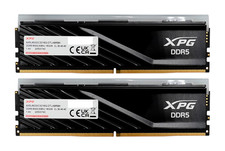
ADATA XPG Lancer Blade RGB 32GB (2x16GB) DDR5-6000 CL30 Desktop RAM Black
$429.94

RAMAXEL Lenovo 32GB LPDDR5X CAMM2 7500MHz Laptop RAM | UNTESTED
$445.00
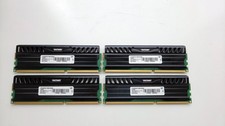
PATRIOT VIPER 32GB (4X8GB) 1600MHz DDR3 RAM MEMORY PV332G160C9QK
$70.00

NEW IN BOX - Corsair Vengeance RGB 32gb (2x16gb) DDR6200 CL36 CMH32GX5M2B6200C3
$550.00

LOT OF 4 Samsung 16GB DDR4-2666 ECC UDIMM 2Rx8 PC4-21300 M391A2K43BB1-CTDQ
$469.95



 Reply With Quote