-
Clone Xubuntu with Knoppix partimage
Hi
I would like to install Xubuntu on a couple of computers. I want to first install on one , download several programmes and utilities , tweak it and set it the way I like and then clone the installation to the other machines. Luckily all machines have the exact same hardware.
I would like to use Knoppix partimage to clone the installation into a removeable harddisk and then copy it into the other machines.
Did anyone ever try that? Can you foresee any difficulties?
The removeable harddisk's label says " designed for Windows" and it's FAT32 , is that a problem. Should I (/can I) reformat it to ext3?
Thanks....
-
Senior Member
registered user
There shouldn't be a problem if the removable hard drive is recognized by Knoppix and xubuntu uses a file system that is supported by partimage (e.g., ext2, ext3, reiserfs). Just set partimage to compression level 1 and check "split files". This will generate compressed image files of about 2 gigs each. Otherwise you might create an image file exceeding the 4 gig file size limit for FAT32 partitions.
By default, partimage will only save an image file of the partition. So don't forget to copy the MBR too and write it to the destination drive. You need to partition the destination drive before restoring the image to it. partimage won't do this for you, but you can use a partioning tool such as qtparted, which is also on the Knoppix cd.
If the computers are on a 100MBit LAN and support PXE boot, you can run the Knoppix terminal server on one machine and do the restores over the network. This will make things much easier because you can do several restores simultaneously without having to burn additional cd-roms. You could even run freenx server on the clients and do all the work from one machine.
By the way, I recommend Kanotix for hd installs. It's much closer to Debian than Ubuntu.
-
Thanks
But I just downloaded the latest version of Knoppix and couldn't find partimage in any of the menues.
Can you tell me how to access it?
-
Senior Member
registered user
Open Konsole and enter:
partimage is a shell application; it doesn't have a graphical user interface. You also have to mount the destination drive before you can save a partition image file to it.
-
Similar Threads
-
By neilsanner in forum MS Windows & New to Linux
Replies: 13
Last Post: 04-03-2006, 05:22 AM
-
By Highland in forum General Support
Replies: 8
Last Post: 03-24-2005, 03:53 PM
-
By Valent in forum General Support
Replies: 2
Last Post: 04-07-2004, 03:51 AM
-
By Cuddles in forum Hdd Install / Debian / Apt
Replies: 4
Last Post: 01-21-2004, 04:35 PM
-
By iconfly in forum General Support
Replies: 2
Last Post: 05-13-2003, 09:41 PM
 Posting Permissions
- You may not post new threads
- You may not post replies
- You may not post attachments
- You may not edit your posts
-
Forum Rules


GIGABYTE A520M DS3H AC AMD AM4 Motherboard mATX
$59.99

Intel H310 LGA1151 8-9th Gen DDR4 M.2 NVMe mATX Motherboard IO Shield Battery
$54.99

GIGABYTE Z890M AORUS ELITE WIFI7 ICE INTEL MOTHERBOARD
$149.99
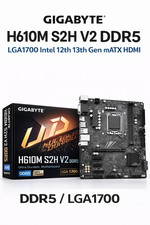
GIGABYTE H610M S2H V2 Motherboard, Supports 14th/13th/12th Gen Intel Core i5 i7
$69.59

ASRock B550M Phantom Gaming 4 AM4 AMD B550 SATA 6Gb/s Micro ATX AMD Motherboard
$71.49

ASRock B550M PRO4 AM4 AMD B550 SATA 6Gb/s Micro ATX AMD Motherboard
$76.49

GIGABYTE B365 HD3 LGA1151 Intel 9th Gen motherboard
$59.99

ASUS PRIME Z370-A II LGA 1151 Intel Z370 DDR4 DIMM USB3.1 DVI ATX RGB
$69.99

ASUS PRIME H410M-K LGA 1200 Intel 10th Gen H410 DDR4 USB3.2 Motherboard M-ATX
$59.99
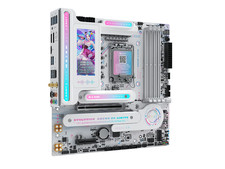
MAXSUN MS-iCraft B860M CROSS PRO DDR5 Intel LGA1851 socket
$399.99



 Reply With Quote