-
saving preferences
I attempted to save my preferences to floppy, which Knoppix did, and load them at startup with the "knoppix floppyconf" command. It mounts the floppy at startup and seems to read from it, but no preferences are present when Knoppix starts. Is there another step needed?
Thank you!
-
Senior Member
registered user
RE: Saving preferences
<snip>
I attempted to save my preferences to floppy... load them at startup with the "knoppix floppyconf"
</snip>
The correct syntax is "knoppix floppyconfig" -- I have found that it DOES make a difference -- look at the [F2] options, and see for yourself.
-
saving prefs
I used both syntaxes: "knoppix floppyconf" and knoppix floppyconfig" and both don't seem to work. If you check off all 5 options in the saving preferences to floppy box, what is it actually saving?
-
saving prefs
Never mind. It works beautifully now! Thanks again.
-
What did you do differently to get your config to work? I've tried everthing, can't get it to work...
-
saving prefs
Click the "K" menu, go the "KNOPPIX"->CONFIGURE->SAVE KNOPPIX CONFIGURATION. All radio buttons should be depressed, that is, shaded to select all options (5 total), click OK, insert a blank DOS formatted floppy and click enter. A progress bar will show that Knoppix is copying the configuration files.
Shut down Knoppix and restart (after of course making some changes to the default Knoppix, like Mozilla mail settings, background wallpaper, printer setup or whatever). At the prompt, type "knoppix floppyconfig" (without quotes) and hit enter.
Watch the startup text, you will see a line referencing reading from the floppy. There will be a few seconds of techno music after the KDE desktop gets underway and it should work.
Good luck (I'm a newbie, too)!
-
I've tried that with exception to checking all five boxes, which i did and and now boot to a black screen  (another issue which I thought I had resolved). If i boot with 'knoppix xvrefresh=60' i'm ok except screen is of centered. How to combine the two???
If I seem green, it's the New Year's champagne 
-
A little help, please. I'm sure I'm saving and booting the config file correctly - still won't load any saved preferences  . The floppy shows proper files. Is there an alternative to using GUI Knoppix>save config??
I've booted with knoppix vrefresh=60 knoppix floppy config and have tried all various combinations.
Thanks.
-
Senior Member
registered user
During the boot process is knoppix reading from your floppy?
<snip>
knoppix vrefresh=60 knoppix floppy config
</snip>
instead try:
knoppix vrefresh=60 floppyconfig
Note: floppyconfig is one word. As far as the boot commands, knoppix tells the boot manager which kernel to boot (only list it once), the boot options are listed after that, the order of the boot options shouldn't matter.
HTH
rock
-
I believe I have had the same problem. The issue is that the refresh rate does not seem to be used after setting in kde. You can try with the boot arg:
knoppix floppyconfig xvrefresh=60
that may work. For me, I just modified the syslinux.cfg to add those to the default. Can't remember if there was a specific order that I had to put them in. try both ways.
Similar Threads
-
Replies: 3
Last Post: 11-16-2004, 02:16 AM
-
By ix86i in forum Customising & Remastering
Replies: 1
Last Post: 11-03-2004, 04:17 AM
-
By Sago7 in forum Customising & Remastering
Replies: 1
Last Post: 07-23-2004, 11:20 PM
-
By fourtrackmind in forum General Support
Replies: 2
Last Post: 02-23-2004, 02:20 AM
-
By beforewisdom in forum Hdd Install / Debian / Apt
Replies: 1
Last Post: 06-22-2003, 01:49 PM
 Posting Permissions
- You may not post new threads
- You may not post replies
- You may not post attachments
- You may not edit your posts
-
Forum Rules

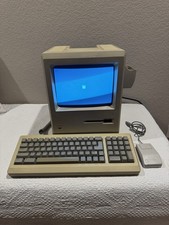
Apple Macintosh Plus 1Mb Vintage Desktop Computer w/ Keyboard & Mouse
$245.00

Vintage HP 21MX 1000 M-Series Minicomputer Chassis Backplane Parts AS-IS
$228.19
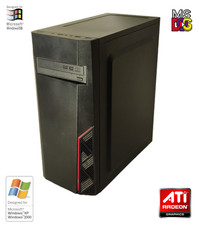
NEW* AMD Athlon 4850e 4GB ATI X1050 Win98 XP DOS Multiboot Retro PC w/ 50 Games
$389.00
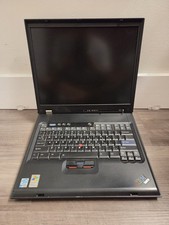
Vintage Rare IBM ThinkPad G40 Laptop Untested Parts Only
$59.95

Vintage Gray AC Power Cable Cord 3-Prong Plug to 3-Prong 3-Slot Connector
$50.00
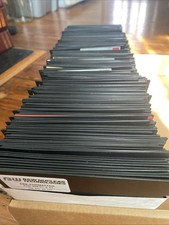
Vintage 1980s 1990s Lot of 175 Used PC Computer 5.25" Floppy Disks IBM
$175.00
Vintage Microsoft Windows NT Server 4.0 5 Client Access Licenses Sealed
$89.99
Vintage Toshiba Libretto 70CT Mini Notebook with Port Replicator and 32MB Memory
$320.00

Ast Advantage Adventure 4050D Vintage Retro Computer Great Condition
$199.99

Lot of 2 Vintage Plextor PX-43CS SCSI CD-ROM Caddy Drives + 4 Caddies Used
$55.99



 Reply With Quote