-
Junior Member
registered user
remove sound messages on boot (and some more qestions)
Hello,
How can I remove the booting/shutdown sound message - it is localised version so I don't
need such message in english and I prefare to remove it at all.
Thanks!
-
Senior Member
registered user
Starting sound:
Comment out following lines in /etc/X11/Xsession.d/45xsession:
Code:
# playsound(){
# Play sound if soundcore module present (checking /dev/sndstat is unreliable)
# OGGPLAY=/usr/bin/ogg123
# PLAY=/usr/bin/wavp
# [ -x "$PLAY" ] || PLAY=/usr/bin/play-sample
# [ -x "$PLAY" ] || PLAY=/usr/bin/play
# if [ -x "$OGGPLAY" -a -f /usr/share/sounds/startup.ogg ]; then
# case "$(lsmod)" in *sound*) { $OGGPLAY -q -p 64 /usr/share/sounds/startup.ogg >/
# elif [ -f /usr/share/sounds/startup.wav -a -x "$PLAY" ]; then
# case "$(lsmod)" in *sound*) { $PLAY /usr/share/sounds/startup.wav >/dev/null 2>&
# fi
# }
I think these lines are 113-124 in Knoppix 5.0.1. Comment out also line 128 (playsound) if you are using KDE:
Code:
startkde(){
# Play sound
# playsound
Perhaps the last one is enough if you use KDE only.
Shutting down:
Comment out lines 210-220 from [b]/etc/init.d/xsession[/xsession/b[] (Knoppix 5.0.1):
Code:
# Play informational sound if soundcore module present
# (checking /dev/sndstat is unreliable)
OGGPLAY=/usr/bin/ogg123
PLAY=/usr/bin/wavp
[ -x "$PLAY" ] || PLAY=/usr/bin/play-sample
[ -x "$PLAY" ] || PLAY=/usr/bin/play
if [ -x "$OGGPLAY" -a -f /usr/share/sounds/shutdown.ogg ]; then
case "$(</proc/modules)" in *sound*|*snd_*) { $OGGPLAY -q -p 64 /usr/share/sound
elif [ -f /usr/share/sounds/shutdown.wav -a -x "$PLAY" ]; then
case "$(</proc/modules)" in *sound*|*snd_*) { $PLAY /usr/share/sounds/shutdown.w
fi
-tapsa-
-
Junior Member
registered user
Thank you a lot!
It seems to work!
Some more questions
I had a problem with several user preferences I had defined - several were not copied from /etc/skel at all.
The problem was with folder with premissions like xrw----- (private for example the one of gaim). Looking for the problem
I've found that script that copies the files from skel runs with user privilagies (knoppix) thus it CAN NOT copy files with
these permissions.
So I've changed the line
Code:
rsync -Ha --ignore-existing /etc/skel/{.kde*,Desktop} $HOME/
to
Code:
sudo rsync -Ha --ignore-existing /etc/skel/ $HOME/
sudo chown -R "$USER:$USER" $HOME/
It seems to work now but it looks like an ugly hack. Can there be any problem with that? Why knoppix user do not added with adduser??? This would solve permissions problems like this and do the stuff in more "correct" way.
Mounting hard disks with correct charset
In order to mount the discks with correct charset I've changed the paramerers for vfat/msdos/ntfs mounting partisions in knoppix-autoconfig. However it should work for HD only and not for disk on key with vfat partitions. Is there any more correct way to setup default charrecter encodings for vfat/ntfs?
Thanks
-
Senior Member
registered user

Originally Posted by
artik
s there any more correct way to setup default charrecter encodings for vfat/ntfs?
Fat partitionins should be mounted with option 'iocharset=utf8' if you are using utf8. I think the best way to solve the problem is compile that directly to the kernel as I have done, see: http://tapsa.terae.net/linux/knoppix...7-beyond3-SMP/. If you like to test my kernel, please notice, that I have used vesa-tng instead of vesa. So vga modes (as 'vga=791') can't be used any more - you must use video modes instead (as 'video=vesafb:1024x768-32').
-tapsa-
-
Junior Member
registered user
No - thanks, kernel compilation is too much for me 
Anyway the changes I did not not help the charset parametes are not added.
what is the script chat creates /etc/fstab?
EDIT:
sorry, solved - required script was found in /usr/sbin/rebuildfstab
-
Junior Member
registered user
And one more question (sorry for too many).
What is the script that creates HD icons on the desktop - I want to translate "hard disk".
Thanks!
-
Senior Member
registered user
/usr/bin/mkdesktophdicons
-tapsa-
-
Junior Member
registered user
tapsa,
thank you a lot,
I'm very close to finish the work, you had helped me a lot in my work, and I doubght if I could finish it without your help.
Thank You a lot for Your great and professional help,
Artik
Similar Threads
-
By Jaromba in forum General Support
Replies: 1
Last Post: 01-17-2007, 02:30 PM
-
By Avenger in forum General Support
Replies: 1
Last Post: 01-06-2005, 02:30 PM
-
By scruffyeagle in forum Hdd Install / Debian / Apt
Replies: 6
Last Post: 07-26-2004, 11:02 PM
-
By brian dorling in forum Hdd Install / Debian / Apt
Replies: 0
Last Post: 06-01-2004, 07:01 PM
-
By schnarff in forum General Support
Replies: 1
Last Post: 05-09-2003, 08:20 AM
 Posting Permissions
- You may not post new threads
- You may not post replies
- You may not post attachments
- You may not edit your posts
-
Forum Rules


Vintage Apple Macintosh Plus Desktop Computer - M0001A
$150.00

Apple Macintosh Classic M1420 Vintage Desktop Computer Model Macintosh Classic
$100.00
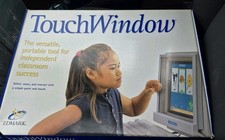
Vintage Edmark TouchWindow for Macintosh DeskTop Computer Touch Window Never Usd
$63.99

Vintage 1998 iMac G3 M4984 Mac OS + Keyboard Working but Needs Some Repair Read
$295.00

Apple Macintosh Plus 1MB M0001A Vintage Computer Boots Up / Floppy Disk Stuck
$99.99

185--Sonnet Crescendo G3 PPCG3-375-5-K-06 G3 Add-On Card for Vintage Mac
$99.00

LARGE LOT Vintage Apple Macintosh Mouse Cables Accessories SCSI etc - UNTESTED
$80.00

Rare Vintage Macintosh Apple Wooden Disk Storage Box Dovetailed
$69.95
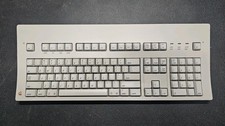
Vintage Apple Macintosh Keyboard M0115
$120.00

Mixed Lot Vintage Mac Windows media / Graphics / Sound Software - CDs 37 Pieces
$40.99



 Reply With Quote