


 Reply With Quote
Try cheat codes "knoppix xmodule=vesa" and "knoppix xmodule=fbdev". For your second question look here:
http://www.knoppix.net/forum/viewtopic.php?t=11796


Hello, I just downloaded and burnt the newest knoppix livecd. When I put it in it goes through the motions and when it gets to the loading xwindow after that the screen cuts out/goes black. I have tried knoppix vga=normal but that didnt work any other suggestions? The cd works perfectly on my desktop. Its a acer travelmate 4400. Any help would be greatly appreciated
Also, I want to run knoppix on my desktop that does not have a dvd drive on it(I had no cds so I had to make a dvd not cd) the iso is on the computer and it is ntfs. Whats the best way to go about doing that? Thanks in advance
Try cheat codes "knoppix xmodule=vesa" and "knoppix xmodule=fbdev". For your second question look here:
http://www.knoppix.net/forum/viewtopic.php?t=11796
Thanks I am going to try that right now. At the boot screen do I type knoppix xmodule=vesa knoppix xmodule =fbdev or do I have to have the " if doing more than 1?
You just type either knoppix xmodule=vesa or knoppix xmodule=fbdev (i.e. don't include the quotes).Originally Posted by Rainz3
 Posting Permissions

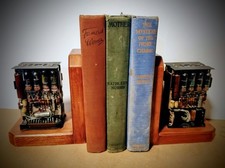
One Of A Kind Homemade Vintage Mainframe Computer, Logic Module Wood Bookends
$149.00

HP 5060-8359 8K Semiconductor Memory Module 5080-9747 Vintage HP Computer
$157.30

Vintage Telex 952003-112 Mechanical Terminal Keyboard IBM 3270 Mainframe DB25
$799.00

Vintage Intel Mainframe Server MCM CPU Substrate Lot Prototyping PGA Validation
$500.00
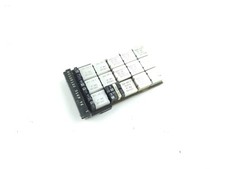
Vintage IBM Mainframe System Board IBM 14 Transistor Chip Circuit
$44.99
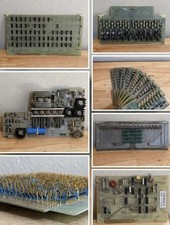
LOT of 14 DATA 100 Corporation Mainframe Terminal Boards Memory Backplane Gold
$749.99
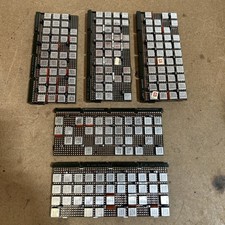
Vintage IBM Syst 370 MST Boards Lot Of 5 Heavily Populated IBM 22 Alu Can Chips
$89.00
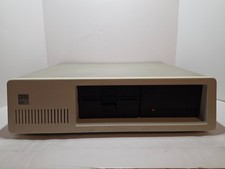
Vintage IBM XT 5160 PC Computer 640KB RAM with Expansions (Powers On As Is)
$350.00
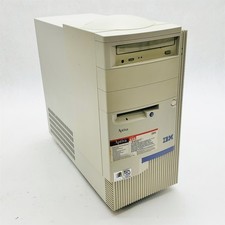
IBM Aptiva E5D Intel Pentium II 400MHz 64MB RAM No HDD Vintage Computer 2139E5D
$219.99

HP 13210-60001 Disc Drive Interface PCB HP 7900A 7901A Vintage
$157.93