

 Reply With Quote
One thing you can check is to look in the Bios and turn off the Plug and Play if it is possible.
If that doesn't work try the cheatcodes and turn off pnp.
knoppix pnpbios=off


doesn't anyone know how to fix this?
It's really weard to have sound working when configured, and then save config, reboot loading it, and
no sound anymore and not able to config again....
One thing you can check is to look in the Bios and turn off the Plug and Play if it is possible.
If that doesn't work try the cheatcodes and turn off pnp.
knoppix pnpbios=off
how will that effect? bios does recognize my sound card. Ill try however.
yep, tried. couldn't turn it off from bios, so I used the code.
It sped up the booting, who knows why, but still no sound.
I found something that might be a bug: when I first boot with default settings, and set
local area, keymap and timezone to Finnish (gmt +2) and save config,
then reboot with floppyconfig, the keymap is finnish, so is local area, but the time has shifted 5 hours forward.....
i think it's because knoppix is in usa time for default, and when it loads my time zone, moves the clock ahead
5 hours.. also found a solution for that. if the very first cheat code is lang=fi, then the time does not shift.
but it get's annoying to type it everytime. So, could any one of you fix it so, that knoppix first checks the time zone from config, and if it does not exist, then uses default time zone?
every linux seems to have problems with my sound card... but I recently started using Geexbox mediacenter, it neither recognizes my card. But in it's forums, there was a solution in big letters, so somebody else must have this sound prob too. In Geexbox i had only to remove a comment so it loads snd-es18xx isapnp=0 in the modules, and sound works every time

Hey there
I found out that your hotplug (firewire) should not be turned off cause it is some how tied with the sound config.
BTW, one way to speed up the boot is to have a swap partition on your HDD if you can. However, you need to plan a partition about twice your computer's RAM. As a result, the boot process will scan and find the swap file.
Timezone
Check out the clock (Adjust Date and Time) and enter password
(If you don't have one)
at console use at root
# passwd
and make a password and confirm
scroll down to Helsinki Europe/FI and apply and ok
double check the date, time and zone on the console with
# date
and save to floppy
Sorry, but you seem to sometimes tell me to do something i already did. (except for the no nofirewire. I'll try it, thanks for being so patient with me..)
I had already set the time zone to Helsinki, before saving config.
I think it is a bug, when booting only with floppyconfig option,
the time is exactly 5 hours ahead AND the time zone is still Helsinki.
And my boot is fast enough, i just wondered why pnpbios=off sped it up.
hm. I booted with knoppix nopcmcia lang=fi floppyconfig.
No sound. Removing the nofirewire had no effect.
Then i got an idea, how about the code that gets my sound card working in Geexbox?
went to konsole and typed modprobe snd-es18xx isapnp=0
and whatdoyouknow, sound works perfectly and that code also enabled the KDE sound server.
In Geexbox, I got rid of typing that everytime by putting that line in modules file. That ain't possible in Knoppix, is it?
So, even thou it works that way, I'd still love to have a solution which gets it working automaticly in bootup.
Here's a quick rewind, in case it helps.
1. Boot with default settings
2. sudo alsaconf (here sound starts working)
3. alsactl store
4. enable KDE sound sys and test sound. Ok.
5. Save configuration to floppy (all boxes checked)
6. Boot with floppyconfig option (no sound anymore)
7. alsaconf (with lots o' errors like no legacy cards found)
8. like 4, but when trying to test sound, error: Can't open /dev/dsp/ no such file or directory, using default null output device
and after this, the geexbox code gets sound working again.
have you checked the console with
lspci
to see if your sound card is still there to config ?
it may have jumped out of the bios for some reason
or stopped for no reason
I dont think listing pci-devices would help, because
ess audiodrive 1869 is an ISA-card.
And it works in Win 98se with no problems.
 Posting Permissions

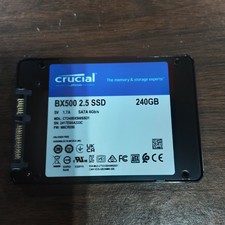
Crucial BX500 CT240BX500SSD1 240GB 2.5" SATA 6Gb/s SSD Solid State Drive
$25.00

ON SALE TURBOLINK EVO 4TB V-HAND SSD 2.5 SATA III Internal Solid State Drive
$199.99

Samsung 860 EVO 250GB SSD MZ-76E250 2.5" SATA III Solid State Drive -
$36.99

Western Digital Blue 3D NAND 250GB 2.5" SATA III Internal SSD - WDS250G2B0A
$29.99

SAMSUNG SSD 512GB 500GB 480GB 256GB 250GB 240GB SSD 2.5 Solide State Drive 6Gbps
$40.99

$25.00

256GB mSATA SSD DRIVE MIXED BRAND TESTED WORKING
$23.50

Crucial 2TB P3 Plus NVMe PCIe 4.0 M.2 Laptop Desktop Internal SSD CT2000P3PSSD8
$199.00

Netac 2TB SSD 3D NAND 2.5'' SATA III 6GB/s Internal Solid State Drive
$190.00

Toshiba THNSN81Q92CSE 1920GB SATA 2.5 Solid State Drive
$199.00