-
"Windows did not shut down properly" - can't mount
My friends' laptop stopped working so I'm using knoppix to try to recover some of the files. When I try to mount the drive I get this error:
Code:
root@1[mnt]# mount /dev/hda1 /mnt/hda1
Couldn't mount device '/dev/hda1' : Operation not supported
Windows did not shut down properly.  Try to mount volume in windows, shut down and try again.
Mount failed.
Problem is, she wasn't paying attention when installing what she thought was an update for office, when it was actually a new version of windows. So i'm not sure if the drive had been formatted or what, but if i could just mount it and copy a coupl eof .docs over to a jump drive that'd be perfect, then i can format her drive and install dual boot linux/windiows or somethin.
So how can I get around this error? We can't boot her windows (let alone shut it down), blue screens of death like crazy.
-
Senior Member
registered user
When you use the mount command without any options, you are asking to mount in read-write mode. For safety reasons, Knoppix does not mount NTFS partitions in read-write mode when there are problems on them (like when they did not shut down properly).
Knoppix will mount a problem NTFS partition in read-only mode. Since you only want to mount in read-only mode to copy a few files, do this:
mount /dev/hda1 /media/hda1 -o ro
You can then copy the files off and do your reinstall of Windows.
Note that it should be /media/hda1 not /mnt/hda1.
Alternatively, you could use your Windows recovery CD to boot and do a chkdsk to fix the problems. After that Knoppix should mount.
Regards.
-
Unfortunately I just got to work and can't try that. Will have to try it when I get home. I don't remember if i tried ro or not. sounds good though, as long as I can get these files off we're fine.
Would have tried the recovery disk, but she doesn't have one. bought this crappy laptop off some other college kid (who probably stole it himself) so came with nothing but windows on it.
why mount to media and not mnt? My nokia 770 uses media and not mnt as well... I've only been using linux for 6 months so I don't understand much of it and the stuff behind things. (i do love the power though!)
Anyway, off topic, since i downloaded the knoppix image (took me forever!) I made a couple copies and am showing it buddies and giving them copies so they can play with linux. I get so many people bitching a bout windows when all they want to do is type in office and surf in firefox and IM in gaim. :-/ here's linux folks its easy and powerfull and doesnt screw you like windows.
well i hope it works!
Similar Threads
-
By dbls in forum Hardware & Booting
Replies: 7
Last Post: 12-01-2009, 08:23 PM
-
By Mr K in forum Hdd Install / Debian / Apt
Replies: 3
Last Post: 10-05-2008, 06:37 PM
-
By rharazin in forum General Support
Replies: 2
Last Post: 12-11-2006, 04:31 PM
-
By rioachim in forum Hardware & Booting
Replies: 0
Last Post: 04-17-2005, 01:47 AM
-
By LinuxGeek in forum Hdd Install / Debian / Apt
Replies: 0
Last Post: 12-20-2003, 07:30 PM
 Posting Permissions
- You may not post new threads
- You may not post replies
- You may not post attachments
- You may not edit your posts
-
Forum Rules

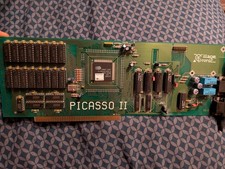
Amiga Picasso II RTG Graphics Card for Amiga 2000 3000 And 4000
$349.99

Microbotics Starboard 2MB + SCSI Sidecar for Amiga 1000 Vintage Computer READ
$279.00

RGB2HDMI Amiga 500 UltraLong (Accelerator Friendly) HDMI Games, non-RTG A500
$50.00
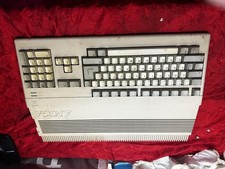
Amiga Commodore A500 - Untested-For Parts or Repair - Vintage
$200.00
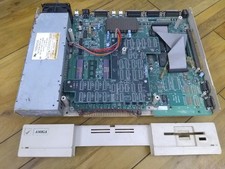
Amiga 1000 Computer W/ Daphne Chip, Commodore A1000 (As-Is)
$239.75
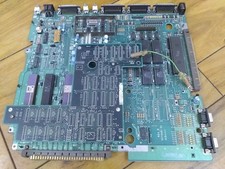
Amiga 1000 Motherboard W/ Daphne Chip, Commodore A1000 (As-Is)
$239.75

Commodore Amiga 4000 Motherboard Rev B - untested
$200.00
(10) BOXED Games for Commodore Amiga 500 600 1000 1200 2000 3000(T) 4000(T)
$329.98

ZuluSCSI Compact RP2040 - an affordable SCSI-2 (and 1) emulator w/ USB-C
$45.00

Commodore VIC-20 Diagnostic Cartridge & Test Harness Set - USA seller
$39.99



 Reply With Quote