

 Reply With Quote
Can you explaine how to do this a little more in depth. how to write the script and such. I tried to do this couple of times with errors.


As root, run the script below on the knoppix server after booting from cd-rom. On a client machine, you can boot in text mode (knoppix 2) and then at the # prompt type "X -broadcast" and you will be logged in via thin-client to your server machine. This makes a rather fast Xwindows session even on a 486 client as the programs are executed on the server.
Here is the script:
#!/bin/bash
cp /etc/kde3/kdm/Xaccess /ramdisk
cp /etc/kde3/kdm/kdmrc /ramdisk
rm -r /etc/kde3/kdm/Xaccess
rm -r /etc/kde3/kdm/kdmrc
sed 's/^#\*/\*/g' < /ramdisk/Xaccess > /ramdisk/Xaccess1
mv -f /ramdisk/Xaccess1 /ramdisk/Xaccess
sed 's/^Enable=false/Enable=true/g' < /ramdisk/kdmrc > /ramdisk/kdmrc1
mv -f /ramdisk/kdmrc1 /ramdisk/kdmrc
ln -s /ramdisk/Xaccess /etc/kde3/kdm/Xaccess
ln -s /ramdisk/kdmrc /etc/kde3/kdm/kdmrc
/etc/init.d/kdm restart
cp /etc/gshadow /etc/gshadow1
mv -f /etc/gshadow1 /etc/gshadow
echo To add users: adduser username
Can you explaine how to do this a little more in depth. how to write the script and such. I tried to do this couple of times with errors.
hopefully, you know what mv, rm, anc cp all do. If not, you're over your head and need to get a book on Linux/UNIX. The only other commands that might not be known are the sed and ln commands. Run "man sed" and you'll get a bunch on what that command does. In short, it is a way to do search and replace on files without having to open the file. Try looking at the file that is being worked on and then remove the redirection, "> filename", and watch the output to your terminal window when you run it. The ln command is again found with "man ln" but in short, it's a way to create links/short-cuts in your filesystem( for files and directories ).
As I said earlier, if you don't know what these are and don't know how to find out( use manual pages ) then you're over your head. RTFM
What would be nice is if Knoppix could take a xbroadcast boottime command to run a Knoppix boot as a thin client. Because, booting from Knoppix/LTSP would be easier. What I'm getting at is that if Knoppix had the xbroadcast shortcut, you could edit your /tmp/tftp/pxelinux.cfg/default file when running Knoppix-terminalserver so that all LTSP clients booted straight to thin client mode.
Thanks for the script.
To create the script file, you can use kwrite or another editor within knoppix, copy and paste the script commands into it then save it into a file into your home directory, let's call it script1 in this example. Then open up a terminal session, use the cd command to move to the directory where you saved it and then type these commands (hit enter after each one):Originally Posted by dagpmg
sudo -s
chmod o+x script1
./script1
This will give you root access, enable the script for execution and execute it.
I got it working!
But its in german. How can I change the lang setting
What particular server is being used here? I didn't know there was such a thing as a Knoppix Server. Is this some sort of LTSP thing? Just that script? Seems far too simple. How many clients can be connected? THis all sounds very promising, but some background is needed for the bigger pciture. Any takers?
You are basically running X over the network, having the programs execute on the machine that you bring up in server mode but the screen and keyboard/mouse control be on the client machine. You only need to execute that script, no further configuration needed, except if you want to create users with their own login/password, whereby everyone will get their own home directories, etc and ability to save their own application settings. You can connect as many clients as your server has memory.
 Posting Permissions


Gigabyte 4U AI Server 10x Nvidia GPU 2x Xeon Gold 6150 36 Core 2.7GHz DDR4 RAM
$1499.00

Dell EMC PowerEdge R440 Xeon silver 4215 2.5GHz 16 GB ram 2x 550W PSU No HDD
$275.00

867959-B21 HPE ProLiant DL360 G10 CTO Server W/ 2x 865414-B21 1x 840140-001
$245.00

Dell PowerEdge FX2s + 8x FC430 Blades 16x E5-2630v4 160 Cores Rails No PSU/RAM
$699.00

Dell PowerEdge C4130 1U AI GPU Server | 2x E5-2690 v3 | 64gb Ram | 2x 1600W
$524.99

Dell PowerEdge C4130 1U AI GPU Server | 2x E5-2680 v3 | 32gb Ram | 2x 1600W
$409.99

Dell PowerEdge C4130 1U AI GPU Server | 2x E6-2699 v3 | 128gb RAM | 2x 1600W
$899.99

Dell Poweredge R730xd 12LFF 2*2660v4 4*1Gbe h730 2x 750W Server CTO
$308.00

RDS CAL - Remote Desktop Services Windows Server 2019 50 User/Device Connections
$63.00
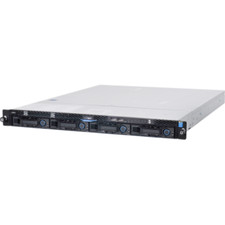
1U Server Intel Xeon E3-1240 V5 3.5Ghz 4C 32GB RAM 2x M.2 2280 OCP RJ45 Rails
$310.00