-
Senior Member
registered user
You are quite close to making it work.
You have detected the access point. Assuming your access point has DHCP activated, now you need to ask the access point DHCP server to give you an IP address. Go to the Knoppix menu (the Penguin), select Network/Internet -> Network card configuration. You may have to select your wireless device (probably eth0 or eth1 or something like that). It will ask you "Use DHCP Broadcast?" Select yes. This should get you an IP address from the access point. After this, test to see if you can connect to the internet.
Similar Threads
-
By Magnus_L in forum Networking
Replies: 4
Last Post: 09-05-2008, 05:05 AM
-
By Dman87 in forum Networking
Replies: 1
Last Post: 07-31-2007, 11:23 PM
-
By Vishwas.Bhat in forum Networking
Replies: 0
Last Post: 05-03-2006, 01:21 AM
-
By rhami01 in forum Networking
Replies: 0
Last Post: 07-05-2004, 06:32 PM
-
By Faeranicus in forum General Support
Replies: 1
Last Post: 03-05-2004, 02:45 AM
 Posting Permissions
- You may not post new threads
- You may not post replies
- You may not post attachments
- You may not edit your posts
-
Forum Rules


(New) AMD Ryzen 7 5700X 8 Core 16 Thread AM4 Unlocked 3.4 GHz CPU OEM Tray
$174.99

SGIN 17.3" Laptop Intel Quad-Core Up to 2.4 GHZ 8GB RAM 256GB SSD HD
$229.99

Dell Inspiron 15 3250 15.6 Touch Screen Laptop Intel core I5, 8GB, 256GB SSD
$379.00
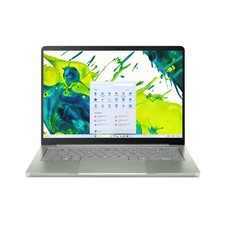
acer swift air 14
$600.00

Intel Xeon E5 - 2667V2 / SR19W 3.30GHz 25MB 8-Core CPU Socket LGA2011
$30.00

AMD FX 8350 8-CORE 4.00GHz CPU FD8350FRW8KHK SOCKET AM3+ *QTY
$39.99

AMD Ryzen 7 5700G 8-Core 16-Thread 4.6GHz Max Boost, 3.8 GHz Base
$170.00

AMD Ryzen 7 9700X 8-Core 16-Thread 40MB Cache Socket AM5 9000 Series Processor
$245.99

Dell T7810 Workstation 8-Core 2.40GHz E5-2630 v3 No RAM GPU HDD OS
$259.98

Dell OptiPlex 5070 SFF i7-9700 (8-Core) 3.0GHz 16GB 256 SSD Windows 11
$250.00



 Reply With Quote